Edits live in three places, not one
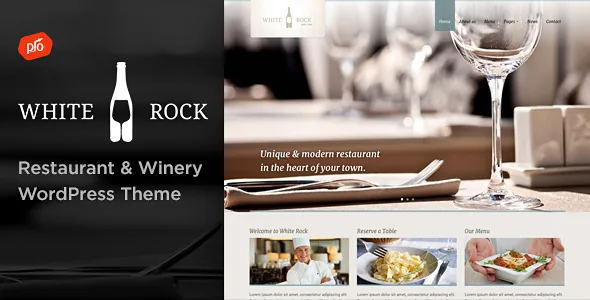
White Rock's feature list does not describe a single control surface. Pages are built with a drag-and-drop builder, and the listing declares Elementor and Elementor Pro compatibility. But sliders, maps, popups and the theme's own content elements arrive through plugins the vendor bundles, not through theme options. Colours and font adjustments sit in a front-end theme customizer instead.
That split is worth knowing before the first page. A section layout change belongs in Elementor. A palette or typeface change belongs in the customizer. A slider or popup is neither: it depends on Boosted Elements being installed and active. When something looks wrong, the first question is which of the three layers owns it.
Boosted Elements puts the slider inside the builder
The vendor describes Boosted Elements as an included premium add-on for sliders, maps, popups and more, and lists a premium slider as a built-in slider element. Slideshows are therefore added from the builder's element list rather than through a separately licensed slider plugin.
That packaging choice has a maintenance consequence. Because the slider ships as part of the vendor's plugin layer, its behaviour and fixes arrive with Boosted Elements rather than with the theme version number. The changelog shows this repeatedly: releases from 3.1 onward list a Boosted Elements plugin update as its own line item alongside theme changes, and version 4.3 in August 2026 pairs a WordPress 7+ support change with another Boosted Elements update.
Two plugins on separate release trains
The changelog documents a second bundled plugin too, listed as Progression Elements and, in earlier entries, as Progression Elements \u2014 White Rock. Its updates land at points where the theme's own purpose does not change. Versions 3.5, 3.8 and 4.0 all shipped new builds of it, and 3.8 notes a new Progression Elements included in the download's plugins folder while fixing a deprecated function in Elementor 3.6+.
For a restaurant or winery, that matters more than it would for a brochure theme, because the visible furniture of the site \u2014 menu sections, sliders, enquiry forms \u2014 is partly assembled from those elements. Treat both plugins as components you maintain deliberately rather than files that ride along silently. What the changelog cannot tell you is whether every combination of theme, plugin and Elementor version in your stack has been exercised.
Colours, fonts, footer and header come from the customizer
The vendor attributes unlimited colours and font adjustment to a front-end theme customizer. Read plainly, palette and typography are global settings, not per-page decisions made in the builder \u2014 which is what you want when a menu page, a reservations page and an events page should feel like one venue. A 3.7 entry about a Google Fonts API change shows the typography side being tended to over time.
The footer is quantified in the feature list: column count adjustable from one to four, with room for a logo, icons and navigation. A sticky header can be fixed to the top while scrolling, and mega menus are supported for drop-downs. All of that shapes how a multi-section hospitality site is navigated without touching PHP. The listing also marks the theme widget ready, so widget areas remain part of how sidebars and footer regions get filled.
Contact forms, and the map key you supply
White Rock includes its own contact form support, described as a way to build and display multiple contact forms. Multiple forms is a modest distinction with real use in hospitality: a general enquiry form, a private-events form and a table request can each be their own form instead of one overloaded catch-all.
Maps are where an owner-supplied dependency appears. A 2016 changelog entry records support for the newly required Google Maps API key, with changes to functions.php and two contact page templates. The theme can output map elements, but the key is yours to obtain and configure. If you plan a location page with an embedded map, budget for that step.
Logo and design PSDs, but not the venue photography
The marketplace records the theme package as containing layered PSD files alongside PHP, CSS and JavaScript. The vendor describes the Photoshop files as covering the logo and design, so source artwork for the theme's design elements comes with it and can be adapted in PSD-capable software.
What the file list does not establish is demo photography. The listing does not state that preview imagery is included in the package, so plan on supplying your own venue photography \u2014 which a restaurant or winery site needs regardless. Demo content imported through the vendor's importer is layout and sample structure, not a finished visual identity.
Underscores base, Elementor path, and a version band to verify
The theme is built on Underscores, the WordPress core team's underscore-based starter. That matters mainly to whoever later opens the template files to adjust markup, since the structure will look familiar if you have worked with Underscores before.
Compatibility declarations recorded on 3 November 2026 name Elementor and Elementor Pro, with WordPress versions from 5.5.x to 7.0.x. Gutenberg Optimized is marked No, which describes what the theme was engineered around \u2014 block templates and block styles are not its design layer. It does not disable the block editor in WordPress, and it says nothing about how these pages behave if you open them as blocks. Elementor is the editing path the vendor describes and documents.
What the version band cannot tell you is which exact combination has been tested. If your Elementor build is well ahead of the last one named in the changelog, or your WordPress install sits at the edge of the declared range, stage the pair you intend to run and check the builder elements, both Progression plugins and a contact form before launch.
Questions & answers
Do I need Elementor Pro to build a White Rock site?
The vendor lists compatibility with both Elementor and Elementor Pro without stating that Pro is required. The theme's bundle covers sliders, maps, popups and its content elements through Boosted Elements and Progression Elements. If your layout depends on Pro-only widgets, that is a separate decision from the theme.
Is the demo content a finished restaurant site?
The vendor describes demo content and a demo importer as a fast way to get a site running, and the demo URL shows the intended result. Demo content gives you structure and sample content. The listing does not state that preview photography is part of the package, so your own venue imagery and copy still need adding.
Where do I change the site's colours and fonts?
In the front-end theme customizer, according to the vendor's description of unlimited colours and font adjustment. Page layout is built in the page builder. Keeping those two jobs apart avoids duplicating styling work in both places.