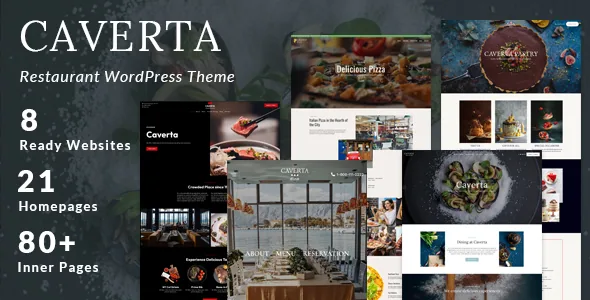
Twelve menu templates, nine cuisines, twenty-two homepages
The vendor description does not treat the menu as an afterthought to the homepage. It lists 12 pre-designed menu page templates, and separately names a group of page types aimed at running a food venue: About Us, About Me, a pricing page, four contact page templates, and the menu set itself.
That inventory is grouped into nine pre-made site demos the vendor names: Main, Bar, Dine, Sushi, Cafe, Pizza, Steakhouse, Pastry and Roma. Against those nine sits a figure of 22 predefined homepage layouts, so the demos read as families of pages rather than 22 separate sites. One-click demo import is listed as the way to start from one.
The two dark-mode demos are Steakhouse and Bar. The vendor names no other dark variants, so on the other demos a dark treatment is something you would build rather than select.
Frame elements sit on the same Elementor canvas
Pages are assembled with the Elementor page builder, which the vendor lists as a compatible plugin rather than something bundled with the theme. The footer goes further: a Footer Builder with Elementor and 8 pre-made layouts is listed, which means the frame under your content is composed in the builder instead of configured in a settings screen. A conventional widgetized four-column footer is also on the list, so you choose between the two early rather than layering both.
Headers come as 9 different styles with a sticky option. If your menu page runs long, the sticky header is the part that keeps navigation reachable while someone scrolls prices.
Styling does not all happen in the builder. The vendor's WordPress Live Customizer is described as the place for colours, logo, headers and blog layouts, with unlimited colours and Google Fonts listed alongside. Expect design decisions to be split between the canvas and the Customizer.
Galleries, portfolio grids and the full-screen option
Galleries are listed in 2, 3, 4 and 5 columns plus a full-screen option. Portfolio pages get the same column range, in grid or masonry form, with portfolio shortcodes for dropping a strip of work into another page.
Column count is the decision that changes the photography most. Two columns gives each image room; four or five suits a large set where the quantity is the point. Masonry is what keeps uneven image heights from breaking a wider grid. If the room's atmosphere is the pitch, the full-screen gallery is the option worth checking against your own images, since nothing in the description says how it crops them.
Video sources and the other page pieces
The homepage video takes three sources: a self-hosted file, YouTube or Vimeo. Self-hosting keeps the clip on your server and leaves you managing its size and delivery; the two platforms hand playback to someone else. That is a hosting trade-off rather than a feature difference.
Blog layouts are listed as Classic, List, and Grid in 2 or 3 columns, each available with a left sidebar, right sidebar or no sidebar. Testimonials and a 3-column blog grid also exist as shortcodes, which is how you place those blocks inside a page built in Elementor.
Compatibility entries name Elementor, Elementor Pro, Contact Form 7, Events Calendar, WPML and the Block Editor, observed on the marketplace on 5 November 2026, and the vendor separately calls the theme Gutenberg ready. Read those as integrations the vendor lists, not bundled plugins. Contact Form 7 fits the four contact templates; Events Calendar suits a venue publishing tasting nights; WPML is the multilingual entry. The vendor also lists a child theme among the inclusions, and the distributed files are PHP, CSS and JavaScript with no design source files.
Sorting the WordPress version statements
Two version statements in the supplied material do not line up. The marketplace software field runs from WordPress 4.9.x up to 7.0.x, while the vendor changelog's latest entry states compatibility with WordPress 7.1. Both were recorded in the same snapshot, so neither figure is a safe assumption for your own install; check the current listing before you commit to a WordPress version you have already fixed.
Everything above comes from the vendor's feature list and marketplace attributes. Nothing here is a record of the theme running on a particular host, so a staging install with your own plugins is still where the details get settled.
Questions & answers
Does Caverta include a reservation system?
The vendor mentions reservation and contact pages among the pre-designed layouts but does not name a booking plugin or describe booking logic. A working reservation flow would be a separate plugin decision.
Can I write posts in the block editor instead of Elementor?
The marketplace lists the Block Editor as compatible and the vendor calls the theme Gutenberg ready. The demo layouts and the footer builder are described in Elementor terms, so anything imported from a demo assumes that canvas.
How do the 22 homepage layouts relate to the nine demos?
They are counts of different things. Nine demos are named sites, each tied to a cuisine or venue type, and the 22 homepages are distributed across those demo families rather than being 22 independent sites.