The shortcodes that make a cafe page a cafe page
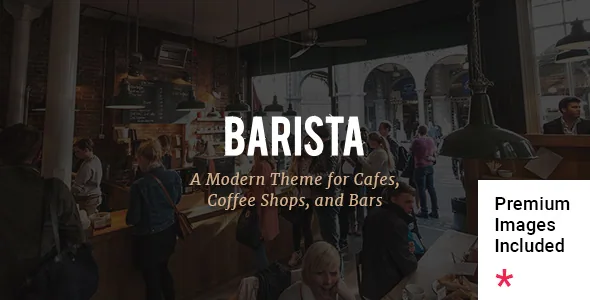
Most restaurant themes give you a good-looking layout and leave the menu to a page builder block you assemble yourself. Edge Themes' feature list for Barista takes the opposite approach: the things a cafe actually publishes get their own shortcodes. There is a Cafe Menu shortcode for drinks and food listings, a Working Hours shortcode for trading times, and a Shop Masonry shortcode for products. An Item Showcase shortcode sits alongside them for featuring a specific item, and pricing tables are provided as shortcodes too.
That distinction matters when you plan a build. A menu built from a dedicated shortcode keeps its structure consistent as you add entries, instead of relying on you to rebuild a table or card grid each time the drinks list changes. The Working Hours shortcode gives opening times a repeatable place on the page, which is usually the first thing a visitor looks for. If your site's job is to state what you serve and when you are open, these two elements carry most of the load.
WPBakery is bundled; Elementor is declared compatible
The vendor describes WPBakery Page Builder as included in the package, with a stated $64 value, and Slider Revolution with a stated $59 value. Those figures are Edge Themes' own valuation of the bundled plugins, not a statement about what a third-party copy of the theme contains.
The same feature list also names Elementor Page Builder as compatible. According to the changelog, Elementor support was added in versions 2.0 and 2.1, in December 2020 and May 2021, which places it well after the theme's original WPBakery structure. The vendor does not say which of the eight homepage examples were built in which builder, so the honest reading is that both routes exist and the demos are the place to check which one a given layout uses.
In practice, the shortcode set described above is the vendor's own extension layer. If you work in Elementor, treat shortcode placement as the thing to verify on the demo rather than assuming widget equivalents exist.
Eight homepages, and one-click import as the starting point
Barista ships eight homepage examples plus a collection of inner pages, and the vendor lists one-click demo import as a feature. Import is how you see the menu and hours shortcodes in a working layout without assembling them from scratch; what the import populates, and whether it overwrites existing content, is a question for the documentation rather than something the feature list answers.
For a small venue site, that import route is the realistic path. A coffee shop rarely has a designer on hand to compose layouts from empty rows, so starting from the closest demo and replacing the copy and images is the normal workflow. The eight homepages give you enough variation to match a bistro, a bar or a bakery counter without switching themes.
Headers and logos configured by context, not by style
The feature list names three header types and multiple header behaviours, and then goes further than most themes do on logos. There is an optional separate logo for the mobile header, separate styles for the mobile header, an optional separate logo for the light and dark header versions, and an optional separate logo for the sticky header type.
The practical effect is that you can hand a compact mark to the sticky state and a wider one to the light header, rather than forcing one logo file to survive every background and scroll position. Header top and header bottom widget areas add places for opening hours or a phone number without editing templates. A customisable mega menu and fullscreen menu are also listed, along with anchor functionality aimed at one-page sites — useful if you would rather keep a venue's story on a single scrolling page.
One item in the same block is easy to miss: the vendor describes an uncovering footer, which reveals the footer as the page scrolls. It is a visual choice, not a functional one, and worth seeing on the demo before you commit a footer design to it.
Shop, blog and portfolio only where the vendor is specific
WooCommerce integration is listed, along with a WooCommerce dropdown cart widget and the Shop Masonry shortcode. Read that as commerce support rather than a defined ordering system: the vendor's description does not describe a reservation flow, a pickup option or a catalog-only mode. If you plan to sell beans, merchandise or gift cards, the shop side is there; if you need table reservations, the theme does not claim a booking feature.
Content layouts follow the usual Edge Themes pattern. Blog layouts are offered as Masonry, Split Column and Standard, with post formats for audio, video, gallery, link and quote. Portfolios get several list layouts — masonry, Pinterest, gallery and standard — plus masonry, slider and gallery arrangements for single items, with image and video lightboxes. A cafe that also runs events or exhibitions has somewhere to put them.
Typography is unusually granular for a theme of this age: highly customisable settings, separate typography settings for responsive breakpoints, and 800+ Google Fonts. The version 2.5 changelog from April 2024 adds a Disable Google Fonts option, which matters if you host fonts locally for load time or privacy reasons. A child theme is included, so template changes have a safe home.
What the declared compatibility does and does not cover
The marketplace attributes recorded on 4 November 2026 list WordPress 6.5.x through 7.0.x, WooCommerce 9.x.x and 10.x.x, WPML and Contact Form 7 among compatible items. The 2.7 changelog entry from February 2026 adds WooCommerce 10.x compatibility and records updated Revolution Slider and WPBakery versions. Those are vendor declarations attached to the listing, not records of the theme being installed and tested against each combination.
A few things follow. The declared WordPress ceiling is worth reading as a ceiling: if your site already runs a release above the highest branch named, the listing does not cover it. And an older feature list can lag behind the changelog — Instagram feed support, for example, appears in the feature list while the version 2.6 notes record removal of the Instagram plugin because of API changes. Where the two disagree, the changelog is the fresher record.
Package contents are listed as PHP, CSS and JavaScript files, the theme is marked widget ready and well documented, and the layout is responsive with 4+ columns. None of that substitutes for checking the archive you actually receive.
Questions & answers
Do I need WooCommerce to run a cafe site with Barista?
No. The Cafe Menu, Working Hours and Item Showcase shortcodes handle the content a venue usually publishes, and WooCommerce is a separate integration for selling products. Only add the shop if you intend to take orders for beans, merchandise or vouchers.
Is Barista built for WPBakery or Elementor?
Both are named in the vendor's material, but not equally. WPBakery Page Builder and Slider Revolution are described as included with the theme, while Elementor is listed as compatible and was added later, per the changelog. The vendor does not state which builder each demo uses, so check the demo you intend to import.
Can I turn off Google Fonts?
Yes. The version 2.5 changelog records a Disable Google Fonts option and functionality, which lets you keep type rendering local instead of requesting fonts from Google.
Does the theme include a booking or reservation system?
The vendor's feature list does not describe one. Reservations appear only as a keyword association in the listing; the documented features cover menus, working hours, product display and form integration through Contact Form 7, not table booking.