A place has its own entry, not a tag on a post
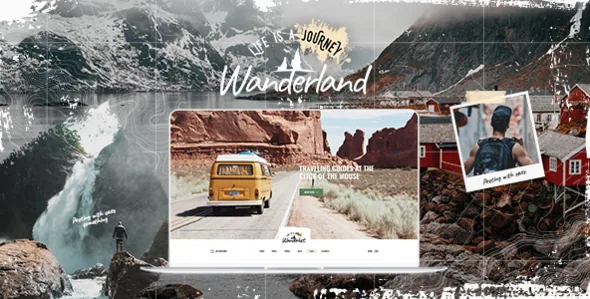
Wanderland's selling point is not the travel imagery in its demo. It is a content structure. The vendor's feature list names a Destination custom post type, and the theme ships a family of shortcodes built around it: Destination List, Destination Category List, Destination Slider, Destinations List and Map With Destinations.
That distinction changes the editorial job. On a standard travel blog, a place lives as a category, a tag or a word in the title, and the site's sense of geography is whatever the author writes. With a separate post type, each place is an entry you can fill once and reuse across pages — in a list, in a slider, on a map — without retyping it into every post.
Everything below comes from the vendor's own description, listing attributes and changelog. No one has installed and tested this theme for this article, so treat the behaviours as declarations to check in your own setup.
Where the place data shows up on the page
The shortcode list is the practical map of what you can build. A Destination List produces a general listing; a Destination Category List groups places by category, which is how a region or a trip type becomes a browsable section in its own right. Destination Slider and Destinations List suggest the same entries presented as a moving hero or as a longer static spread.
Map With Destinations is the one that earns the theme's travel framing. A list of places can be read; a map lets a visitor see the spread of coverage and pick by proximity or curiosity. The vendor also lists Customizable Google Maps and a Customizable Google Map shortcode, so location display is treated as a configurable element rather than a fixed module.
The catch is Google's platform rather than the theme: Maps keys, billing and API changes sit outside the vendor's control, and the changelog shows the theme playing catch-up more than once — a fix for the deprecated addDomListener call in version 1.6, API compatibility work in 1.7 through 1.7.2, and further Google Map API compatibility improvements in 1.9. Budget time for getting a key working.
Mixing posts and places in one feed
The Blog List With Destinations shortcode is the crossover tool. Rather than choosing between a chronological article feed and a place directory, you can set up a list that carries both, which is close to how real travel publishing works: a trip report sits next to the destination it describes.
Around it sit the conventional blog pieces. The vendor lists Blog Standard Layout, Blog List, Blog Slider, a Blog List widget, and custom post formats for standard, gallery, link, quote, video and audio posts. A six-format set matters for a travel site that posts video diaries and photo galleries alongside written pieces, because each format gets its own presentation rather than being forced into a featured-image box.
For the rest of the page, the vendor describes a large custom shortcode collection: image galleries and showcases, full-screen sections, video backgrounds and parallax sections, author and testimonial blocks, pricing tables, product lists and an outline-text shortcode. That is a toolkit to assemble pages from, and the next section explains what assembles it.
WPBakery builds the pages; blocks cover one post type
Page composition runs through WPBakery Page Builder, which the vendor includes in the package and values at $64. The marketplace compatibility list names WPBakery Page Builder, and the changelog for version 1.9 records an update to WPBakery 9.0.1 — evidence that the builder is maintained alongside the theme rather than abandoned at an early release.
Slider Revolution is bundled too, with the vendor citing a $29 value; version 1.9 updated it to 6.8.1. If you plan a full-width landing page for a destination or a campaign, that pairing is the intended route.
The block editor story is narrower and worth reading precisely. The marketplace attributes mark the theme Gutenberg Optimized: Yes, while the changelog's only block-related entry is version 1.6, which added Gutenberg support for the Wanderland Destination post type and improved core search block styling. Read together, those point to block editing being meaningful for destination entries, not a claim that every layout in the demo was assembled from blocks. Plan on WPBakery and shortcodes for page building, and treat Gutenberg as useful for destination content.
Two social widgets the changelog takes away
The feature list still advertises a Twitter widget and an Instagram widget, and a reader scanning that list would reasonably assume both work. The changelog says otherwise. Version 1.6 removed the Twitter plugin, citing Twitter API changes. Version 1.8 removed the Instagram plugin, citing Instagram API changes.
Because those removals land in a list that the vendor has not rewritten, this is the one place where the description and the release notes disagree. Plan your footer and side area as if the built-in feeds are gone. The theme still ships a Social Icon widget, a Social Icons Group widget, an Instagram List shortcode and optional social share functionality — static links and share buttons are a different thing from a live feed, and the share and icon pieces are the parts to rely on.
If a live social feed is a requirement, resolve it with a separate plugin and confirm it behaves with the theme before you build the layout around it.
Header choices that matter for travel photography
The vendor lists an unusually long set of header types: Standard, Centered, Divided, Minimal, Bottom, Bottom Centered, Bottom Minimal and Vertical, plus Mega Menu and a side area. Most travel themes give you a logo bar and call it done; here the header is a layout decision that changes how much of the first screen a photograph keeps.
A vertical header, for instance, moves navigation to the side and leaves the top of the page to full-bleed imagery. A bottom or bottom-centered header shifts the brand down and lets the hero start at the very top edge. Minimal variants reduce chrome for editorial pages where the photo should lead.
The supporting details are practical: separate logos for regular, sticky and mobile headers, separate logo variants for dark and light header skins, separately styled mobile headers, and header top and bottom widget areas. Dark and light logo variants are easy to overlook until a transparent sticky header sits over a bright landscape and the logo disappears.
Typography controls are broad — the vendor cites 800+ Google Fonts and a typography options panel — so a magazine-style masthead is achievable without code. A child theme is listed as ready if you would rather not rely on options alone.
What the listing declares about hosting and plugins
Observed on 4 November 2026, the marketplace attributes declare compatibility with WordPress 6.5.x through 7.0.x, WooCommerce 8.x.x, 9.x.x and 10.x.x, WPML and WPBakery Page Builder, with browsers from IE11 through Chrome, Firefox, Safari, Edge and Opera. The listing also marks the theme widget-ready, responsive, retina-ready and well documented, and the file bundle as PHP, CSS and JS.
Those are declarations attached to the product, not results of a compatibility test. Your PHP build and your plugin versions are part of the equation, and the changelog is the record of what each release actually touched — version 1.6, for example, added PHP 8.2 compatibility, and WPML's config file arrived in 1.8.
Commerce here is compatibility rather than a built-in store. WooCommerce support comes with product list and product carousel shortcodes, a dropdown shop cart widget and a declared PayPal Checkout Gateway pairing; a travel blogger selling prints or guides gets styled shop pages, with WooCommerce handling the mechanics. Contact Form 7 is listed as compatible for enquiry forms.
One licensing note belongs with any travel build: the vendor states that the photographs in the demo are presentational only and are not licensed for your site. Assume you will supply your own imagery.
Questions & answers
Do I need WPBakery to use Wanderland?
The vendor builds the theme around WPBakery Page Builder, includes it in the package and updates it in the changelog, so it is the intended composition path for pages. The only Gutenberg-specific change recorded is block support for the Destination post type in version 1.6. If you want a block-first site, this theme does not describe itself that way.
Are the Instagram and Twitter widgets usable?
The feature list names a Twitter widget and an Instagram widget, but the changelog records removing both plugins, citing API changes, in versions 1.6 and 1.8. The social icon widgets, the Instagram List shortcode and the share buttons are separate items from a live feed. Plan on static links or a third-party feed plugin.
How does the Destination post type differ from a category?
A category sorts posts; a destination is its own entry with a place identity that the theme's shortcodes can render as a list, a category list, a slider or a map marker. That lets one destination record appear in several page sections without being rewritten each time.