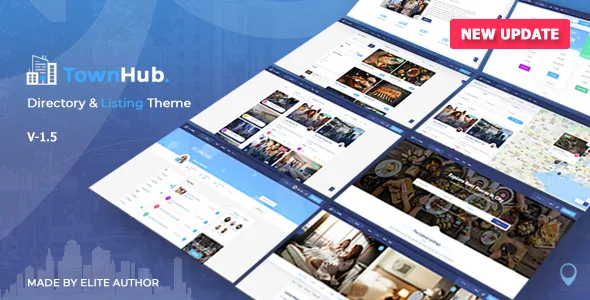
A directory theme that ships the money mechanics
Most directory themes stop at listing cards and a search bar. CTHthemes describes TownHub as the layer above that: paid listing packages sold monthly, yearly or one-time across free and premium tiers, a commission taken on reservations made through the site, banner and sponsored-listing ad sales, and an author wallet that tracks earnings and handles withdrawal requests.
The wallet is the part that reshapes the operator's week. If listing owners accumulate balances on your site, someone approves payouts and reconciles them, so the theme's earning model arrives with an administrative duty rather than a switch you flip once.
One unclear line in the vendor copy: it advertises "5 payment gateways" and then names six — Stripe, PayPal, Paystack, PayFast, Skrill and 2C2P. Treat that as the set of named processors and check which ones you actually intend to enable, since each adds its own credentials and webhook setup.
Niche listing types carry their own booking logic
The pre-built types are not colour variants of one form. The vendor says each ships with its own fields, layouts and booking rules, and the per-niche detail is specific: hotels get room-by-room booking with an availability calendar, iCal sync and person/night pricing; restaurants get a menu builder, table booking and delivery information; real estate gets property types, map-based search, virtual tour embeds and a mortgage calculator; events get ticket quantities, capacity tracking and a calendar view; local businesses get opening hours, categories and Google Maps or Street View.
A custom field builder covers everything else, adding text, select, checkbox, date, file upload and map fields to a listing type without code. That builder decides whether an unusual directory works at all — a rental-equipment site lives or dies on whether the field types can express what visitors filter on. The description does not state how many custom listing types you can create.
What owners and visitors can do away from wp-admin
A front-end author dashboard lets listing owners handle listings, bookings, earnings and messages on the public side of the site. Around it the vendor lists direct messaging between guests and owners, a claim-listing workflow, registration with roles and profiles, ratings with author replies, notifications, a wishlist and CSV bulk import.
Two of those are moderation decisions dressed as features. Bulk import is how an existing database gets in, but the listing description never says how imported records are reviewed before going live, so plan that step yourself. The claim workflow, meanwhile, is how you hand an unregistered business's listing over to its real owner — a policy question about who wins a disputed claim, not something a setting settles.
Using subscription status as a layout condition
Version 1.9.3 adds a "has_subscription" condition to the listing builder's "Hide widget on" setting, so elements can be hidden from visitors holding an active subscription plan. The same control was extended to the Raw HTML element.
Practically, that means an upgrade prompt or a block of premium contact details can live inside a single listing layout and drop out for paying members, instead of being hard-coded into a template. Paid and free views come from one design you maintain.
The same release moves Stripe to Checkout Sessions with the payment amount verified before an order or membership activates. That is a stated release behaviour, not a record of a completed checkout on your install.
AZP Page Builder or Elementor: decide before you document
Pages come together in the vendor's AZP Page Builder, credited with more than 30 directory-specific elements — listing grids, maps, search bars, filters, pricing tables — or in Elementor. Each listing can also use one of seven header styles: image, carousel, slideshow, video, map, Street View or an embedded iFrame.
Which builder your team standardises on is the decision that shapes everything after it. If Elementor is the house tool, confirm the directory elements you need exist there rather than only in AZP. The vendor's own changelog suggests the two are not identical in maturity: version 1.9.3 fixes a broken Elementor Counter widget and migrates TownHub counters to an identically named CTH Counter widget, with a WP-CLI command supporting dry-run and rollback.
Location search is described as running on Google Maps, Mapbox or OpenLayers, so your map provider is a configuration choice, not a fixed dependency.
Reading the release notes as a maintenance record
The published changelogs are mostly repair. Version 1.9.1 is labelled a security and performance update and names injection prevention in chat, search and withdrawal handlers, escaping across AZP template output, restored CSRF protection, a rewritten Stripe plugin, a PayPal IPN idempotency guard and a PHPUnit suite for listing and search logic. Version 1.9.3 adds fixes for listing page templates ignored on WordPress 6.7+, Google Maps display and address autocomplete, reversed booking dates, miscounted booking earnings, and coupons redeemable beyond their limit.
For a theme that touches payments and personal data, a long fix list is expected. What it tells you is that those flows have been actively patched — not that they behave correctly on your server with your gateway accounts.
Two package boundaries are stated plainly by the vendor: the React Native iOS and Android app is a separate add-on product, and demo content and images are preview material that is not included.
Declared compatibility and what it leaves open
Marketplace attributes observed on 4 November 2026 record WordPress 5.9.x through 7.1.x, WooCommerce 7.x through 10.x, Elementor, WPML, ReactJS and Bootstrap 4.x and 5.x, with package files listed as PHP, CSS and JS. Gutenberg Optimized is marked No, which is the vendor's declaration about block-editor styling rather than a statement that the block editor refuses to load.
WPML readiness is declared with more than ten language files, and RTL support covers Arabic, Hebrew and similar scripts. Declared browsers are Firefox, Safari, Opera, Chrome and Edge.
These are listing claims, not results from running TownHub against your PHP build, map keys or payment accounts. For a project that intends to take money, the booking and checkout paths are the ones to exercise on staging before launch.
Questions & answers
Does the TownHub purchase include the iOS and Android app?
No. The vendor states the React Native mobile app is a separate add-on product. The WordPress theme is the directory platform itself, with the app sold apart from it.
Can parts of a listing page be hidden from paying members?
The vendor's 1.9.3 changelog adds a has_subscription condition to the listing builder's "Hide widget on" control, so elements can be hidden from users with an active subscription. The Raw HTML element gained the same control in that release.
Which map services can TownHub use?
The description names Google Maps, Mapbox and OpenLayers for location search, alongside Google Maps and Street View as listing header styles. Each provider needs its own account or key.
Are demo images part of the package?
No. The vendor notes demo content and images are for preview only and are not included, so photography and listing data are your own to supply.