A header you can't edit from inside a page
The vendor's description lists a header and footer builder and a mega menu builder alongside the theme customizer panel, with the Elementor widget collection sitting next to them. Those builders are separate from the page canvas. You can style a button inside a page with Elementor, but the navigation bar wrapping that page is configured elsewhere — in Unyson theme options and the WordPress Customizer.
The consequence shows up at handover. A colleague who only knows Elementor will reasonably look for a header setting in the page editor and not find one. Editing correctly here means knowing which surface owns which decision before you open either.
It also changes how you plan a redesign. A new header applies site-wide at once, without touching individual pages. That is the sensible arrangement for a corporate site with a consistent top bar, but it means header changes are never scoped to a single landing page.
Six home layouts, and the module switches beside them
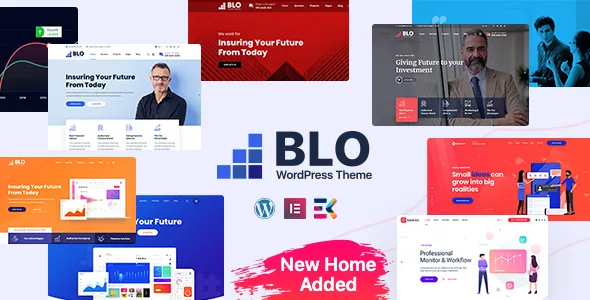
The description counts 6+ home page designs covering startup, app and digital agency, technology and corporate businesses, and offers 5+ menu styles. Treat the menu styles as arrangements of the same links rather than five separate navigation systems — the practical question is how much width the menu needs and whether a long service list belongs in a mega menu panel instead of a dropdown.
The vendor also says you can "almost turn on or off every feature in the theme." That points at module toggles in the theme options: a way to disable parts of the theme you don't use instead of removing code. It is not the same operation as deleting an Elementor section from a page, and the two don't substitute for each other.
One thing to expect when you change home layout: the new layout brings its own page content, while global settings stored in Unyson or the Customizer stay put. A freshly imported home page can therefore look off until you revisit those global options deliberately.
Styles ship compiled, so plan your CSS edits accordingly
The vendor states the theme is built with Prepos and Sass, and lists PHP, CSS and JS files as the package contents. Those two facts together mean the stylesheet you receive is a compiled output, not a neatly organised source file you can edit line by line.
If your work is limited to Elementor styling and the built-in options, this rarely matters. If you expect to restructure layout rules in CSS, you need either a workflow that survives on top of compiled CSS or your own Sass build alongside it. The changelog also records a custom CSS tab added back in version 1.1.2, which is the place for small overrides rather than editing theme files.
The icon supply is generous and worth counting before you design: Font Awesome's 400+ icons plus a separate library of 200+ line icons, with a release note from version 3.4.1 recording new icons added to that custom library.
The demo import is newer than the theme
One-click demo import appears in the changelog as a version 4.3 entry dated 28 August 2024, in the same release that fixed an Elementor icon issue and updated the Unyson plugin and Slider Revolution. The theme itself has been on the marketplace since 2020, so the import is a later addition rather than an original feature.
What an import does is fill the site with sample pages, menus and widget content so you can see populated layouts. It also fills the site with material you will replace. Plan it as a starting point you edit down, not a finished site you tidy.
That release, bundling an import, an icon fix and two dependency updates, is also a fair picture of the maintenance pattern: incremental work across a mixed stack rather than a push behind one framework.
WooCommerce, and mail templates most shops forget
WooCommerce appears in the compatible-with list at 7.x, 8.x and 9.x, and version 4.2.0 included EmailKit for customising WooCommerce email templates. Earlier entries in the log are commerce repairs — a shop page fix, an email edit fix in 4.2.1, and a pre-launch era entry adding customizer colour controls for WooCommerce buttons and text back in version 2.8.
If you plan to sell from a BLO site, the email templates are the piece business sites most often leave untouched, and a dedicated customiser is a more useful inclusion than it first sounds. The shop page entry is the opposite reminder: storefront fixes in this changelog are one line each, so verify your own product grid, cart and checkout pages rather than assuming the layout has been exercised across every WooCommerce branch.
The compatibility entries are declared ranges, not results from an install against your plugin versions.
Where the build sits in 2025 and 2026
Version 4.4, dated 29 June 2025, updated WordPress 6.8 compatibility, Elementor compatibility, Slider Revolution and the Unyson plugin, and cleared PHP deprecation warnings. Version 4.4.1 in October 2025 fixed a license activation issue. Deprecation cleanup, dependency refreshes and activation repairs describe a theme keeping a mixed stack healthy rather than rebuilding around one modern framework.
The listing recorded on 4 November 2026 declares WordPress 6.0.x through 7.0.x, Elementor, Bootstrap 4.x and the three WooCommerce branches, with Gutenberg Optimized marked yes. Those are declarations about ranges and attributes, not test results from your PHP build. Bootstrap 4.x is itself a dated major version, which is worth knowing if your project already standardises on a newer front-end framework.
Within those boundaries the choice is narrow. BLO fits a business site where you accept building pages in Elementor while managing the shell through Unyson options and the Customizer. If you want a single editing surface for everything, the split will read as friction.
Questions & answers
Do I need Unyson to edit BLO, or can I stay in Elementor?
Both are needed for different jobs. Elementor builds page content; the header and footer builder, mega menu builder, typography and module switches are handled in Unyson theme options and the WordPress Customizer.
Does BLO include demo content I can import?
The changelog records one-click demo import being added in version 4.3, dated 28 August 2024. An import fills the site with sample pages and menus that you then replace with your own content.
Should I expect to edit the theme's stylesheet directly?
The vendor says the theme is built with Prepos and Sass and lists CSS files in the package, so the styles you receive are compiled. A custom CSS tab exists for small overrides; structural styling changes need a compiled-CSS workflow or your own Sass build.