One site promoting several businesses at once
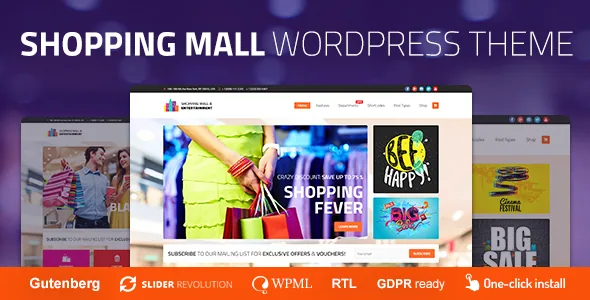
Most business themes are written for a single company with one brand and one product line. cmsmasters frames Mall differently: the vendor describes it as a theme for shopping and entertainment centres, and as a platform for promoting several businesses simultaneously — a cinema, a fashion store and a restaurant inside one site rather than on separate installs. That framing decides which parts of the setup actually matter.
The structural answer given in the theme description is a pair of custom post types. Profiles and Projects are listed as the way to present content, next to a portfolio that can run as a grid or a masonry layout and a blog with several layout options. For a mall site, this is the layer that holds tenants and venues; the shop and the events calendar sit above it as plugin-driven functions.
Profiles and Projects as the tenant layer
A profile is a record you can give its own page — the shape a centre directory needs for each tenant, with room for a description, imagery and links. A project works the same way for a launch, a season or a campaign. Neither belongs to the blog, so you are not filing stores under categories and hoping the archive reads like a listing.
What the vendor does not describe is any automatic wiring between these layers. Nothing in the description says a tenant's events or products are pulled into the profile page for you. Expect to connect those pieces yourself through the builder or through templates you create, and treat a profile as the place you present a business, not as a synchronised record of everything it does.
Grouping tenants in the mega menu
The theme metadata names a bundled Custom Mega Menu plugin alongside premium Revolution and Layer Slider plugins included with the theme. For a site listing many tenants, a mega menu is structural rather than decorative: it is where shops are grouped by category, entertainment is split from dining, and a visitor reaches a zone without drilling through pages.
The slider plugins are separate tools with their own editing interfaces, which tells you the hero area is assembled in a slider editor rather than in the theme options. The vendor's claim covers the plugin inclusion; it does not say every demo slider is pre-built for you to reuse, and the screens in the preview were composed with those tools.
Shortcode composer and the block editor
The theme description puts its building blocks at 99+ custom shortcodes managed through a visual content composer with drag and drop, and adds that layout width and column counts are set freely and that animation can be assigned to content areas. In practice that is the promotion workflow: a seasonal sale block, a row of tenant cards, an animated banner for a cinema release.
Separately, the marketplace attributes mark Gutenberg Optimized as Yes. The two statements can coexist — a theme may register block-editor support for ordinary posts and pages while shipping its own composer for demo-style layouts. What the flag does not say is how much demo content is built from blocks. If your editors write news posts and simple pages, the block editor matters; if the home page and tenant pages are composed from shortcodes, the composer is where their time goes.
Selling and scheduling sit in plugin layers
Product selling runs through WooCommerce, with the marketplace compatibility list naming the 9.x and 10.x lines. Scheduling runs through Events Calendar, with Events Calendar Pro also listed. The vendor's own note is the part to read twice: the PRO addon for Events Calendar has to be purchased separately because that plugin is not permitted for third-party distribution. A listing that names Pro as compatible therefore does not mean a licensed copy of Pro travels with the theme.
Beyond that, the description promises no particular layout for either function — no stated single-event template and no stated shop page design. Those entries say the theme is declared to work with the plugins, not that a specific demo configuration ships with it.
Scope limits worth weighing before you build
The vendor states plainly that content images are not part of the main download. The photography in the previews is illustrative, so a fresh install needs your own tenant and venue shots before the site resembles the showcase.
Multilingual and RTL support are listed, and WPML appears among the compatible plugins; the vendor does not say how much of the theme interface is translated out of the box. Marketplace records observed on 4 November 2026 show version 1.4.6, a vendor update on 24 June 2026, and declared support for WordPress 6.8.x, 6.9.x and 7.0.x. Those are listing claims, not results from an install on your own server, stack or plugin set.
Questions & answers
Can one Mall install run several separate storefronts?
The vendor presents the theme as a platform for promoting several businesses at once, with the Profiles and Projects post types structuring them. Selling itself goes through WooCommerce, which on a single install normally means one shop configuration; the description does not offer a per-tenant checkout or separate storefront split.
Do I need to buy Events Calendar Pro to use events?
The theme is declared compatible with both Events Calendar and Events Calendar Pro. The vendor's note concerns the PRO addon, which must be purchased separately because it cannot be redistributed with the theme. Plain event scheduling is not described as needing the paid addon.
Are the images in the demo included?
No. The vendor states that content images are not included in the main download, so the demo photography shows the design and has to be replaced with your own licensed media.