Two ways to build the same page
Atrium ships its own drag-and-drop page builder rather than adopting a third-party one. According to the marketplace description, you drag sections and components into order, choose from 8 page layouts, and pick from 30+ content elements such as tabs, accordions, buttons, lists and carousels.
Running alongside it is a shortcode generator with the same 30+ elements, described for people who would rather keep working in the native WordPress editor. That is the more interesting half of the arrangement. If a client site will be handed to an editor who is comfortable with the classic content area, the shortcode route gives you the theme's components without making the builder the only way in. The listing marks the theme Gutenberg optimized, which describes how it is presented for the block editor; the vendor's own changelog records Gutenberg support being added in version 2.4 in May 2019.
Neither route is a page-persistence trick. What you build with the builder stays in the builder's data, so settling on one approach early avoids rebuilding sections later.
Colour control that reaches the hover states
The vendor calls the Theme Styles Panel "probably the most extensive color configurator panel you could found on the market" and says it covers "literally any Theme element including hover states and footer components" without a line of custom CSS. Treat the superlative as marketing; the useful part is the scope. Hover states and footer pieces are the details most themes leave to a developer, and they are exactly where a finance or advisory brand tends to be strict about contrast.
Fonts are handled separately in the Theme Options panel, with more than 800 Google Fonts and their variants. You define the header font and the base font, then set size, weight and style for different screen dimensions rather than accepting one set of values everywhere. For a one-page site where a large hero heading shrinks to a phone screen, per-dimension type settings are more practical than a single global size.
Where this stops: the panel styles elements the theme already ships. A component you add through a third-party plugin is outside that scope. Custom CSS and custom JS fields exist in the options panel if you need to go further.
Sections as the layout unit
Atrium is built for a scrolling page, and the section is the unit you work with. The vendor lists per-section control over layout type — full width, wide or boxed — plus background colour, background image, repeat, parallax, position and padding. You can also set an entrance animation per section and attach a custom CSS class or inline CSS.
That combination is what makes a one-page corporate layout readable rather than a wall of content. A full-width parallax band with a features carousel can sit between two boxed content sections, and the contrast in width and background does the work that a page break would do on a multi-page site. The vendor's own demo description follows that pattern: a full-width image carousel slider at the top with the logo and social icons layered above it, a sticky menu below, then a parallax band, a counter box section, and further blocks leading to a Google Map and contact area.
Note that these are the demo's arrangements, described by the vendor. Reusing the demo's structure does not automatically restyle anything you change afterwards.
Demo import as a skeleton, not a finished site
The Theme Demo Data Installer sits under the Appearance menu and imports the demo's pages, posts and widgets in one click, which the vendor presents as an alternative to handling XML files. Treat the result as a structure you edit rather than a site you launch. The import gives you the section order, the content element mix and the widget placements; the copy, imagery and branding are yours to replace, starting with the logo and favicon uploader in the options panel.
Menus and sidebars are worth knowing about at this stage: the vendor lists unlimited sidebars and menus, with global page settings for default sidebars, headers and menus. If your practice site has a services page, a team page and a contact page, each can carry its own widget column instead of sharing one.
The contact form and icon inventory
The contact form is configured inside the page builder rather than through a separate plugin: the vendor describes setting account details, defining notices and specifying your own form fields. On a consulting site the form is often the only conversion point, so field control matters more than it sounds — you can add a field for the nature of the enquiry rather than accepting a generic message box.
Icons come in two sets: 86 feature icons in three sizes (258 variants) and 34 social icons. The vendor states the icons are made by QuanticaLabs and are part of the theme, not for separate use. Those numbers are worth checking against the demo if a specific icon carries meaning in your copy, such as a shield for insurance or a chart for investment services.
Translation, compatibility and what the listing declares
The listing observed on 4 November 2026 declares WPML compatibility, with .po and .mo translation files, a responsive layout with 4+ columns, widget readiness, and PHP, CSS and JS files in the package. The declared WordPress range runs from 4.9.x to 7.1.x, and the marketplace's latest version is 2.8, with a changelog entry dated 2 January 2025 covering coding improvements and updates to the Page Builder, Theme Styles and Demo Data Installer components.
Two points deserve separating. The software range and browser list (Internet Explorer 9 through 11, Firefox, Safari, Opera, Chrome, Edge) are vendor declarations, not results from testing against your plugin stack. And the vendor's stated minimum of PHP 5.3 is a low floor that says little about performance on a modern host.
Responsive mode can be switched off entirely in the options panel. That is useful if you are embedding the theme inside a fixed-width application shell, and risky if it is left off by accident on a public site.
Where Atrium's fit is decided
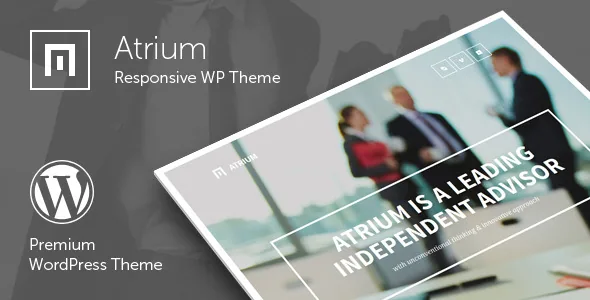
Atrium is a sensible choice when the site is genuinely one long page, the brand rules are specific about colours and type at the element level, and whoever maintains it will be comfortable in either the bundled builder or shortcodes. The panel-driven styling is the reason to pick it over a theme that asks for a child stylesheet for every tweak.
It fits less well if you have already standardised on Elementor or WPBakery, since Atrium's builder is its own and pages built in one system do not carry over to another. If what you need is a library of ready-made industry setups, the vendor describes one demo for this theme, with the Demo Data Installer built around it.
Before committing, open the demo and test the two things that are hardest to change later: the mobile behaviour of your longest section, and whether the Theme Styles panel reaches the specific hover and footer details your brand guide specifies. The demo is also the place to confirm that the bundled icons cover what your copy needs.
Questions & answers
Can I use Atrium's content elements without its page builder?
Yes, according to the vendor. A shortcode generator covers the same 30+ content elements for people who prefer the native WordPress editor. The two routes are separate, so decide which one your site will use before building pages rather than mixing them.
Does the demo import bring in the photography?
The vendor's credits list stock photographs from PhotoDune and Creative Commons sources as part of the package, with some CC BY 2.0 images specified for live preview use only. Confirm what your own package contains before assuming every demo image can stay on a public site, and replace anything that is licensed for preview alone.
Is Atrium compatible with the block editor?
The marketplace listing marks Gutenberg optimized as Yes, and the vendor's changelog records Gutenberg support added in version 2.4 (May 2019). That describes the theme's stated support; it does not mean the bundled page builder output is editable as blocks.