The booking engine is a separate plugin, and that shapes everything
Sailing's marketplace description is unusually direct about where the reservation features live: the online reservation system is "managed by WP Hotel Booking plugin," a booking plugin by the same vendor, ThimPress. The theme is the shop window; the plugin is the back office.
That split is the first thing to understand because it determines what you are really buying. The vendor says the plugin gives control over rooms, bookings, customers, coupons, room types, room capacities, pricing plans and settings. None of that is theme design work. If you later replace the theme, the booking data belongs to the plugin. If you dislike the plugin's admin screens, a different Sailing homepage will not fix it.
So the practical question before anything visual is whether WP Hotel Booking handles how your property prices and sells stays. Two of the vendor's listed controls are more operational than they first appear: pricing plans, which let a rate structure differ from a flat nightly price, and the ability to block special dates, which is how you take inventory out of sale for maintenance, private bookings or seasonal closure. Coupon management and a report system sit alongside them.
What a guest actually does between search and payment
The vendor's feature list traces a specific booking journey. A guest searches rooms, adds one or more rooms to a cart, and checks out, since multiple-room booking with a cart is listed rather than a single-room request form. Room extra services can be attached, which covers the add-ons hotels usually sell at the door: transfers, breakfast, late checkout.
The payment layer is described two ways at once, and both are worth reading carefully. One line lists four gateways: offline payment, Authorize.net, PayPal and Stripe. Another line describes "WooCommerce support, using WooCommerce to handle payment," and the description also presents WooCommerce as making the site a general online shop.
In practice that means you have a choice to make about checkout rather than a fixed answer. A property that takes card details on arrival may only need the offline option; one that already runs a WooCommerce store for gift vouchers or merchandise has a reason to route bookings through it. Which combination the plugin supports in a given setup is something to confirm in a staging install with your own gateway accounts, not something to assume from a feature list.
The demo count is inconsistent, so look at the live preview instead
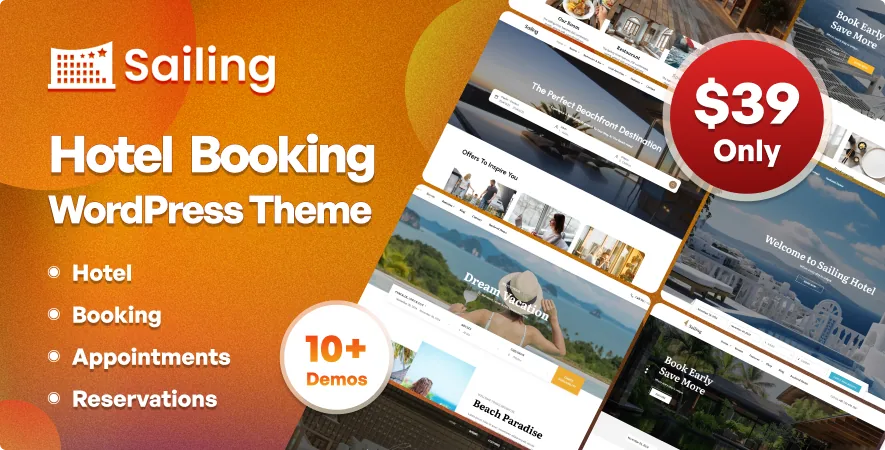
The same vendor description gives three different numbers for the starting layouts: "5 Hotel Demos" with a one-click importer, "08 pre-made demos" in the at-a-glance list, and "8 home-pages" in the paragraph about design. These may describe the same thing counted differently, or they may reflect an older paragraph that was never updated. The description does not resolve it.
Rather than guessing, use the vendor's live site as the reference and count what you would actually deploy. A hotel theme lives or dies on a small number of page types: a homepage that puts availability search in front of the visitor, a room or room-type listing, a single room page with gallery and rate details, and an enquiry or contact page. How many variations exist beyond those matters less than whether the search form is reachable from the first screen on mobile.
A second contradiction concerns the CSS foundation. The at-a-glance list says "Built on latest Bootstrap 3 & FontAwesome 2," while the marketplace compatibility attributes recorded on 4 November 2026 list Bootstrap 4.x and 5.x. The compatibility field is the more current signal, but neither tells you what the shipped stylesheet actually loads. It matters only if you plan to extend the theme's own front-end components with Bootstrap classes.
Editing pages and building the hero without touching PHP
Page content is described as built with SiteOrigin, the drag-and-drop page builder, and the theme is marked Gutenberg Optimized as well, so the block editor is available for at least some content. SiteOrigin is free and lightweight, but it is a different editing model from the block editor, and mixing both across a site produces inconsistent spacing unless you pick one for page bodies.
Revolution Slider is named as the slider plugin behind the homepage hero, which is where most hotel sites put their strongest photograph and their booking call to action. The vendor also lists a live-preview Customizer for theme options, unlimited colour choices, Google Fonts support, and a self-hosted HTML5 video player. Contact Form 7 and MailChimp are listed as supported, and widget-ready sidebars are declared.
The package contents are listed as PHP, CSS and JavaScript files. Whether bundled plugin files sit inside that package is not stated in the description, so check plugin licences and update paths separately from the theme purchase.
Room markup, and running the site in more than one language
The vendor claims structured data is implemented for blog posts, WooCommerce products and rooms specifically. That last item is the one to care about here: a room page carrying its own structured markup is more useful to a hotel than another blog-post tweak, because it describes the thing people are searching for. Treat the claim as a vendor statement; markup is easy to inspect but the description does not say which schema types are emitted.
Translation is handled through .po/.mo files with right-to-left support, and WPML is listed as compatible. For a property whose guests book in several languages, the booking interface itself is the part that needs checking, not just the marketing pages: room names, rate labels, date formats and confirmation emails all pass through the plugin as well as the theme.
What to test in the booking flow before you commit
The deciding tests are operational, and they take an afternoon on a staging install. Create a room type with a capacity, attach a pricing plan with a non-flat rate, add a coupon, and block two dates. Then book across the blocked dates and confirm the plugin refuses it. Add two rooms to the cart and check that the total and the extra services come through correctly.
After that, run one real checkout through whichever gateway you intend to use, including the offline path, and read the confirmation email a guest would receive. If you plan a multilingual site, repeat the search and checkout in your second language. None of this exercises the theme's design; it exercises the system your revenue depends on, which is the part Sailing does not own.
Questions & answers
Do I need the WP Hotel Booking plugin for Sailing to work as a booking site?
The vendor describes the theme's online reservation system as managed by WP Hotel Booking, a separate plugin by ThimPress. The theme supplies the layout; rooms, bookings, pricing plans, coupons and blocked dates are plugin functions. Whether that plugin ships inside the theme package is not stated in the description, so confirm the plugin's licence and update path separately.
How many demo layouts does Sailing include?
The vendor description gives three different figures: 5 hotel demos with a one-click importer, 08 pre-made demos, and 8 home-pages. The description does not reconcile them, so count the layouts you would actually use on the live preview rather than relying on any of the numbers.
Does Sailing handle payments through WooCommerce or its own gateways?
The vendor lists both: offline payment, Authorize.net, PayPal and Stripe as gateways, and separately a WooCommerce support line describing WooCommerce as the payment handler. Which arrangement suits your property depends on how you take payment today, and it should be tested with your own gateway credentials.