One theme, two ways to take a booking
ThimPress presents Resca's reservation system as a pair of alternatives: a reservation form where the visitor enters the required information for a table booking, or an OpenTable form for online reservation through OpenTable. The choice is the first real decision you make on this theme, and it has less to do with looks than with where the booking ends up.
The built-in form collects the details on your own site, but the vendor text stops short of saying where submissions are stored, whether the guest or your staff receive a confirmation, or how you would read the booking list. OpenTable hands the reservation to a service you already need to work with. For a venue with a fixed seating plan, answer the storage question before you build pages around the form.
The menu is a plugin, not a styled page
Alongside the booking options, the vendor lists a built-in WordPress restaurant menu plugin and explains what it holds: photos of food, a detailed description, price, recommendations, specials and what's new. Dishes are divided into categories so visitors can browse and search them.
That framing changes menu maintenance. Prices and specials live as dish entries in categories, so a change edits one entry rather than a hand-built column of text. The description does not say whether menu items are rendered through shortcodes, blocks or a widget, and it does not mention print or PDF output, so a matching printed card is your own problem to solve.
Three demos, read as three scopes
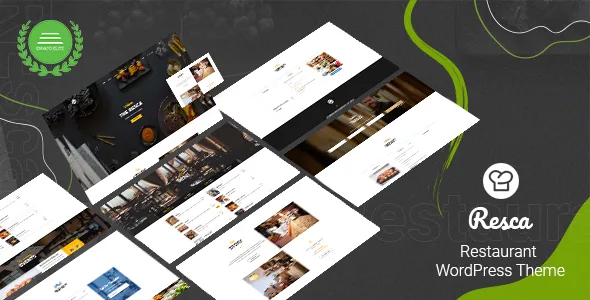
The listing names three premade demos — Restaurant, Coffee and One-page — with one-click demo implementation. Treat them as different shapes of site rather than palettes. A one-page demo implies a single scrolling page with anchor navigation, which suits a small café with a short story; the Restaurant and Coffee demos imply fuller multi-page builds with separate sections.
The editing layer is a drag-and-drop layout builder, listed as a feature without a name. Separately, the marketplace marks the theme Gutenberg optimized, which describes the vendor's position on block-editor styling, not how the theme's own demo layouts are assembled. If your team expects to work in the block editor, that coexistence is worth seeing on a staging install rather than assuming either way.
Selling online through WooCommerce
The vendor says that with WooCommerce available, Resca can sell anything online, and the listing's compatibility attributes name WooCommerce 5.x.x through 9.x.x. That is a broad claim resting on a wide plugin range; neither the description nor the attributes say how product archives, single product pages, cart or checkout are styled.
For a restaurant, the money path is narrow and busy: cart, checkout, confirmation. A theme that declares plugin compatibility can still leave those screens looking like stock WooCommerce. Run a test order end to end before you commit to selling merchandise or vouchers through the site.
Two vintages of claim in one listing
The listing's copy and its structured attributes do not agree. The description still says the theme is WooCommerce 2.2.x and 2.3.x ready, that it is built on Bootstrap 3 and FontAwesome 2, and that its styles are written in LESS and compiled once in the WordPress Customizer for speed. The compatibility attributes recorded on the same listing name Bootstrap 4.x and 5.x and WooCommerce 5.x.x through 9.x.x.
When marketing copy and a maintained attribute list conflict, the attribute list is the more recently curated signal, but neither proves what a given build loads. If you plan to attach your own front-end components, check which Bootstrap and FontAwesome versions the page actually requests. The declared WordPress range runs from 5.7.x to 7.0.x, and the vendor's last listing update is dated 14 August 2025. Those are declarations, not a record of anyone running the theme on your server or plugin stack.
Contact details and the files named on the listing
Contact-side elements are described as a Contact Form 7-ready contact form plus a Google map, email address and telephone number, and Contact Form 7 also appears in the compatibility attributes, so that pairing is internally consistent. The description also mentions post formats for standard, audio, gallery, image, link, quote and video entries, a self-hosted HTML5 video player, a parallax effect, retina-ready output and unlimited colour choices.
The file list on the listing names PHP, CSS and JS files. The older vendor text additionally claims Photoshop files, .po/.mo translation files and support for 600+ Google Fonts — three statements outside the recorded file types. If a PSD handoff matters to your designer, confirm it against the package you receive rather than the description.
Questions & answers
Does Resca bring its own restaurant menu plugin?
The vendor describes a built-in restaurant menu plugin and treats the menu as part of the theme, with dishes organised into categories carrying photos, descriptions, prices and specials. The description does not say how those items are output on the front end.
Can I run Resca without an OpenTable account?
The description presents the two routes as alternatives, so the built-in reservation form is the non-OpenTable option. Where that form's submissions are stored is not stated, so test it before relying on it for real bookings.
Which Bootstrap version does the theme load?
Unresolved from the listing. The description says Bootstrap 3 while the compatibility attributes name Bootstrap 4.x and 5.x. Check the requested assets on your own install before layering custom front-end work on top.