Elementor that reaches the header, the footer and the 404 page
Most Elementor themes stop at page content, then hand you a separate options panel for the header and a widgetised sidebar for the footer. Reobiz, from rs-theme, describes a different arrangement: the RS Template Builder plugin (RSTB) extends Elementor across the theme's structural regions so those layouts are edited in the same visual editor as your pages.
The vendor lists nine template types inside RSTB: header, footer, page title, mega menu, popup, offcanvas panel, archive, single template and 404. Each one is a template you build once and then apply using display conditions, which is the part that matters for a real site. You can design one header for the marketing pages and a second for shop or blog sections, or give a single post type its own single template while everything else keeps the default.
That structure changes where the design work happens. If your team already knows Elementor, the header, the mega menu and the archive layout stop being separate skills. If you were expecting to configure navigation from a theme options panel, the RSTB approach asks you to build it instead. The vendor describes the plugin as purpose-built for RSTheme themes, so treat it as part of this product's stack rather than a general-purpose Elementor add-on.
Fifty-two demos, and the layout menus underneath them
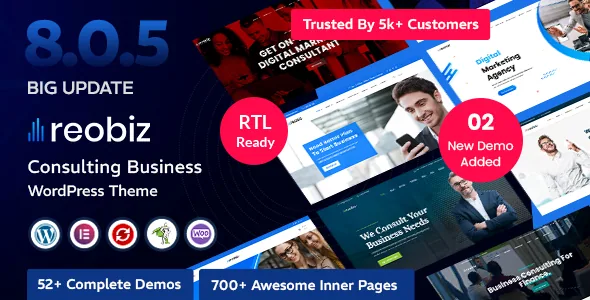
The marketplace description claims 52 complete demos, split as 25 multi-page and 27 one-page, with 650+ inner pages. The number is large, but the more useful detail is how the vendor breaks the same site into per-page-type variants: six header variations, two about layouts, two services layouts, five projects layouts, three project detail layouts, five blog layouts and three contact layouts.
Those counts tell you what kind of starting point you get. A consulting site usually needs one strong services page, a projects or case-study section and a contact route that converts; having five project layouts and three contact layouts means you can pick based on content volume rather than compromise. The one-page versus multi-page split is the other real decision: a one-page demo suits a firm that wants a single scrolling argument with anchor navigation, while the multi-page demos assume a visitor who moves between service, project and about pages.
Demos are starting points, not finished sites. The vendor notes that demo images and icons are for illustration and are not included in the final product, which sits awkwardly beside the separate claim that one-click demo import brings all images and icons with it. Plan on supplying your own photography either way, since stock imagery in a consulting site is the first thing a client will want replaced.
Where global colour and typography are set
Reobiz uses an Elementor Kit, which the vendor describes as the place to manage site colours from Elementor's Site Settings. If you use an Elementor Kit as intended, you define a palette and type scale once and the widgets that reference those globals inherit changes. That is a faster loop than editing section colours individually across dozens of pages, and it keeps the header you built in RSTB consistent with the body content.
The vendor also lists a Redux-based theme options panel and WordPress Customizer options alongside the Kit, so colour and layout settings exist in more than one place. Before building, decide which surface owns what; otherwise a colour changed in the Kit and reintroduced in a theme option becomes a hunt later. The same holds for typography, where Google Fonts are listed as the font source.
Navigation gets two builders of its own. A mega menu builder covers multi-column menus for a service business with many offerings, and an offcanvas builder produces side panels that can hold menus, cart access or contact details. Both are Elementor templates, so they inherit the same styling model as everything else.
The motion layer added in 8.0.0
The 10 June 2026 changelog for version 8.0.0 records a cluster of additions to the RS Elements plugin: Lenis scroll smoothing on the theme, AOS animate-on-scroll support, GSAP animation features, Jarallax parallax effects, a new hotspot addon and six new extensions, plus a Contact Form 7 Extender.
Read together, these are motion tools. Lenis changes how the page scrolls rather than how a single element looks, AOS reveals blocks as they enter the viewport, GSAP handles timeline-style animation, and Jarallax moves background layers at a different rate from the page. The hotspot addon is the odd one out and the most practically useful for consulting work: annotated points on a diagram, org chart or process image that open more information on click.
The Contact Form 7 Extender is worth noting because form styling is where business themes usually leave you with a bare plugin form. The trade-off of a stacked motion layer is cumulative cost: scroll smoothing, scroll-triggered reveals and parallax all run on the front end, and each is a script that can misbehave with other plugins or during Core Web Vitals checks. Test the demos you actually intend to use rather than assuming the whole motion set belongs on every page.
What the listing declares, and the version gap to watch
Marketplace attributes observed on 3 November 2026 list compatibility with Contact Form 7, Elementor, Elementor Pro, WPML and Bootstrap 4.x, with WooCommerce from 6.x through 10.x and WordPress versions running from 5.1.x up to 7.0.x. The feature list separately names RTL support, a bundled WooCommerce demo and a child theme. The marketplace's latest recorded release is 8.0.5, dated 8 October 2026 in the changelog.
Two declarations deserve a careful reading. Gutenberg Optimized is marked No, which says the theme was not built around the block editor; it does not mean the block editor is unavailable, and Reobiz's page building is Elementor-led in any case. And the software version list runs to WordPress 7.0.x while the vendor's own highlight text claims WordPress 7.1 — a small inconsistency, but enough reason to confirm your target WordPress version against the theme before a production launch rather than trusting either line.
The included files are typed as PHP, CSS, Less and JavaScript. Those declarations come from the seller and the marketplace, not from a hands-on install here, so a staging site with your real plugin stack remains the only reliable answer on conflicts, performance and how the RSTB templates behave with your own content.
Questions & answers
Do I need Elementor to edit a Reobiz site?
The vendor positions Elementor as the editing layer for pages and for the RSTB templates that control headers, footers, menus, popups, archives and 404 pages, and describes the workflow as requiring no coding. The theme's layout system assumes Elementor is active, so building a site while avoiding the plugin is not a supported path in the vendor's description.
What is the difference between the multi-page and one-page demos?
The vendor splits the 52 demos into 25 multi-page and 27 one-page versions. One-page demos present the site as a single scrolling page with section navigation, while multi-page demos spread services, projects, about and contact across separate pages. The same design often exists in both forms, so the choice is about how you want visitors to move through the content.
Does the theme include the images shown in the demos?
The listing contradicts itself. One highlight says one-click demo import includes all images and icons; a separate note says images and icons on the demo site are illustrative only and not included in the final product. Assume you will supply your own photography and icons, and confirm what the import actually brings in on a staging install.