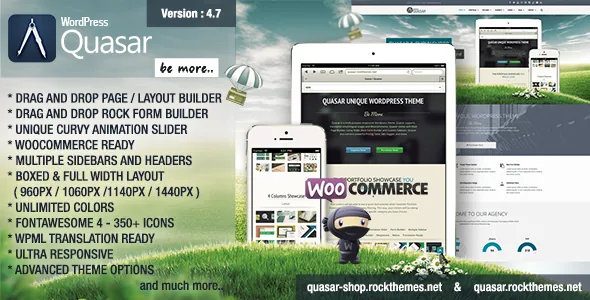
Curvy Slider: elements travelling between points, not slides queued in a row
The item title names an animation builder, and the vendor backs that up: Curvy Slider is described as a "point to point curving slider" that is "beyond a slider and more like an animation builder." Take the description literally. A normal slider moves a sequence of panels across the viewport; this one places elements and moves them along a path that bends between two endpoints.
That changes what a hero section is for. You are composing motion — where something starts, how its route curves, where it lands — rather than ordering full-frame images. A calm banner with a headline and a button does not need it. A first screen that has to show a product crossing a scene, a diagram assembling, or a transition that becomes the brand signature does.
The vendor publishes no control list for the path editor, so how far you can actually author the curve is a question only the demo answers. The "one and only" phrasing is the vendor's own marketing and should not be read as a comparison against other themes.
Turning responsiveness off, and what the four boxed widths settle
Two entries in the key-feature list are worth more attention than their six words suggest: "Responsivity On / Off" and boxed layouts at 960px, 1060px, 1140px and 1440px. Left on, you get the vendor's three-breakpoint responsive grid. Switched off, the desktop composition is what every visitor receives.
That switch is a decision about your audience, not a checkbox. A corporate brochure read mainly from desktops in one industry can reasonably use a pinned canvas. A site with meaningful phone traffic cannot, and the vendor does not explain how a non-responsive layout behaves on a small screen beyond listing the setting.
The widths answer a separate question: how much horizontal room a page gets. 960px reads as editorial and keeps text lines comfortable; 1440px gives wide hero imagery and multi-column sections space. Picking one early avoids reworking type sizes and column spacing after the first ten pages are built.
Sidebars per page and more than one header
The feature list includes "Unlimited Multiple Sidebars for every Page" and "Multiple Headers." Both are structural, not decorative. A per-page sidebar lets a service page carry a contact block and a download list while a case study runs full width, without adding a plugin to register widget areas.
Multiple headers serve a similar purpose on a corporate site: a campaign landing page can use a stripped bar while the main site keeps a full navigation row with contact details. Whether the header variants combine cleanly with the fixed widths above is a demo question.
Neither claim describes an automatic design system. You still decide which regions appear on which page; the theme supplies the widget areas and header choices to assign.
Rock Form Builder, reCAPTCHA, and the uploader that was removed
Rock Form Builder is the third bundled tool: drag and drop, aimed at "different forms with more fields and reCAPTCHA." Distinct forms for enquiries, careers and partner applications, instead of one generic contact layout, is a reasonable corporate requirement.
One changelog line should shape your plan. Version 1.8.1, October 2014, records "File Uploader removed from Rock Form Builder - Security Update." Nothing in the supplied material shows it coming back. If collecting CVs, briefs or tender documents through a form is part of the job, budget for a separate form plugin rather than assuming the theme's tool will do it.
The same log shows reCAPTCHA work arriving in version 2.3, including a "NO CAPTCHA" option, so the spam-protection route the vendor advertises is documented even though the current field list is not.
Rock Page Builder and the Leaflet map element
Rock Page Builder is the layout canvas: drag and drop, AJAX-powered, and the route the theme is built around rather than the block editor. Its most useful documented detail comes from the version 3.0 changelog. When Google required an API key tied to billing details, the vendor added a "LeafLet Map" element on OpenStreetMap as a free alternative and kept the Google Map element for anyone prepared to supply a key.
That has a budget consequence. A map in a footer or on a contact page can run without a Google billing account if you use the Leaflet element. If you need Google's place data or imagery specifically, the key and its usage terms are yours to manage.
The listing records "Gutenberg Optimized: No," which is a statement about block-editor styling, not proof blocks are unavailable — version 4.2 lists a "Gutenberg blocks design fix." What you should not assume is that you will build pages in the block editor.
Portfolio treatments as page elements
The portfolio side is presented as display methods rather than a content system: Grid Portfolio, List Portfolio, Ajax Portfolio Showcase and a Before After Slider presentation. Read them as pieces you drop onto a page. Grid suits a wall of thumbnails, list suits titles and short descriptions, and the AJAX showcase opens detail in place instead of sending a visitor to a new page.
The Before After presentation is the one that needs a reason. It fits visible transformation work — a refit, a renovation, a restyle, a print-to-digital redesign — where a draggable divider says more than two separate photographs. Without paired images, it has nothing to do.
Nothing in the listing describes a portfolio post type, taxonomy or filtering behaviour, so a large project archive is not something to assume organises itself.
The update record behind the feature list
The marketplace listing was observed on 4 November 2026. Its latest version is 4.7, released 17 June 2022, with WordPress 6.0 readiness and a bundled Revolution Slider update. The declared software range runs from WordPress 4.9.x to 6.0.x, alongside WooCommerce 6.x.x and browsers from IE8 through Edge.
Those declarations describe the theme as it stood at that release. They are not a statement that current WordPress or WooCommerce releases behave the same way, and nothing supplied shows later compatibility work. On a current WordPress install, test the three builders and any shop templates on a staging copy before committing a live site.
One inconsistency is worth noting: the changelog keeps crediting Revolution Slider, while the key features promote Curvy Slider. From the description alone it is unclear which slider drives which demo. The listed package contents are PHP files and CSS files.
Questions & answers
Does Quasar include a page builder as well as the slider?
Yes. The vendor describes three tools: Curvy Slider for the path-based animation layer, Rock Page Builder for AJAX drag-and-drop layouts and pages, and Rock Form Builder for forms. The title emphasises the slider, but page composition runs through Rock Page Builder.
Can Rock Form Builder collect file uploads?
The changelog records that the file uploader was removed from Rock Form Builder in version 1.8.1 as a security update, and nothing supplied shows it returning. For CVs, briefs or tender documents, use a dedicated form plugin instead of planning around the theme's form tool.
What happens to phones if I turn responsiveness off?
The vendor lists a Responsivity On / Off setting without describing how a non-responsive layout is served to small screens. If a meaningful share of your visitors use phones, leave responsiveness on and use the four boxed widths to control the desktop composition instead.