Where the design work actually happens in Norebro
Norebro's page building runs through WPBakery Page Builder, and the vendor's own summary describes 90+ shortcodes as "premade custom WPBakery Page Builder elements." That library, not a single settings panel, is where most of a Norebro site gets shaped.
The 1.7.2 changelog pushes further in that direction. Every shortcode gained a Design Options tab holding a custom CSS field and a class field, and responsive typography support was extended to all shortcodes with improved custom font resolution. The practical effect: you can set a one-off style or a reusable class on a specific element without editing stylesheets or touching other instances of the same element. On a site where the same counter, call-to-action or team member block appears on a dozen pages, that keeps tweaks local instead of global.
The vendor also lists SCSS files among the included theme files, and 1.7.1 introduced a refactored SCSS architecture with reworked CSS custom properties. So two styling routes exist side by side — per-element controls for small adjustments, stylesheet work for broader changes.
Thirty-plus concepts and a 90-element vocabulary
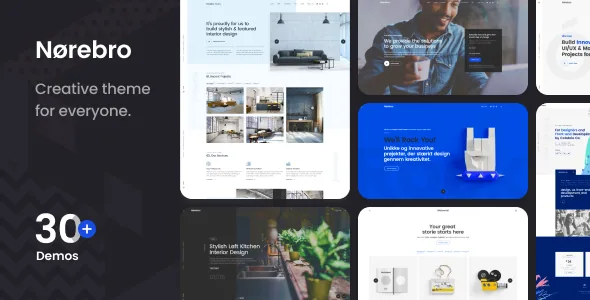
The vendor advertises 30+ demos with inner pages and a one-click demo content import. Read those as starting points: each demo is an arrangement of the same building blocks you would otherwise place yourself, and the import gives you a working layout to strip back and refill with your own copy.
The vendor's shortcode list is wide rather than deep, and it shows the intended range — counters, countdowns, a video button, a social share block, a call to action, team members, a customisable Google Map, and a custom font shortcode. Alongside them sit layout features: full-screen sections, vertical split-screen sections, parallax layers and a masonry gallery.
Because these elements are shared across the demos, choosing a demo mostly decides your starting composition. A restaurant layout and a photography grid use the same toolkit arranged differently, which is why the vendor's own description reads as a list of industries rather than a list of features.
Portfolio settings you configure rather than restyle
For a creative portfolio theme, the portfolio list deserves the closest look. The vendor separates three controls that are often bundled together: multiple list layouts, multiple hover types, and entry animations for list items. Masonry grid layout, animations and flexible settings are named as part of the portfolio feature set.
Those three levers do different jobs. Layout decides how much work appears at once and at what relative scale. Hover type decides what a visitor learns by pointing at a thumbnail — a title, a category, a second image, or nothing until they click. Entry animation decides how the grid arrives as the page loads or scrolls. A photographer showing one wide series and a designer showing mixed-format case studies can land on different combinations from the same theme.
The theme also lists parallax layers and a masonry gallery, which suit image-led pages where sections should feel layered rather than evenly stacked.
Header and page structure are layout decisions
Norebro treats the header as a structural choice, not a colour scheme. The vendor lists standard, minimal and vertical headers, plus left menu and side menu arrangements and a fullscreen overlay menu. The fixed header option can be set to shrink on scroll.
That set covers genuinely different site shapes. A vertical or side menu suits a portfolio where the navigation is a permanent rail beside the work. A fullscreen overlay suits image-heavy sites where a conventional bar interrupts the composition. A fixed shrinking header keeps navigation available on long scrolling pages without occupying the same space throughout.
Related to structure, the vendor lists one-page site support, scrolling navigation for single-page layouts, and anchor functionality in the menu so links can jump to sections. These are vendor-described capabilities rather than a separate one-page settings screen; the page is assembled from builder sections, and the anchors point within it.
Store and multilingual declarations
The marketplace compatibility attributes observed in November 2026 list WooCommerce 6.x through 10.x, WPBakery Page Builder and WPML, alongside browser support for Chrome, Firefox, Safari, Opera and Edge and a declared WordPress range running from 5.5.x to 7.0.x. The vendor's 1.7.2 changelog goes further than the attribute list, naming WooCommerce 11.0 and WPBakery 9.0 compatibility.
Treat those two sources as declarations, not test results on your own install. If your store depends on a recent WooCommerce release, the changelog entry is the most specific evidence available and the attribute list is the broader statement.
For e-commerce, the vendor describes WooCommerce support with product variations and an AJAX cart. For translation, the vendor lists PO-file translation and WPML readiness, and a language file is maintained in the release history. Running a multilingual site still means configuring WPML separately.
Separately, the vendor describes WPBakery Page Builder, Slider Revolution and ACF Pro as bundled plugins with stated savings. That is a claim about the vendor's package; the theme's own file list on the marketplace covers PHP, CSS, SCSS and JS files.
Questions & answers
Can I style one element without affecting every copy of it?
That is what the 1.7.2 Design Options tab is for. Each shortcode now carries its own custom CSS field and class field, so an adjustment stays with that instance or a class you apply deliberately. The vendor changelog describes this as added to all shortcodes.
Does the theme work with the WordPress block editor?
The marketplace marks Norebro as Gutenberg Optimized, and the vendor lists Gutenberg optimisation among its features. The page-building workflow the vendor describes, however, is WPBakery-based, with 90+ shortcode elements, so plan on working inside that builder for composed layouts.
How do child themes fit in?
The vendor lists the theme as child theme ready, which is the route for customisations you want to keep across updates. With SCSS files included and a refactored SCSS architecture introduced in 1.7.1, stylesheet-level changes belong in a child theme rather than the parent.