Five header layouts and six logo slots
The clearest thing about Fildisi is how much of the vendor feature list is spent on the header. Euthemians names five layouts — Default, Logo on Top, Split Menu Logo, Side Navigation and Hidden Navigation — and says each one carries its own set of options. Sticky behaviour is a separate four-way choice: Simple, Shrink, Scroll Up or None.
Logo handling explains why that matters. The vendor provides six logo slots: Default, Dark, Light, Side Navigation, Sticky and Responsive headers, each with its own image and size. A split-menu layout over a light hero, a dark sticky bar and a side-navigation drawer are three different backgrounds, and one logo file usually fails on at least one of them.
Menu style is picked separately again, from Classic, Button, Underline and Hidden. Choose the header layout first, because a side-navigation build changes the content width and vertical rhythm of every template you make afterwards.
Overrides that follow content type, not just the site
Two entries in the vendor list do the heavy lifting for a mixed site: header overlapping can be set globally or per page, post, portfolio item and product, and the same applies to the hidden-navigation menu option. A shop can drop the overlapping header while marketing pages keep a hero running under the navigation, without a second theme or a template fork.
The same per-item logic appears elsewhere. A sticky anchor menu can be attached to individual pages, page titles come in several styles, and post categories and product categories each get their own title treatment.
The cost is bookkeeping. Set the global header, logo set and menu style once, then reserve page-level overrides for templates that genuinely need them — a landing page with full-bleed video, or a product category with a taller title band.
Modals, sliding areas and the top bar
Fildisi ships a modal system with ready-made variants for a contact form, newsletter signup, search, language switcher and social links, plus custom modals you fill with any element. There is also a sliding area whose contents can differ per custom post, and separate top-bar header elements to hold the buttons that open these surfaces.
Read the set as a way to park secondary material. A newsletter form behind a top-bar button keeps the main menu for primary destinations, and the custom-modal option means you can place an existing form plugin's shortcode rather than reshaping content into a fixed demo layout.
Modals hide what they contain from readers who never click, so they suit one-off actions better than information a visitor needs on arrival.
Feature sections do most of the visual work
The vendor's structural idea is the feature section: a custom or full-height block with a colour, image, slider, video, map or Revolution Slider behind the content. Background effects extend it — default, parallax in either direction, animated, horizontal animation, or an image used as a pattern. Most of the variety across the demos comes from stacking these blocks rather than from bespoke page templates.
Columns are unusually adjustable. The vendor lists motion parallax for columns and the ability to change and reset column position — top, bottom, left, right and z-index — on devices. That gives you a way to reorder a layout on smaller screens instead of accepting a fixed collapse order.
Site-wide settings live in a Redux Framework panel: colour control through a live customiser, predefined presets, standard fonts, more than 600 Google Fonts and a font uploader. The font count is the vendor's figure; what your site needs is a much smaller question.
Page building with WPBakery and 50-plus theme elements
Pages are assembled in WPBakery Page Builder, which the vendor lists as included alongside Revolution Slider. On top of the builder sit more than 50 elements the vendor made for the theme's Visual Composer interface, each with its own description and no coding required.
That combination is the practical answer to "how do I edit this": you drop theme elements into builder rows rather than writing templates. The vendor also declares child theme support and says files are commented and organised, which matters if you intend to modify the chrome rather than just fill it.
Gutenberg Optimized is marked Yes on the marketplace listing, observed on 4 November 2026. That describes how the theme is tuned for the block editor; it does not mean a block-based build will reproduce the WPBakery demos.
Blog and portfolio formats as a menu of options
The blog side offers seven listing treatments — grid, masonry, large media, small media, full width, carousel and filterable — with post formats for standard, gallery, audio, video, link and quote. Because a listing is a template choice, the same articles can be re-presented when the content mix changes.
Portfolio work goes further. Overview pages can use grid, masonry, full width or carousel, with several hover effects. A single portfolio item can lead with a featured image, a classic gallery, a vertical gallery, a slider, a YouTube or Vimeo embed, an HTML5 video, or a feature section.
For a studio or photographer that list is the interesting part: a vertical-gallery case study and a video-led one need different page rhythms, and both are available without writing a template. Contact Form 7 and Gravity Forms are both named for form handling.
WooCommerce details that appear on the shop
The vendor describes WooCommerce through shop behaviour rather than a compatibility line: images that switch on hover in the shop overview, a zoom effect on single products, an Ajax cart, and separate title backgrounds, colours and heights for each product category.
The per-category title treatment is the one that shapes structure. When each category carries its own colour and background image behind its heading, category pages read as distinct sections instead of variations on one template — useful for a catalogue with clearly separated lines of business.
The marketplace attributes observed on 4 November 2026 declare compatibility with WooCommerce 10.x back through 6.x, WPML, bbPress 2.5.x and 2.6.x, The Events Calendar and Events Calendar Pro, Gravity Forms and WPBakery, with WordPress versions from 7.0.x down to 5.0.x. Those are the seller's stated ranges, not a record of testing against your plugins, PHP build or caching layer.
Demos, layouts and the imagery that is not included
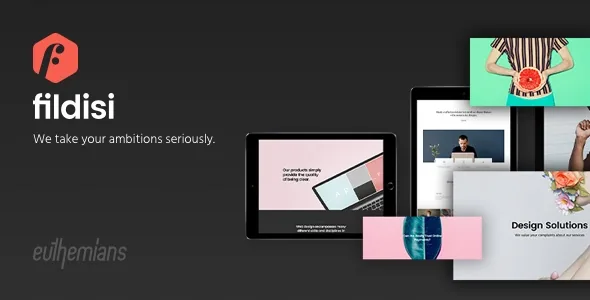
One-click dummy data import is offered, with import on demand as the alternative. The vendor is explicit about what demo content is not: preview images are for demonstration only, and importing dummy data leaves placeholders where the photographs were. Most of those photographs were licensed from Shutterstock, so a real site needs its own imagery before any layout looks finished.
The vendor counts more than 100 predefined layouts and includes a one-page version with full-page scrolling, which pairs naturally with the per-page sticky anchor menu. Boxed and stretched layouts are both available, and both maintenance mode and coming-soon functionality are listed for sites that go live in stages.
The marketplace file list names PHP, CSS and JavaScript files. The bundled builder and slider are the vendor's claim, not something that file list confirms.
Questions & answers
Can different pages use different headers?
Yes, according to the vendor. Overlapping headers and the hidden-navigation menu can be set globally or per page, post, portfolio item and product, and page titles, menu styles and a sticky anchor menu are adjustable at the same level. Each override is extra configuration to track as the site grows.
Do I need coding skills to build pages in Fildisi?
The vendor says no coding is required: more than 50 theme elements sit inside the WPBakery interface with descriptions for each. A child theme is also declared supported, which is the better route if you plan to change templates or styles directly.
Which media formats can a single portfolio item use?
The vendor lists a featured image, classic gallery, vertical gallery, slider, YouTube or Vimeo embed, HTML5 video, and a feature section as alternative lead treatments for one portfolio item. Overview pages support grid, masonry, full width and carousel layouts.
Do the demo images come with the theme?
No. The vendor states that preview images are for demonstration only and that importing dummy data leaves placeholders in their place instead of the licensed photographs, so plan to supply your own imagery.