The donation plugin decides more than the design
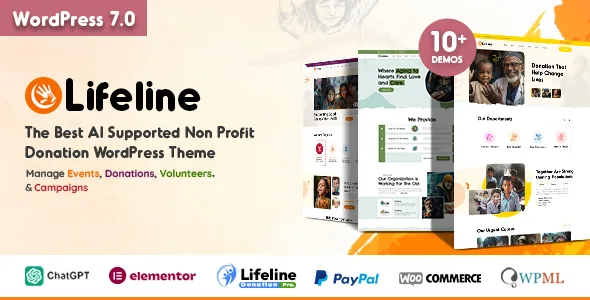
Lifeline's vendor description puts a donation system at the centre of the product, and how that system is packaged is the first thing to understand before picking a demo. The theme ships with Lifeline Donation Pro (Light Version), described as fully compatible with PayPal payments. Everything beyond PayPal — the description names 2Checkout, Stripe, Braintree, Paymill, QuickPay, RazorPay, PayStack and others, adding up to about 20 gateways — requires activating premium add-ons of the same plugin.
That split matters if you already know which processor your organisation uses. A PayPal-only launch can be assembled with what the theme lists as included. A Stripe, RazorPay or PayStack setup depends on an add-on purchase on top of the theme, and the vendor does not describe what those add-ons cost or where they are bought. Treat the gateway list as a map of what the plugin can support, not as switches already in the package.
What the donation system covers
According to the marketplace description, the system handles one-time and recurring donations, multiple payment gateways, real-time progress tracking for campaigns, and donor management. Currencies plus minimum and maximum donation amounts are managed from the theme side.
Recurring giving and a stated donation range are the two settings most charities end up needing. Recurring payments let a supporter commit monthly without a second form; a minimum amount filters out token donations while a maximum caps accidental or fraudulent entries. Progress tracking is what turns a cause page into a campaign page, because the page can show how far a goal has moved rather than only asking for money.
One line in the vendor description deserves a plain reading: it mentions a free donation transfer from PayPal to PayPal. Nothing more is specified about what that covers, so confirm the mechanics with the vendor before planning a workflow around it.
Events: RSVP in the base system, ticketing above it
Charities run events as a second revenue stream, and Lifeline treats them as their own content type rather than as blog posts. The vendor describes a dedicated event listing layout, detailed single event pages, and an RSVP feature for managing attendees.
For a food drive, a volunteer orientation or an open day, RSVP is usually the whole requirement: you publish the event, people register interest, and you have a list. A ticketed gala or a paid workshop is a different job, and the description places ticket selling in a premium system. If paid events are part of your plan, that is another dependency to price in alongside the payment gateways rather than a box the theme has already ticked.
Both event layouts were introduced in version 11, and the grid style was improved in version 11.8 — changelog entries that show the area being maintained, not a test of how the grid behaves with your content.
Demos organised by cause, down to a Zakat calculator
Several themes give you homepage variants that differ mainly in colour. Lifeline's newer demos split by the cause itself: the vendor's release notes for version 11 list homepages for child welfare, food relief, education charity, fundraising NGO and elderly care, and version 11.7 added Zakat and child labour demos. The same release introduced a Zakat calculator.
A calculator is the most specific item in that list. Islamic charitable giving follows rules a plain donation form cannot express, so a page built around the Zakat demo would need its own entry point rather than a generic progress bar. Whether that calculator supports the calculation method your organisation uses is worth checking on the vendor demo before you build on it.
The general demos are worth comparing on structure as well as subject. A food relief homepage usually leads with urgency and a short donation path; an education charity makes more room for programmes and outcomes. The marketplace lists one-click demo import among the features, and the changelog has repeatedly fixed import issues — a reminder that an imported demo is a starting point you then edit, not a finished site.
Where you actually edit: Elementor, headers, and per-page overrides
Pages are built in Elementor, and the vendor counts 23+ dynamic widgets for putting cause, donation and content blocks on a page. On top of the builder sit a few site-wide controls that change how the whole site behaves.
Five header styles are listed, each with options such as a sticky menu. Sticky behaviour matters for a donation site specifically: a visitor reading a long cause story should not have to scroll back up to reach the donate button. Version 11.9 added a built-in mega menu using an Elementor template, and version 11.10 added an announcement bar to all headers with its controls in the theme options panel — useful for a campaign deadline or an emergency appeal that needs to sit above every page.
Header and sidebar can also be overridden per page and per post through the theme's meta options, and the layout can run boxed or wide with a background image set from the admin. That combination is what lets a single campaign page break from the rest of the site without a child theme. Boxed layouts constrain content to a fixed width; wide layouts use the full viewport, so the choice depends on whether your photography or your text does more of the persuading.
Caveats worth knowing before you commit
The marketplace record, read in November 2026, declares Gutenberg Optimized as Yes and lists files as PHP, CSS, JS and PSD. It also declares compatibility with WooCommerce 10.x.x and 9.x.x and Bootstrap 5.x. WooCommerce support is worth noting for a charity that sells merchandise or event products alongside donations, and the changelog shows WooCommerce templates being updated regularly.
The software version attribute and the changelog disagree at the top of the range: the attribute stops at WordPress 7.0.x, while the version 11.10 changelog entry claims compatibility with WordPress 7.1.3. That is the kind of gap a staging install settles, and a compatibility field cannot. None of these declarations is a test of your PHP version, host or plugin mix.
The description also credits some less common additions from version 11 onward, including ChatGPT support for content creation and an AI chatbot integration for support — features to evaluate on their own terms rather than assume active in every demo.
Questions & answers
Can I take donations with Stripe or RazorPay using only the theme?
Not according to the vendor's own description. The bundled light version of Lifeline Donation Pro is described as PayPal-compatible, while Stripe, RazorPay, PayStack and the rest of the roughly 20 gateways require premium add-ons of the donation plugin. Budget for that add-on alongside the theme.
Do I need ticketing for a charity event?
Only if you charge admission. The base event system is described as covering listings, single event pages and RSVP for managing attendees, so free events with registration work within it. Paid tickets are placed in a premium ticket-selling system.
What does the Zakat demo include that the other demos don't?
The release notes for version 11.7 pair a Zakat homepage with a Zakat calculator, while the demos listed around the same period — child welfare, food relief, education charity, elderly care, child labour — are homepage variants. If Zakat giving is part of your work, that demo is the one to inspect first, and the calculator's calculation method is the detail to verify.
Does Lifeline work with the block editor?
The marketplace records Gutenberg Optimized as Yes, but the vendor's description builds pages in Elementor and counts Elementor widgets. That field says block-editor layouts are styled; it does not say the theme's donation and event elements are available as blocks, so plan on Elementor for the pages that carry those elements.