Fundraising here is a content model, not a plugin setting
Plenty of charity themes promise compatibility with a donation plugin and leave the rest to it. Beplusthemes' description for Alone names the fundraising pieces as theme features: donation progress bars and goals, a choice between one-time and recurring gifts, multiple payment gateways, and custom post types for causes, events and projects.
Those first three are the controls a campaign page actually gets judged on — how much of the target is still open, and whether a supporter can commit monthly instead of once. The fourth is what holds them together. If a cause is its own post type, each appeal gets a detail template and an archive you can list separately, instead of living as an ordinary blog post that disappears into the feed after a fortnight.
GiveWP appears in the same description only as an example of a compatible donation plugin. Nothing states that it is required for the donation layouts to render, so treat it as the plugin you would probably pair with the theme rather than a dependency baked into it. Goal amounts, deadlines and the wording around a monthly gift still come from you.
What Elementor Pro changes about the project
The vendor states plainly that the theme requires Elementor Pro to function correctly and that Pro must be installed and activated to unlock all design and layout features. That is more than an entry in a compatibility list, and it is the fact that shapes the build.
An annual third-party licence therefore sits underneath the theme, and updates arrive from two directions — the theme's own releases and Elementor Pro's — with the theme's compatibility resting on Beplusthemes keeping pace. The editing experience is Elementor's canvas with custom charity widgets built by the vendor, so progress bars and campaign sections are dropped in as blocks with preset structure rather than rebuilt from generic containers. If your team already works in Elementor, that is little new to learn. If not, the builder belongs in the project scope from the start.
Elementor is the composition tool, which sets what "templates" means
Because pages are assembled in Elementor, the theme's role shifts from page design to the frame around it. Beplusthemes lists a theme options panel, multiple header and footer layouts, colour and Google Fonts typography controls, and boxed or full-width layout modes. Those apply site-wide, so the header and footer are chosen once while campaign pages get built inside Elementor.
The most common mismatch in this arrangement is expecting a demo import to hand you a finished donation page. One-click import is listed for page, post, widget and theme-option content, so a demo brings body pages along with the home layout. Whether the campaign detail, event listing and volunteer pages you need are inside the demo you pick is worth checking before you build — a single landing page is not much of a head start.
Demos split by sector, and the sector decides the section order
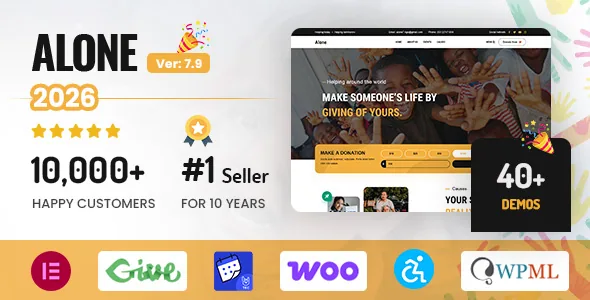
The marketplace metadata describes 30+ demos for non-profit organisations, NGOs, churches, event sites, political and candidate campaigns, and campaign projects; the vendor's sales copy says 40+ one-click layouts. Both figures come from vendor-supplied text, so use the demo library itself to confirm what is currently importable.
The spread is worth reading as different briefs rather than different colour schemes. A church site is organised around services, sermons and giving. An NGO is organised around programmes, reports and donors. A candidate campaign is organised around one person, one message and a donation deadline. Those produce genuinely different section orders and page types, and starting from the demo nearest your own sector means fewer sections to delete before you add anything.
Accessibility controls are visible to visitors, not just to audits
The vendor lists accessibility-ready markup, keyboard navigation support, and a built-in accessibility widget with text size, contrast and readability controls. The split between those is what matters. Keyboard navigation and semantic structure are invisible to most visitors but are what assistive technology depends on. The text size, contrast and readability controls are a panel a visitor opens and adjusts themselves, without a plugin to install for it.
A charity site often answers to funders, public-sector partners or accessibility requirements, so a display-control panel is a practical argument rather than a checklist item. It is still a vendor claim: conformance level is established against your built site, not from a feature list, and the widgets you add in Elementor carry their own responsibility.
Events: theme layouts or the calendar plugin
Event management and event listing layouts are listed as theme features, and Events Calendar together with Events Calendar Pro appear in the compatibility attributes. Both routes are open. The theme layouts suit one-off gatherings tied to a campaign — a fundraising dinner, a sponsored run — where the page follows the campaign page logic. Scheduling and recurrence suit a plugin, because a calendar that repeats weekly needs machinery a listing layout does not provide.
That choice determines where your content lives, so make it before import. Choosing the plugin path later usually means re-entering events that were built with the theme's own layouts.
The compatibility list is a statement of what the theme has been declared to work alongside, not a list every demo requires. Add the plugins your build uses and nothing more.
Multilingual support: one declaration where you might expect two
The vendor description claims WPML and Polylang compatibility along with RTL layouts and translation readiness. The marketplace compatibility attributes, observed on 3 November 2026, name WPML but not Polylang, and say nothing about RTL.
Neither claim is contradicted by that record — the attributes simply do not confirm them. For a single-language site in a left-to-right script, this changes nothing. For an organisation publishing across regions or in an RTL language, it is worth resolving with the vendor before you commit, because retrofitting multilingual content is more disruptive than planning for it. The attributes also fold in Bootstrap 4.x and 5.x and a file list of PHP, CSS, SCSS and JavaScript files, which matters mostly if you intend to restyle through the stylesheet sources.
Merchandise sits next to donations, not inside them
WooCommerce is listed as compatible with cart, checkout and product page layouts, and the vendor describes online store and donation merchandise support. Two flows therefore run side by side on the same site: a gift that produces nothing but a thank-you, and a purchase that produces an order, a receipt and a shipping address.
Mixing them works, but the pages should not look interchangeable. Buyers want sizes, delivery times and returns information; donors want a goal, a story and a clear sense of where the money goes. Keeping merchandise in the WooCommerce templates and campaigns in the theme's cause post type keeps each flow readable, even when both link out from the same header.
Questions & answers
Can I run Alone's donation features without GiveWP?
The description treats progress bars, goals and one-time or recurring options as theme features and names GiveWP only as an example of a compatible donation plugin, so it is not presented as mandatory. The plugin you pair with the theme depends on which payment and receipt flow you want to run.
Do I need an Elementor Pro licence before starting?
The vendor states that the theme requires Elementor Pro to function correctly and that all design and layout features are unlocked with it installed and active. Plan for that licence as part of the project rather than as an optional extra.
How many demos does Alone include?
The vendor's sales copy says 40+ one-click demos, while the marketplace metadata says 30+, so the exact figure depends on which source you check. What matters more for a project is whether your sector — church, NGO, candidate campaign — and the inner pages you need are among the importable demos.
Does Alone work with the block editor?
The vendor describes Elementor as the composition layer and does not position Gutenberg as the design tool. Pages are built in Elementor inside a frame of theme-level headers, footers and layout options; the marketplace does not state that the block editor is unavailable.