The size guide and quick view do the work before the cart
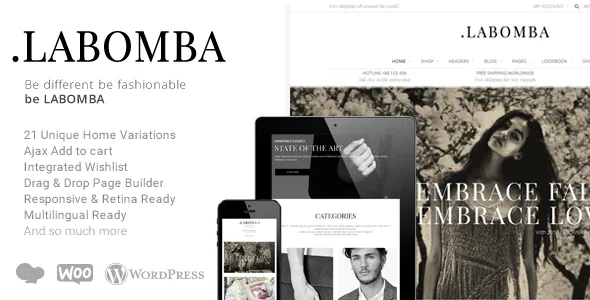
Dahz's feature list for Labomba names two tools that sit where a shopper is deciding, not buying: a "Size Guide PopUp" and a "Built-in Quick ViewFeature". They answer different questions. A quick view opens a product without leaving the listing page, so someone scanning a grid of dresses can check price, images and options without losing their place. A size guide popup handles the objection that actually stops clothing sales — whether a size 38 in this cut will fit.
Putting both behind popups keeps the category page a grid rather than turning it into a series of detail pages. That shapes how the shop navigates: browse, expand, compare, move on.
Neither is described as configurable in the source text. Where the size guide content comes from, and which fields the quick view shows, are not stated, so treat the exact content of each panel as something to check on the demo before you build around it.
A lookbook template, not just a gallery page
The vendor lists "BeautifulLookbook" as a feature and, separately in the custom template list, a "Lookbook Page". The description is explicit about the intended range: shop, lookbook, portfolio or blog, "everything in a single theme".
That combination is the reason to consider Labomba. A clothing store often ends up running a shop theme for the catalogue and a separate portfolio theme for editorial photography, which means two design systems and two sets of global styles. Here one theme supplies the retail pages and the editorial ones, including portfolio and author templates.
What the source does not describe is how lookbook items connect to products — whether a shot links to the item it shows, for example. If lookbook-to-product linking matters to your merchandising, confirm it on the demo rather than assume it.
Catalogue controls: columns, product details, zoom and wishlist
Grid density is settable to two, three or four product columns per the vendor's list. For a fashion catalogue where individual garment shots need room, four columns on desktop is crowded; for accessories it is reasonable. Having the switch inside the theme rather than in custom CSS means you change it without touching templates.
Three other catalogue items appear in the same list: "Custom Product Details", a "Product Zoom On/Off" toggle, and integration with YITH WooCommerce Wishlist. The zoom toggle is the practical one — close-up fabric detail is often wanted on a clothing product page and often unwanted on a simple accessory, and a switch beats disabling the effect by editing scripts.
The wishlist is stated as an integration with YITH's plugin. It is listed as a compatible component rather than bundled code, so a wishlist on your site depends on that plugin being installed and active.
The blog scrolls like Pinterest and takes mixed media
The editorial side is described as a "pinterest-like blog powered by AJAX Infinite scroll button", with video, photos and a slider addable to a blog post. Beyond the main blog template, the custom template list includes Blog Grid, Blog Large, Blog Masonry, Timeline and Archive pages.
Infinite scroll changes how a visitor reads: there is no pagination to click, so the feed keeps loading as they move down. For a fashion journal where each post is largely visual, that suits browsing. It works less well if you want readers to reach a specific page number or a clear end point, and the source does not describe a pagination fallback.
The masonry and timeline templates pair naturally with a mixed-media posting habit, since posts of varying height and format read better in a staggered grid than in a strict single column.
Where you build pages, and how much the theme pre-decides
Pages are assembled with WPBakery Page Builder, which appears both in the vendor's feature list and among the compatible-with attributes. The vendor states 21 home page layouts, four interchangeable headers, unlimited colour options, boxed or wide layout, and more than 40 theme shortcodes, with a theme options panel holding global settings.
Twenty-one home layouts is a large preset library. The useful way to read that number is as starting points you branch from, not as 21 pages you will ever publish. Header choice is the more consequential global decision, because four headers differ in navigation pattern, and the one you pick sets how a visitor finds categories across the whole store.
Gutenberg Optimized is declared as "No" in the marketplace attributes. That records a vendor position on block-editor tuning; it does not mean the block editor is unavailable. It does tell you where the design work lives: in WPBakery templates and the theme options panel.
Declared files, versions and the demo image notice
The marketplace attributes observed on 4 November 2026 list the ThemeForest package as PHP, HTML, CSS and JS files plus a PSD, with documentation described as well documented and widget-ready areas included. Declared compatibility covers WordPress 6.2.x through 6.7.x, WooCommerce 7.x, 8.x and 9.x, and WPBakery Page Builder. Those are listing declarations, not the result of running the theme against your own stack, and the vendor's last update is recorded as 23 February 2025.
The vendor adds a notice worth reading before planning a launch: images shown in the demo pages are copyrighted and arrive with a watermark when imported. In practice the demo's photography is a placeholder set for structure and spacing, and product and editorial imagery has to come from you.
The listing category places Labomba under WooCommerce, which fits the shop-and-lookbook emphasis above; the blog, portfolio and author templates are the parts that go beyond it.
Questions & answers
Does Labomba's lookbook link its images to the products shown?
The source text names a Lookbook Page template and a "BeautifulLookbook" feature but does not describe how lookbook entries connect to catalogue products. Confirm that behaviour on the demo if the link between editorial shots and buyable items is central to your plan.
Do I need the YITH plugin for the wishlist?
Yes — the vendor lists the wishlist as an integration with YITH WooCommerce Wishlist rather than as code shipped inside the theme. The wishlist appears on your site when that plugin is installed and active.
Is the blog paginated or only infinite scroll?
The vendor describes an AJAX infinite scroll button with a Pinterest-style feed. No numbered pagination or manual load-more fallback is described, so visitors reach posts by scrolling.