The slider is content, not decoration
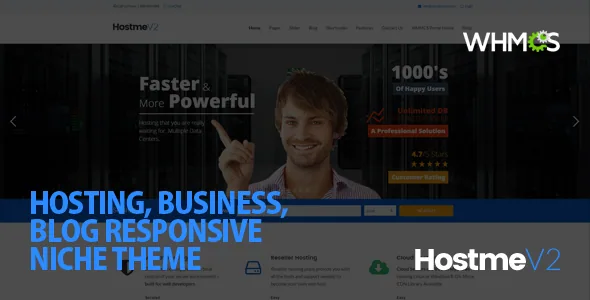
Hostme v2's vendor feature list treats sliders as a custom post type alongside Portfolio, Testimonials and Events, and it states that a slider can be assigned to any page. That changes the editing routine. You build a slider once as its own entry, then attach it where it is needed rather than rebuilding the hero inside every page.
The slider types are specific to the theme's audience. Alongside a Flex Slider, a static image slider (with or without an external link) and a video stage slider that supports shortcodes and accepts YouTube or Vimeo, the list names a Planbox slider "Specially Designed for Hosting". A plan box is the pricing table a hosting company puts on its front page, so the theme ships a slider variation aimed at that block of content rather than at photography.
A custom slider option also exists for inserting third-party sliders, which matters if you already run a slider plugin and do not want two libraries competing for the same page.
Per-page controls that keep template edits out of the workflow
The list of settings described per page is longer than most themes offer inside the page editor: left or right sidebar, a full-width option, breadcrumbs that can be disabled on individual pages, a subheader background set to a colour or an image, and a page background image. Sliders are assigned per page as well.
Read together, these settings let you vary the frame of a page without touching a template file. A landing page can run full width with no breadcrumbs; a documentation or policy page can take a right sidebar; a campaign page can carry its own subheader colour. If a client asks for a page that looks different from its neighbours, the answer is usually a handful of page settings rather than a child-theme override.
The vendor also describes the main content block as sitting before the sidebar in the markup regardless of which side the sidebar appears on, a source-order choice the description presents as an SEO measure. That is a structural claim from the vendor, not a ranking result.
Portfolio, testimonials and events as reusable content types
Portfolio entries support one- to four-column layouts, the same range in sortable form, and variants with a sidebar. Four portfolio item types are listed (image, slideshow, video), and the vendor includes a setting for display order by ID, name, count or menu order. Sortability and that ordering control are the parts an agency will actually use: a grid of client work can be filtered by category and sequenced deliberately instead of defaulting to reverse-chronological order.
Testimonials have carousel and list displays plus a submission path, and events get a list template, a carousel and a single page. For a hosting or agency site, the portfolio piece usually does the selling work while testimonials supply the proof; both draw on their own post types rather than being pasted into page content.
Shortcodes, a generator, and where the widgets went
The editing path here is shortcode-based, with a built-in shortcode generator and a long list of elements: feature boxes, progress bars, dividers, framed boxes, Google Map shortcodes with multiple markers, staff presentation blocks and more. A theme options panel handles global settings and can import or export them.
The changelog explains an important packaging change. Version 6.0.1 moved widgets and shortcodes out of the theme into a separate "Hostmev2 Custom Widgets Plugin", and version 7.0 records fixes to post type registration placed in that plugin. If you plan a build around the theme's widgets, treat that companion plugin as part of the installation rather than as an optional extra.
The marketplace marks Gutenberg Optimized as No. That describes the editing approach the vendor built for; it does not switch off the block editor in WordPress. The file list includes Layered PSD alongside PHP, HTML, CSS and JS, so a design source ships with the package.
Features the changelog took away
Hostme v2's marketplace tags include whmcs and whmcs-bridge, but version 7.0 of the changelog records "Removed: WHMCS support". Any assumption that this theme still bridges a hosting billing system is therefore unsupported by the vendor's own release notes.
The same pattern appears elsewhere. Version 6.0.1 removed the Flickr widget and shortcode and removed Business Hours Pro as no longer supported, even though the original feature list still advertises a Business Hours plugin and a Flickr widget. Version 6.0.1 also removed the Twitter class, and version 5.0.0 had already removed Twitter key options in favour of third-party plugins.
None of this makes the theme unusable, but it does mean the sales description and the release history disagree in places. Check the specific integration you need against the changelog before committing, and read the current feature list as partly historical.
Declared compatibility, observed 4 November 2026
As recorded on the marketplace listing on that date, the software version attribute spans WordPress 6.0.x to 6.7.x, the compatible-with attribute names WPML, and the theme is marked widget ready and well documented. Compatible browsers are listed as Chrome, Firefox, Safari, Opera and Edge. These are vendor declarations rather than results from testing on a particular host, PHP build or plugin stack.
The most recent changelog entries are from January 2025, covering slider plugin updates and fixes to custom sidebars generating in the options panel. Earlier releases addressed PHP 8.2 compatibility and header loading on WordPress 6 and later. If your site runs a WordPress release beyond the declared range, that range is the figure to weigh rather than an assumption that it continues forward.
Hostme v2 suits a build where a small team manages a hosting or agency site page by page, wants sliders and portfolio items as reusable content, and is comfortable working in shortcodes rather than blocks. If you need WHMCS billing integration out of the box, the changelog says to look elsewhere.
Questions & answers
Can I use a different slider on each page of Hostme v2?
The vendor states that a slider can be assigned to any page, and sliders are a custom post type, so you build entries once and attach them per page. A separate option covers inserting third-party slider plugins.
Does Hostme v2 still connect to WHMCS?
The changelog for version 7.0 records that WHMCS support was removed, although the marketplace tags still include whmcs and whmcs-bridge. Treat any billing-system bridge as something to verify rather than assume.
Do the theme's widgets work without the companion plugin?
Version 6.0.1 moved shortcodes and widgets into a separate Hostmev2 Custom Widgets Plugin, and later fixes concern post types registered there. Plan on installing that plugin as part of the setup.