Two builders in one theme, and a stated way to move between them
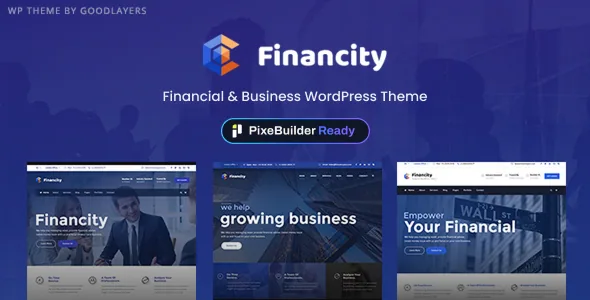
Most theme listings leave you with a single editor and no say in the matter. Financity's vendor description opens differently: the theme is "PixeBuilder Ready", and you can either build in PixeBuilder or keep working in the classic GoodLayers page builder. The line that matters is the conversion path — existing pages can be moved to PixeBuilder at any time through a Migrate to PixeBuilder action.
According to the vendor, that migration is not a one-off at install. It is positioned as something you can defer, which means a site can start on the older builder and change its mind later. Nothing in the supplied material says how faithfully a migrated page survives the move, so the practical move is to test the conversion on one representative page before committing a whole site to it.
The demo importer splits into classic and PixeBuilder sets
The importer reinforces the same division. The vendor describes two groups: three demos under Classic Demos, built on the original GoodLayers builder, and a PixeBuilder Demos group where Financity arrives already assembled in PixeBuilder. Importing is described as a single click, with a multi-thread image importing technique added for speed.
Picking a demo therefore picks your starting builder. If you import a classic demo, your imported pages are classic pages until you migrate them; if you import the PixeBuilder set, you skip that step. The theme is aimed at financial services, finance companies, advisors, accountants, law firms, wealth advisors and investment sites, so the demos are variations on a corporate finance layout rather than wildly different concepts — check both groups before deciding, because the builder underneath is the real difference.
Skin colours apply per wrapper section, not to the whole site
The vendor's custom skin colour feature is narrower than the name suggests, and that is the point. You create a skin colour, then apply it to individual page builder wrapper sections. The vendor's own example: a page with three wrapper sections can carry three different skins, one per section.
Read that as section-level art direction rather than a site-wide palette switch. A dark hero, a white service block and a tinted contact strip can each hold their own treatment without a separate stylesheet. Whether you want that much variation is a design decision, but the setting is useful for finance pages that need to separate a rate table from an advisory pitch without changing the header or footer.
Headers and footers are structural choices, with a per-page escape hatch
The vendor lists 18 header layouts and 6 footer layouts. Headers include controls for logo and navigation spacing, an optional top bar above any header style, top bar social links, secondary navigation in either slide or overlay style, and floating navigation. Footers, notably, can be disabled along with the copyright section on specific pages — the one place in the header/footer set where a choice is made per page rather than site-wide.
Alongside those, the vendor offers unlimited sidebars, each assignable to individual pages and posts, plus a sidebar layout chosen per page or post. For a corporate site this is the practical part: a services page, a blog post and a landing page can each take a different sidebar arrangement without a plugin.
Content layouts, and one package note to plan around
For content, the vendor lists 16 blog layouts, 16 portfolio layouts and 7 gallery layouts. The page builder is also described as usable inside single posts and single portfolio items, with header background images set individually for those post types. That combination covers the usual finance site shape: news or insight posts, case studies, and a gallery or team section built with the same wrapper logic as the main pages.
The files list includes PHP, CSS, JS and layered PSD files. The vendor also states plainly that images from the preview site are not included in the theme package — so the PSDs give you design structure, not a usable photo library. Budget for licensed photography separately.
Compatibility as declared on 4 November 2026
The marketplace listing recorded on that date shows a software version range from WordPress 6.1.x through 7.0.x, and lists WooCommerce 7.x.x through 10.x.x and WPML among compatible plugins. The theme also ships an RTL stylesheet for right-to-left languages, which matters if the finance audience includes Arabic or Hebrew markets.
These are vendor and marketplace statements, not results from an install. Two names are also worth noting because they date the listing: IE11 appears among compatible browsers, and the vendor's file list still references PSD deliverables. Treat the declared ranges as the place to start checking your own stack, particularly if you run a newer WooCommerce alongside WPML.
Questions & answers
Can I switch an existing Financity site from the classic builder to PixeBuilder?
The vendor says yes: pages can be converted to PixeBuilder at any time through a Migrate to PixeBuilder action. The supplied description does not detail what a conversion preserves, so test it on a single page before migrating a larger site.
Do the demo imports differ in more than styling?
Yes. The vendor groups demos as Classic Demos built on the original GoodLayers builder, and PixeBuilder Demos delivered already built in PixeBuilder. Which group you import determines how your pages are edited afterwards.
Are the demo images included with the theme?
The vendor states that images from the preview site are not included in the theme package. The files list includes PHP, CSS, JS and layered PSD files, but plan to source your own photography.