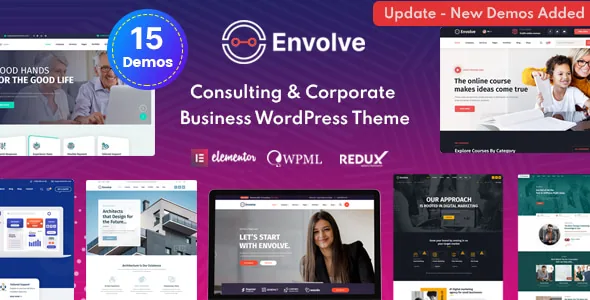
Fifteen demos is the actual purchase decision
Envolve's vendor description opens with a long list of businesses it is meant for: business and marketing consulting, advertising, financial advisors, insurance and brokers, investment consultants, accountancy, HR consulting, architecture, digital agencies, construction, online courses, movers and packers, visa consultants and psychologists. It then adds waste management, alternative energy, eco technology and environmental protection, plus startups, SaaS and app creators.
That breadth is unusual, and it shapes what the theme is for. The feature list says "15 Different Demos," and the changelog confirms the library grew over time: version 1.3 added new home pages, version 1.4 added more. A visa consultancy and an architecture studio do not share a visual language, so the practical question is not whether Envolve has features but whether one of those 15 layouts matches the shape of your firm's site. The vendor's own framing supports this: use a demo layout, or "create your own visually different experience using page build feature-rich backend."
Demos are not a finished site. Expect to replace placeholder copy and imagery with your own service descriptions, team details and case studies. What you get from the import is the layout work, and the credits note a detail worth planning for: images are not included in the package archive, so demo screenshots will need substitutes from your own library or stock sources.
Where the design work happens, and where it doesn't
Envolve splits its controls across two surfaces, and knowing which one to open saves time.
Page content is Elementor's job. The vendor describes drag-and-drop editing on the front end and says the theme ships its own Elementor add-ons to extend what you can place on a page. For a consulting site that mostly means assembling service sections, team grids, testimonial blocks and contact areas without writing templates.
Site-wide settings sit elsewhere, in a theme options panel. That panel is where the vendor puts the Google Fonts library — it claims 600+ families — alongside custom font support, boxed and wide layout choices, footer widget areas and sidebars. It also says sidebars are unlimited, which is useful when you want different widget columns on a services page, a location page and a blog archive.
There is one open question in the documentation. The feature overview describes the theme as based on the "vafpress" theme options framework, while the 2.6 changelog entry says "Redux framework has been updated." Those are two different frameworks. The marketplace listing records 2.6 as the latest version, so if the options panel you see after installing looks different from guides or screenshots you have seen, that shift is the likely reason. Treat explanatory material about the panel as version-dependent.
What the maintenance history tells you
Read the changelog as evidence of the kind of maintenance Envolve receives, not as a feature roadmap. Between version 1.0 in September 2020 and 2.6 in August 2025, most entries are plugin refreshes and fixes.
A few stand out. Version 1.6 in June 2022 fixed the same defect in six places at once: banners that would not change on inner pages, the shop page, single product pages, cart, checkout and My Account. If you run any WooCommerce screens on this theme, that history tells you the shop templates are actively touched rather than left alone. Version 2.1 addressed PHP 8.2.4 compatibility. Version 2.5 in March 2025 added colour schemes. Version 2.6 fixed a text domain loading issue, a social icons problem and a post type prefix issue, and updated the bundled plugins.
What is absent matters too. There is no recent entry describing new page templates or a redesigned demo set — the last homepage additions are from 2021. If you are choosing Envolve, you are choosing a stable Elementor theme with a fixed library, not one that keeps growing. The gap between the vendor's last recorded update (July 2026 by the marketplace listing) and the 2.6 changelog entry is longer than the spacing between earlier releases, so confirm the version inside your own install before relying on a specific fix.
Declared compatibility, and what it doesn't cover
The marketplace attributes, observed on 4 November 2026, list Elementor, WooCommerce 6.x.x, WPML and Bootstrap 5.x as compatible, and give a supported WordPress range running from 5.9.x up to 7.0.x. Browsers listed are Chrome, Firefox, Safari, Opera, Edge and Internet Explorer 10 and 11 — the IE entries are inherited from an older declaration and say more about when the list was written than about anyone's current visitor base.
The WooCommerce version is pinned at 6.x.x, which is well behind current WooCommerce releases. That is a declaration, not a tested matrix, and it is the single compatibility line most likely to need verifying against your own shop setup if you plan to sell anything through the theme. Elementor and WPML are less version-specific in the listing, so those are safer assumptions, though still vendor statements rather than results from a hands-on test here.
Gutenberg Optimized is recorded as No. That describes where the designed layouts live — Elementor — and does not by itself mean the block editor is unusable for ordinary posts.
The package file list is PHP, HTML, CSS and JavaScript. A child theme is included according to the vendor, which matters if you plan to override templates, and Contact Form 7 is supported for building your own forms. Multisite is described as tested, and the theme is marked widget ready and high resolution.
Who this fits, without the sales pitch
Envolve makes most sense for a service business that wants a designed starting point and is comfortable working inside Elementor for pages while setting brand typography and colours once in a theme panel. The demo spread covers practices that rarely share a template — an accountancy firm, an insurance broker and a psychologist's practice — so the odds of finding a close structural match are decent.
It suits a bilingual site reasonably well, given the WPML declaration and the localizable .pot file the vendor mentions. It suits a shop only with the caveat above: WooCommerce 6.x.x is what the listing promises, and shop page banners have been a recurring fix area in the changelog.
It suits less well if you need your page content in the block editor, if you expect the demo library to keep expanding, or if you need a theme with a recent, detailed feature changelog to audit. This article reflects the descriptions and listing attributes as they stood on 4 November 2026; your decision should rest on the version you actually install and the content you actually have.
Questions & answers
Does Envolve include a WooCommerce shop demo?
The listing declares WooCommerce 6.x.x compatibility and the changelog repeatedly references shop, cart, checkout and My Account banners, so shop templates exist and have been maintained. The vendor's demo list does not itemize which of the 15 demos include a working shop, so confirm before assuming a shop layout is part of the import you want.
Is the theme options panel Redux or Vafpress?
The vendor description names Vafpress, and the version 2.6 changelog records a Redux framework update. The source material does not resolve which one you will find in a given release. Check the installed version's settings screen rather than relying on either statement.
Can I translate the theme with a child theme instead of WPML?
Those are separate things. The vendor lists WPML compatibility and localizable .pot files, which is about translation. The child theme is for overriding template files safely and is included in the package per the vendor.