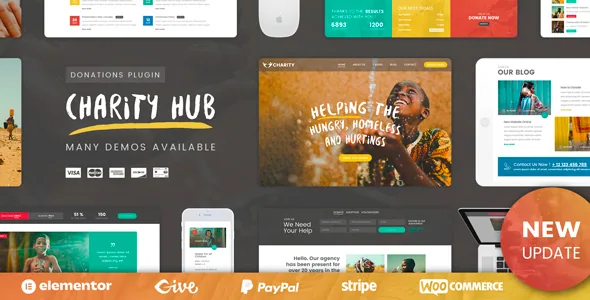
The Addons Manager is the real control panel
Most theme descriptions bury their admin controls in a feature bullet. Charity Foundation's vendor description gives the Addons Manager a concrete job: every section and addon on the single cause page can be switched off from a plugin dashboard panel. That matters because the single cause page is described as carrying five tabs — Description, Documents, Donors List, Comments and Free Content — plus an infobox with donation totals, statistics on the goal against the amount raised, and an optional sidebar that can hold either standard WordPress widgets or the theme's own components.
A single-cause appeal page and a portfolio of ten active campaigns need different amounts of that machinery. The panel lets the same install serve both without you editing templates: hide the Document tab on causes with no paperwork, keep it on causes that need it. The same section also decides per cause whether the sidebar appears, so a page with a related-causes list and a page without can coexist.
Treat the description as a vendor claim about plugin behaviour, not something verified by installing the theme. Still, it is the first thing to understand, because it changes the tone of everything else on the page: a lot of what you would otherwise call theme design is described here as per-cause configuration.
A cause is an entry you maintain, not a page you design
The vendor describes causes as a custom post type, and the single cause page is the template applied to each of them. That is the structural fact: your appeals share one layout, and what changes between them is the content inside the tabs.
Description is the write-up. The vendor notes it can be filled through the page builder, so it can hold the theme's own components rather than plain text only. Free Content is the tab for anything that doesn't fit the others — a video, a map, a gallery are the examples given. Comments uses WordPress's default comment handling and the vendor says it can be enabled or disabled per cause, so a sensitive appeal can launch with discussion off while an open campaign keeps it on.
Pagination sits at the bottom of each cause page to move visitors through the full set of causes, which implies you will be publishing several. The question worth asking before choosing this theme is whether you want to run appeals as a maintained library of entries, or whether you would rather write a landing page per campaign and retire it. The theme is built for the first approach.
Goal figures and donor names are things you publish
The infobox described on the single cause page collects donation totals and statistics about the goal against the result achieved. The Donors List tab shows who gave and how much for that specific cause, drawn from donations stored in the database.
Publishing a donor list is a decision, not a default. Charities vary on whether to name supporters, and the vendor's description is written as if the list is public content on the page. Where a donor gave offline — a cheque, a cash collection — the vendor says that gift is recorded through the same system, which is presumably how it appears in the list and in the donor's own history.
Two practical consequences follow. Someone has to keep the numbers current, because a goal percentage that stops moving undercuts the appeal. And someone has to decide whether the list identifies donors publicly, since the theme's described workflow saves donor-attached records rather than anonymous totals.
Documents, and what registration unlocks
The Documents tab is the piece that pulls an account system along with it. The vendor says each document can be set public or private, with private material reserved for registered members, and that each one opens in a popup from its preview button.
Registration exists for more than the documents. The plugin provides login and registration forms, and the vendor says these can be deactivated at any time. Registered donors get a personal profile page which the vendor describes as listing their donations made via PayPal, Stripe and offline. So the account does two jobs: it unlocks restricted material on a cause, and it gives a donor somewhere to see what they have given.
If you deactivate registration, the private document layer loses its audience and donor history has nowhere to live on the front end. Donations still process through the plugin's payment paths. That combination — taking money without collecting accounts — is coherent, but it is a deliberate choice against part of the described workflow, so make it before you build rather than after.
Payment buttons you can rehearse before going live
Donations run through the plugin's own handling rather than a separate fundraising service. The vendor describes built-in PayPal and Stripe integration, with donors choosing either a fixed amount or one of their own, and gifts can be attached to a particular cause or made to the organisation directly.
Less common on a charity theme is the developer mode. The vendor says it can be set for testing without writing data to the database, and set separately for PayPal and Stripe so transactions can be processed without real money moving. That second part matters for a donation form specifically: you want to submit the flow as a donor would and see the confirmation, not just look at the form.
These are vendor statements about plugin behaviour; this article has not run a test transaction. The vendor also notes that the donation plugin is available on wordpress.org on its own, with the theme bundle described as including the addons — useful to know if you want to see the plugin's feature set separately from the theme before deciding.
Causes and donation forms as builder components
The vendor says the theme's visual builder ships components wired to the donation plugin. There is a cause post grid for showing causes anywhere on the site, with different layouts and column counts. There is a donation form component where you set the colour, choose columns, decide which fields appear, and let the donor pick a payment method through a popup switcher.
For anyone building an appeal front page, those two components carry most of the work: a grid of campaigns above, a form below, both adjustable per placement without a new template. The donation form component in particular lets you trim fields and let the payment choice happen inside a popup instead of a full checkout screen.
The marketplace attributes, observed on 3 November 2026, list WPBakery Page Builder with Elementor and Elementor Pro, and record Gutenberg Optimized as Yes. Read that as declared compatibility with multiple editing routes rather than proof that the demos were built in each. The vendor's prose refers to a custom visual builder without pinning it to one tool, so the demo is where to check which builder the pages actually use before you commit.
The hero caveat and the material around the donation system
The theme ships six home variations with a one-click demo import, per the vendor. Revolution Slider is described as included, with demo slides in the dummy content — with one stated exception. The particle and parallax zoom slices effect used on Home 5 is only available to people who buy the slider plugin directly, so that slide will not look identical on an install using the bundled copy.
Surrounding the donation system, the described scope covers a WooCommerce-ready gift shop, Events Calendar with Calendar, Day and List views, Contact Form 7, WPML compatibility and translation readiness. The compatibility attributes add Gravity Forms, WPForms and Easy Digital Downloads, plus WooCommerce 5.x through 8.x. None of those are required to run a cause, and a listed integration is not a claim that every demo depends on it.
The listing records WordPress 4.9.x through 6.9.x, marketplace version 3.0, and PHP, CSS and JS as the included files, with documentation marked well documented. None of that substitutes for checking the demo against the WordPress release you actually run.
Questions & answers
Can I hide the Documents tab on causes that have no paperwork?
The vendor says every section and addon on the single cause page can be switched off from an Addons Manager panel in the plugin dashboard. Whether the switch is global for all causes or set per cause is not spelled out in the description, so test it on the demo if a mixed set of appeals matters to you.
Do donors need an account to give?
Not according to the described flow: PayPal, Stripe and offline donations are handled by the plugin, and the login and registration forms can be deactivated. Accounts add a profile page listing a donor's giving history and are what unlock private cause documents.
Does the theme bundle the donation plugin's addons?
The vendor describes the theme as including the addons, while the standalone plugin on wordpress.org does not show all of them. That is a vendor statement about the bundle — worth confirming against the plugin's own feature list in your install.
Will the Home 5 slider look like the preview?
Not exactly. The vendor states the particle and parallax zoom slices effect in that Home 5 slide is available only to direct purchasers of the slider plugin, so the bundled copy will render a different effect.