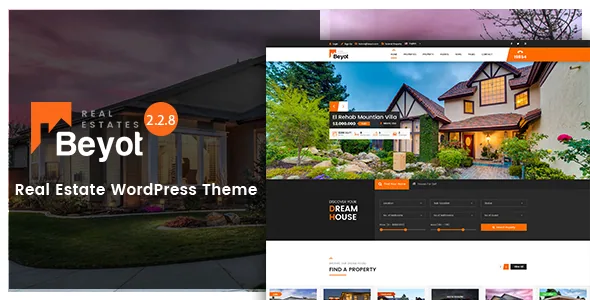
The decision Beyot forces: who lists, and what they pay
Most real estate themes answer a design question. Beyot's marketplace description starts with a business model. The vendor states the theme supports four ways of taking listings: free submission, pay per submission, pay for a package of listings, and a model the site owner defines for themselves. The description also calls out subscription-based submission in its opening paragraph. PayPal, Stripe and wire transfer are named as the integrated gateways.
If you run an agency site where your own staff enter every property, that machinery sits idle. If you plan to let outside agents or owners list, the choice between a per-listing fee and a credit package changes how the site is administered, how invoices are issued and how accounts behave when someone stops paying. Sorting that out before you build pages is more useful than picking a homepage layout.
These are vendor claims from the marketplace listing. They describe what the theme is built to support, not what has been verified on a live install.
Two submission paths, and the front-end account behind them
The vendor supports adding a property from the WordPress admin and from the front end. Admin entry is the familiar route for a site whose inventory is entered by staff. Front-end entry is what makes a self-service listing site possible, because a visitor can register, log in and create a listing without touching wp-admin.
The description details what sits on the user's side once that door is open: profile management, invoice management, saved searches, property comparison, favourites and social sharing. Each of those is a page a logged-in visitor expects to find, and each one needs a place in your navigation and a reason to exist in your workflow. Saved searches only matter if the search tool is good enough that someone wants to repeat it.
The vendor also points to a series of video walkthroughs covering registration, login, front-end property entry, profile management, invoices, saved searches and the favourite and compare features. Those videos are the vendor's own material; how closely they match the current release is something you would check against the demo.
What the admin side controls
Beyot delegates most of its property logic to the vendor's Essential Real Estate plugin, and the admin features the description names follow from that. Property attributes are defined dynamically rather than hard-coded, so you decide which fields a listing carries — bedrooms, plot size, floor, whatever your market uses — instead of inheriting a fixed set.
The description lists package management and invoice management as admin screens, which is the other half of the paid-submission story: packages need to exist before anyone can buy one, and invoices need somewhere to live. It also names agent creation and agent management, plus a near-places setup — the screen where you define the local landmarks that appear alongside a property. The vendor claims all fields are dynamic, which is the difference between a theme that fits a market and one that only fits the demo's market.
Search built from a shortcode, not a fixed widget
The vendor describes the advanced search as built from a shortcode with dynamic custom fields. Practically, that means the search form can be placed wherever a shortcode goes — a homepage hero, a sidebar on a results page, a landing page — and its fields follow the attributes you defined for properties.
Around that core the feature list adds geo-location search, Google suggestions for location input, multiple listing view options, email listing alerts, featured listings, an agent listing, mortgage calculator and get-directions links. The useful grouping is: search finds properties, alerts bring people back, and the calculator and directions answer the questions a visitor has after they've found one. Whether alerts are worth enabling depends on how much inventory you have — a thin list of listings makes a thin email.
Note the plugin relationship before you commit. The listing's compatibility attributes name Elementor and Bootstrap 4.x, and the vendor's description credits Essential Real Estate for the property layer. Treat the search fields and listing pages as plugin-driven surfaces and see how they behave with your own attributes on the demo.
Layout: WPBakery, presets and the demo set
Pages are assembled in WPBakery, which the vendor includes in the purchase. The description of the theme's preset system is worth reading closely: a preset is a predefined layout and colour skin, applied to a page or post, with the ability to add columns and rows and pick elements from grouped categories. This is a saved-layout workflow — build a configuration once, reuse it — rather than a blank canvas every time.
The listing marks Gutenberg Optimized as No. Read that as a statement about where the vendor's layout tooling lives, not as proof the block editor is disabled. If your team drafts in blocks, look at how the demo pages are actually structured before assuming a workflow.
Demo counts need a caveat. The special-features block advertises 9+ pre-built homepages, while the feature list further down the same description says 7 pre-homepages. Both are stated by the vendor, and the discrepancy is unresolved in the supplied material. One-click demo import is claimed, and the description also mentions a sandbox you can use to create a temporary demo. Also from the vendor: the preview images are for demonstration only and are not included in the purchase files, so budget for your own photography.
What the compatibility fields and package claims cover
The stored attributes, observed on 4 November 2026, list WordPress versions from 5.6.x through 7.0.x, browsers Chrome, Firefox, Safari, Opera and Edge, widget-ready status, high-resolution assets and the inclusion of PHP, CSS and JS files. The vendor reports the theme as well documented and responsive.
None of that is a record of testing on your host. A version range tells you which releases the vendor claims to support; it does not tell you how a current Essential Real Estate release behaves against a specific PHP version. The listed WordPress 7.0.x entry in particular is a claim to verify rather than a settled fact.
Likewise, the vendor's mention of lifetime updates and support forum access describes the marketplace purchase arrangement. It says nothing about what a third-party distribution contains, and no file details are promised here.
Questions & answers
Can Beyot handle listings from outside agents, not just my own staff?
The vendor describes front-end submission alongside admin entry, plus user registration, profiles and invoices, which is the structure a multi-agent listing site needs. The paid tiers — free, per submission, per package and user-defined — are the vendor's stated models. Whether the flow suits your terms is something to confirm in the demo with your own property fields.
Do I need Essential Real Estate for the property features to work?
The marketplace description credits the vendor's Essential Real Estate plugin with the property layer: dynamic fields, package and invoice management, agent management. The theme's own feature list covers layout, menus and styling. Treat the plugin as the engine behind listings, but check its current requirements in the vendor's documentation rather than assuming a version.
Are the images in the demo included with the theme?
No. The vendor states that all images are for preview purposes only and are not part of the theme files. You will need your own property photography and any stock you license separately.
How many homepage demos does Beyot actually include?
The description gives two figures: 9+ pre-built homepages in the special-features block and 7 pre-homepages in the longer feature list. The supplied material does not resolve which is current, so count the demos in the live demo or sandbox before planning import.