XMenu turns dropdowns into content surfaces
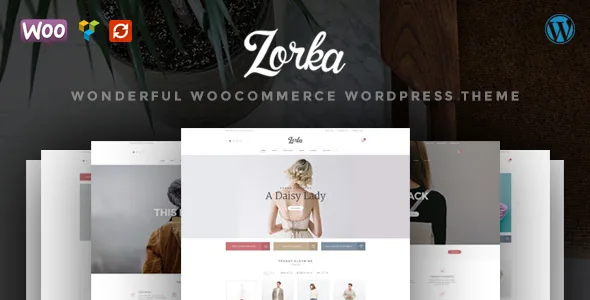
Zorka's vendor description gives the navigation unusual weight. The built-in XMenu is described as a place for links, text, images, widgets and shortcodes together, so a fashion shop can put a campaign image, a promo line and a product shortcode inside the dropdown instead of routing the reader to a landing page first.
That flexibility moves editorial work into the header. Anything you build inside a dropdown is edited somewhere other than the page it sits above, so a seasonal block can outlive the campaign it was written for. Decide early who owns the navigation and how dropdown content gets retired before the header quietly becomes a second homepage.
G5Theme lists ten header and menu styles. These change the structure the dropdown content sits in rather than just its colours, so it is worth choosing the header that gives your XMenu panels the room they need before you fill them.
Shortcodes and WPBakery, without the front-end editor
The vendor promotes modular shortcodes as the way to compose pages: combinations of elements arranged into whatever page type you need. WPBakery Page Builder, formerly Visual Composer, is included, but the same feature line states plainly that it does not include the front-end editor. The realistic workflow is building in the WordPress admin rather than dragging elements across a rendered page.
That suits a small team with a settled page structure. It suits less well a client who expects to move a headline inside a live preview, so test the editing experience on a staging copy and check how the theme's shortcodes behave inside builder rows before planning around either tool.
The framework itself is described as based on HTML5 Boilerplate and Bootstrap. The feature list also names LESS, custom post types and an advanced theme options panel built on a slightly modified Options Framework. Those explain the styling workflow you inherit more than they describe anything a shopper sees.
Shop tooling and where portfolio output lives
WooCommerce integration is the theme's stated purpose, and Compare and Wishlist are named as supported plugins. Supported is the operative word: both functions come from separate plugins you install and configure, not from theme code, so confirm their current state and how they render on Zorka's product templates before promising either to customers.
Portfolio output is a separate track. The vendor lists a shortcode-driven portfolio with a single-item view and two-, three- and four-column layouts, described as three layout types at one to four columns. For a fashion brand that is a sensible home for lookbooks and campaign shoots without pushing them into product listings.
Revolution Slider is listed as included. Treat how that bundled licence applies to your site as a question for the seller rather than something to assume.
Demos, import scope and the conflicting home page count
The description does not agree with itself. The introduction promises 11 home pages; the feature list says 12. Since neither number can be settled from the listing, use the live demo to count and judge the layouts rather than planning around a figure.
One-click demo import is described as bringing in pages, posts, Revolution Slider content, widgets and theme options as a set. The vendor also says individual pages can be imported from the documentation, which is the option to use when you want a single layout rather than the whole demo payload dropped onto a working site.
The marketplace attributes recorded on 4 November 2026 declare WooCommerce 6.x through 9.x and WordPress 6.0.x through 6.9.x, with Gutenberg Optimized marked Yes and a file list of PHP, CSS and JavaScript. Gutenberg Optimized is a marketplace attribute, not a description of how theme shortcodes and block editor content behave on the same page. The vendor also lists translation readiness through po and mo files and a child theme, which matters if you expect to revise templates over time.
A merchandising theme with an editorial cost
Zorka makes most sense for a shop whose navigation has to carry merchandising — an image, a widget, a shortcode-built promo — and whose team is comfortable assembling pages from shortcodes in the admin while theme options handle the styling. It rewards a stable page structure and one clear owner of the header, because XMenu content drifts fastest when nobody is responsible for it.
If the people publishing pages need to edit on the rendered page, or the menu genuinely should stay a plain list of links, the built-in XMenu is capability you would pay for without using.
Questions & answers
Does Zorka include WPBakery with the front-end editor?
According to the vendor's feature list, WPBakery Page Builder is included but without the front-end editor. Building happens in the WordPress admin. If editing on the rendered page is a requirement for your team, confirm this with the seller before planning the workflow.
Are compare and wishlist features part of the theme?
They are described as supported plugins rather than built-in features. The functionality comes from plugins you install and configure, so check their current maintenance and how they display on Zorka's product templates before relying on them.
How many home pages does Zorka include?
The vendor description gives 11 in the introduction and 12 in the feature list. The live demo is the practical way to count and compare the layouts rather than trusting either number.