Two builder libraries, and the counts are not symmetrical
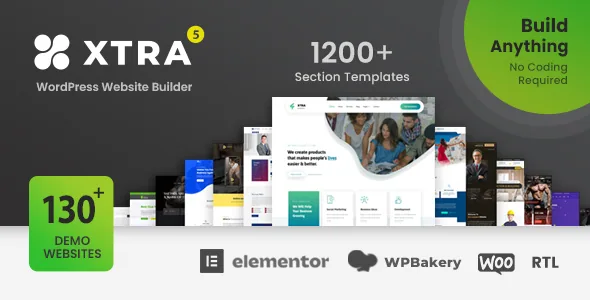
Codevz's description for Xtra lists both major page builders, but not as equal partners. On the WPBakery side the vendor claims 100+ page builder elements, a live front-end drag-and-drop mode, a classic back-end editor, and 200+ page templates, with one phrase that tells you where the design work sits: "Exclusively WPBakery styling." The Elementor side gets 50+ widgets, 1200+ section templates, front-end drag and drop, and advanced column settings and effects.
Those numbers describe different things. WPBakery's 100+ refers to elements the theme supplies inside the builder. Elementor's 1200+ refers to section templates you drop in as starting blocks. A widget in Elementor behaves differently from an element row in WPBakery, and the library you pick determines which of the theme's own components you can reach.
So the decision is not which builder is better in the abstract — it is which library matches how you intend to assemble pages. If you want a large stock of ready-made section compositions to rearrange, the Elementor template count is the relevant figure. If you want the theme's authored element set, including its WooCommerce and portfolio pieces, the WPBakery list is where that lives.
Both are described as offering front-end drag and drop, so neither path is limited to editing inside the admin. Nothing in the description says the two libraries share components, so treat them as parallel toolchains rather than one interchangeable toolkit.
The RTL side is a demo library, not a toggle
Right-to-left support appears on a lot of theme feature lists as a single line. Xtra's description treats it as a body of work: 132 Arabic demo websites, with RTL support named for Arabic, Hebrew and Persian, .PO translation files for text, and compatibility with WPML and Polylang.
The vendor also states 132 full pre-built websites in the package and 220+ pre-made pages, so the Arabic demos are part of that count rather than a separate add-on. The named demo titles in the description — Bike Shop, Gym 2, Fashion Shop 3, Cryptocurrency 3, Car Auto Parts Shop, Supermarket, Perfume Shop, Book Shop and others — suggest the range covers commerce and service directions, not a single translated layout.
What that means in practice: if the site needs an Arabic or Hebrew front end, you have concrete starting points rather than a mirrored default demo. What the description does not tell you is whether every demo has an RTL counterpart, or whether the RTL handling covers the same inner pages as the LTR versions. Plan to check the specific pages your project needs.
Alongside this sits an unusual package detail: the vendor says each demo ships with its own edit guide explaining how to modify that demo. For a library this size, per-demo instructions change the first week of a project from reverse-engineering someone else's layout to following named steps.
Where the theme options do the repeated work
The description claims 1000+ theme options and page settings, and the useful question is what those settings spare you from doing page by page. Typography is the clearest answer. Xtra is described as supporting per-font settings for line height, size, family, margins and letter spacing, with separate typography settings for responsive breakpoints, and colour controls for H1–H6, body, footer and sidebar text independently. A font preview inside the options panel shows the settings live.
Backgrounds follow the same global-versus-local pattern. You can set unlimited backgrounds for boxed and wide layouts, apply them per page or post, or use a global setting across the site, with separate controls for header, footer, main content and the page background, plus 100% coverage and repeat options. The page title bar can be switched on or off globally or per page and post.
Header and footer colours, margins, the copyright bar text, the back-to-top button and social icon shapes all sit in the same panel per the vendor. Read as a whole, the options layer is designed so a site-wide change happens once rather than on every template.
One caveat worth holding: the description presents these as settings, not as a demonstration. Confirm on your install that the per-breakpoint typography controls reach the elements you actually use.
Header, footer, mega menu and sticky as one navigation system
The vendor lists a real-time header and footer builder where you add any element to either region, style each row without a fixed limit, and use a logo at any size. Separately it lists a built-in mega menu supporting one to eight columns, the option to place page content inside a mega menu panel, full-width and custom-width row modes, background images and icons beside menu items.
These two features belong to the same problem: a multi-purpose site with services, products, blog and contact sections outgrows a flat dropdown quickly. A mega menu of up to eight columns with editable page content gives you somewhere to put the second and third levels without relying on hand-built landing pages.
"Smart Sticky" extends the same thinking down the page. The vendor describes sticky behaviour for each header row, for content and sidebars, for the mobile header, and for individual page builder columns. Column stickiness is the most consequential of these: it lets a section of a template stay in view while the rest of the page scrolls, without a plugin.
The header list also names an off-canvas menu, off-canvas widgets, an extra header panel and a custom mobile header with a fixed mobile menu. Those are the pieces you would otherwise assemble from three separate plugins, which is the argument for keeping navigation inside the theme.
Blog, gallery and portfolio options follow one layout vocabulary
The description groups blog and gallery content under a single list: 28+ blog and gallery layouts, one-to-eight column grids, two-to-four column masonry, justified rows at a fixed height, ten metro-style arrangements, a carousel slider, a load-more button, and category and tag filtering. The same vocabulary appears across the two content types, which means a blog index and a portfolio page can be built with the same controls rather than two different systems.
Portfolio gets additional structure. The vendor describes setting up multiple portfolio pages with custom categories assigned per page, choosing specific categories for each portfolio, setting items per page, and enabling comments on portfolio posts. Single portfolio pages can use images, slideshows and videos.
For a business site that shows work alongside a blog, the practical value is in those per-page category selections. A services company can run one portfolio page for case studies and another for a product range, each with its own category filter, without duplicating the template.
Ajax appears as its own feature group: browsing pages without a refresh, an Ajax login and register element, an autocompleting header search, and Ajax load-more posts. The load-more button and the Ajax loading are described as separate items, so treat them as two different behaviours to check against your archive pages.
Shop presentation is listed in similar terms: two, three or four-column product grids, full-width or sidebar layouts for both the shop and single product pages, and product display by category, ID or SKU.
What the compatibility record says, and where it contradicts itself
The vendor's opening text claims full WordPress 7.1 compatibility, Elementor and Elementor Pro support, WPBakery 9.0.x, WooCommerce 11.1.x, PHP 7.4 through 8.5.x, and GDPR readiness. The marketplace attributes observed on 3 November 2026 tell a narrower story: compatible with WordPress 6.0.x through 7.0.x and WooCommerce 6.x.x through 9.x.x, with the marketplace record showing theme version 6.2.
That gap matters when you are deciding whether to build on it. Version claims at the top of a description are the vendor's own statement of intent; the attribute ranges are what the listing itself records. Neither is a test result on your host, your PHP build or your plugin set. If you are running a recent WooCommerce or WordPress release, verify the versions on a staging copy before you commit content to the theme.
Two further attributes are worth reading correctly. "Gutenberg Optimized: No" describes whether the theme's design was built around the block editor; it does not mean the block editor is unavailable on your site. And the listed files are PHP, CSS and JS, so there is no stated PSD or Sketch source in the package.
The plugin list is a compatibility statement, not a dependency list. Contact Form 7, Gravity Forms, WPForms, Events Calendar, Easy Digital Downloads, Visual Composer, WPML and Elementor appear as supported integrations. Nothing in the description says every demo requires any of them, so add only what your build actually uses — and check the demo notes before assuming a specific setup.
Questions & answers
Do I need both Elementor and WPBakery installed to use Xtra?
The vendor describes the theme as supporting both, with separate libraries for each, but does not state that both must be active. The two sets are described as parallel toolchains with different element and template counts, so choose the one that matches your workflow and confirm the demo you import was built with that builder.
Is the theme's typography panel worth using instead of custom CSS?
The vendor describes per-font line height, size, family, margins and letter spacing, separate settings per responsive breakpoint, and independent colours for headings, body, footer and sidebar. That covers a lot of routine styling without CSS files. It does not remove the need for custom CSS entirely, and the description includes a separate custom CSS field with desktop, tablet and mobile targets for anything the panel does not expose.
Does the 132 Arabic demo count mean every demo has an RTL version?
No. The vendor states 132 Arabic demo websites and a total of 132 pre-built websites in the package, but does not say each demo exists in both directions. If your project needs a specific layout in RTL, check that particular demo rather than assuming a mirrored version.
How many menu levels does the mega menu support?
The vendor lists one to eight columns for mega menu panels and separately states support for dropdown menus up to six levels deep. The two figures describe different things — column layout in the mega panel versus nesting depth — so match them against your site's actual navigation plan.