The mega menu is the part that shapes the site
Grooni's summary headline for Crane reads "Highly Customizable Multipurpose WordPress Theme with Mega menu," and the feature list backs that up with two specific mechanisms: WPBakery mega menu blocks and WordPress widgets inside the mega menu. Those two sentences describe a different kind of navigation editing than picking a dropdown style.
If mega menu panels are built from builder blocks, a menu panel becomes a layout you compose rather than a list of links, and you can place existing widgets in it. That is what makes navigation a design decision. Whether you want a panel with an image, a short product grid or a contact widget is now part of planning the header itself.
The header count follows from the same idea. The vendor lists unlimited header layouts with 25 predefined ones, tied to options covering header, logo, menu, portfolio, typography, blog, footer and shop. Twenty-five starting points is enough that you will spend time choosing rather than building a header from scratch — and enough that picking the one that matches your content structure is the real work.
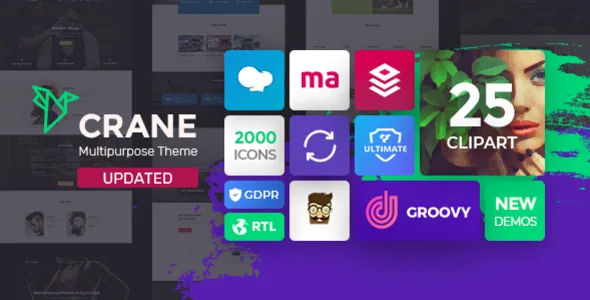
Grooni's own Groovy Mega Menu plugin is the third piece, bundled and described by the vendor as the tool for setting up different menu types with colour, font and effect controls.
What the bundled plugin stack tells you about editing
Grooni markets "7 Must have wordpress plugins included": WPBakery Page Builder, Ultimate Addons and Massive Addons for WPBakery, Slider Revolution, Kreatura Slider (formerly Layer Slider), Convert Plus and Groovy Mega Menu. The description also prices these collectively and argues a saving compared with buying them separately.
Treat that as the vendor's account of what the theme is built around. The marketplace attributes recorded on 4 November 2026 list the package files as PHP, CSS and JavaScript, and say nothing about bundled third-party plugins either way. Plugin contents, versions and update paths are the sort of thing to confirm from the vendor's own documentation before you buy.
The practical implication is that Crane expects WPBakery. Ultimate and Massive addons extend that builder with extra elements, the two slider plugins handle animated headers and galleries, and Convert Plus is about popups and lead capture. If you already dislike working inside WPBakery, none of the other inclusions change that.
Two conflicting signals about the block and Elementor paths
The vendor feature list says Crane is "Compatible with Elementor Page Builder" and separately says "Gutenberg Compatible, #GetGutenbergReady." The marketplace attribute recorded on 4 November 2026 reads Gutenberg Optimized: No.
Those statements are not as contradictory as they look, but they do not settle the same question. A compatibility claim says the theme and the plugin can coexist. A Gutenberg Optimized flag is a judgement about how much of the theme's design has been tuned for the block editor. A No there does not mean the block editor is unavailable — it means you should not expect block patterns and block-based templates to carry Crane's design. The Elementor statement sits outside that flag entirely and is worth checking against the vendor's current documentation if Elementor is your preferred route, especially since the vendor's in-progress notes mention Elementor layouts as future work.
Reusable content blocks instead of one long page
Beyond the header, Crane's layout options are about repeating content in different places. The vendor describes a blog widget that can be added anywhere in the content area, not just in a blog template, and lists Classic, Modern, Cell, Grid and Masonry blog styles alongside 18 unique blog layouts. The portfolio side gets 18 grid styles with column counts, sizes, hover effects and custom fields.
That combination is useful when a site is not organised as a single blog feed or a single portfolio page. A magazine-style front page, a case-study section inside a corporate site and a shop landing page can each present posts or projects differently, and you can drop a second stream into a page because the widget travels.
The vendor's own shortcode list runs to accordions, pricing tables, counters, testimonials, timelines, image galleries, Google Maps and more. The claim that columns and images can animate into view on any page belongs to the same layer: effects set per element.
Maintenance in 1.6.0: Redux, PHP 8.x and WooCommerce
The vendor changelog for version 1.6.0 records a move of the theme's theme-options layer from Redux Framework 3 to 4, fixes for deprecated Redux API calls across options, migrations and taxonomy fields, and compatibility work described as PHP 8.x improvements, WordPress 7 readiness and WooCommerce 10.x readiness. The marketplace attributes recorded on 4 November 2026 agree on the version and list WooCommerce 6.x through 10.x, WPML, bbPress 2.5.x and 2.6.x, and Gravity Forms among compatible plugins.
There is one gap worth naming. The vendor's system requirements section tells you to run WordPress 6.0 or greater, while the compatibility list stretches back to 5.6.x. Those are different statements — a requirement and a tested range — from different moments in the theme's life. If your install sits below 6.0, the requirement is the one to plan around.
Nothing here is a record of independent testing. The changelog and the attribute list describe what the vendor states; if you are running a specific PHP or WooCommerce combination, a staging install is the cheapest way to confirm it.
Matching Crane to a project before you commit
Grooni names the demo verticals rather than only counting them: Cargo, Logistics and Transportation; Barber Shop; Education; Yoga and Spa; Wedding; Car Service; Medical and Plastic Surgery; Gym; Law; Creative Agency; Financial Consultation; Real Estate; Golf Club; Car Dealer; Restaurant; RTL; Travel; Construction; Hotel; Bitcoin and Cryptocurrency; Personal Blog; Business and Finance.
Read that list for what it implies. The set leans commercial and service-oriented, which matches the marketplace category of corporate/business. A theme shipping real estate, car dealer and restaurant layouts is telling you its demonstrators are built for structured content, listings and enquiry forms rather than editorial publishing.
The RTL demo and the WPML compatibility claim, plus Loco Translate readiness, are the relevant facts if the site publishes in more than one language or right-to-left script. Crane also ships a child theme, which matters on a theme with this many option panels: your custom CSS lives somewhere separate from the files the vendor updates.
One element in the vendor's own description sits awkwardly against its framing: a portfolio widget with custom fields is suggested for digital marketplaces, with mentions of selling through Paddle or Gumroad. That is an author's suggestion for how the widget can be used, not a commerce integration the theme documents. If you need a store, the WooCommerce compatibility claim is the part to build on, and how far the design integration goes is something to check against the demos.
Questions & answers
Does Crane work with the block editor?
The vendor's feature list calls it Gutenberg compatible, while the marketplace attribute recorded on 4 November 2026 marks Gutenberg Optimized as No. Those describe different things: the theme can run alongside the block editor, but its design system is built for WPBakery and you should not assume block patterns or block templates carry Crane's styling.
Do I need WPBakery to use the mega menu?
Grooni describes the mega menu as built from WPBakery mega menu blocks and WordPress widgets, with Groovy Mega Menu as the plugin involved. Treat the ability to compose menu panels this way as dependent on that WPBakery setup rather than something the theme provides without it.
Which WordPress version should I plan for?
The vendor's system requirements section states WordPress 6.0 or greater, while the marketplace compatibility list extends back to 5.6.x. The requirement is the more conservative figure to design your hosting and update plan around, and it is worth checking the vendor's current documentation before installing on an older site.
Is Crane suitable for a multilingual site?
The vendor lists WPML among compatible plugins, ships an RTL demo, and states Loco Translate readiness. Those are stated supports rather than tested guarantees, so confirm the specific language setup you need.