AMP, infinite scroll and a dark mode you can switch
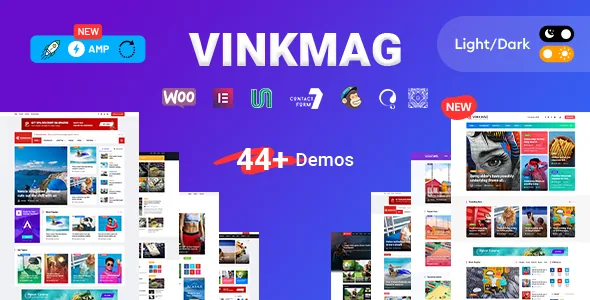
XpeedStudio's changelog for version 3.0 records three additions in one release: AMP compatibility, infinite scroll in single posts, and a front-end dark/light mode option shipped alongside its own Elementor widget. The vendor's note on AMP is a single line — "Check documentation for setup" — which tells you the theme supports it but leaves the actual configuration to the docs rather than the theme settings panel. Plan for a documented setup step, not a switch.
The infinite scroll entry is narrower than it first reads. It is listed against single posts, so it describes moving through the next article without a page load; it is not described as an archive or homepage behaviour. The dark/light toggle is the more interesting of the two for a publisher: the vendor offers it as a visitor-facing mode and as a widget, so a section built in Elementor can carry the control rather than confining it to the header.
These are changelog claims rather than results of running the theme against a particular WordPress build, and whether AMP output behaves as expected with your caching or ad stack is something the documentation and a staging install will settle.
Sixteen homepages, five niche layouts, ten headers
The feature list counts 16+ home variations, 10+ header layouts, 5+ niche layouts named for Travel, Sports, Business, Technology, Food, Crypto and Health, and a multipage design. Read that as a catalogue of starting points rather than a promise of sixteen finished sites: each variation is a layout to import and then adjust with your own content, categories and images.
The niche layouts are worth thinking about before you import. They suggest the vendor built demo sets around publication types rather than one generic magazine grid, which suits a launch where the section structure is already settled. If your publication mixes crypto and food on one site, the niche demos are reference material for module arrangement, not something you toggle on.
Header count matters more in practice than homepage count. A news site often needs a dense utility bar, a category strip and a search field in the same header, and having ten layouts means less custom CSS for that row. The trade-off is that switching header layouts changes the widgets and menu locations in play, so choose one early rather than mid-build.
RTL support, described as language enablement
The vendor frames RTL as the reason you can use Vinkmag for Arabic, Hebrew, Kurdish, Urdu, Persian and Syriac sites. RTL support was added early — version 1.1 in the changelog — and later entries record specific fixes, including RTL menu issues in 3.1 and a CSS issue for the RTL version in 4.5.
What the listing does not describe is how each demo behaves when flipped, whether every home variation has an RTL counterpart, or how mixed-direction content such as embedded Latin video titles is handled. If a right-to-left publication is the goal, treat the RTL demo content as the thing to inspect rather than the language list.
Also note that RTL is about direction, not translation. The changelog mentions a POT file update in 3.2 and textdomain work in 5.1, so translation tooling exists, but neither entry promises a translated front end.
Two control surfaces: Elementor for pages, Kirki for the site
Composition happens in Elementor, which the vendor describes as a drag-and-drop visual builder; the feature list also names Kirki Customizer and a theme options framework. Those are two different jobs. Elementor decides what sits in a page or post body. The customizer and theme options decide the site-wide layer — the pieces the builder doesn't own.
That split has a practical consequence for a magazine running many authors. Layout changes made in Elementor are per-page, so a redesign of the article body means touching templates, not one global setting. Conversely, anything in the theme options applies broadly, which is the safer place for a logo, a container width or a colour change.
The vendor also names Kirki alongside a legacy framework name in the marketplace attributes; the changelog is the more reliable guide to what a given release actually runs on, which is the subject of the next section.
The framework change recorded in the release notes
Version 4.2 (February 2022) carries a note that XpeedStudio discontinued compatibility with the Unyson framework and introduced Codestar Framework instead. The same entry tells anyone updating to back up first and to restore or contact support if the update causes trouble. Later entries list Codestar updates, including in version 5.1 alongside WordPress 6.8 and Elementor compatibility work.
This is the one piece of release history with a direct bearing on setup. A site built years ago on the earlier framework and a fresh install are not the same starting condition, and the vendor's own instruction to take a backup before crossing that boundary is the detail to respect. It is not a fault in the theme; it is a record of the vendor changing the options layer underneath it.
If you are evaluating a package rather than upgrading an old site, the question to answer first is which framework generation the release you receive uses. Theme options and any imported demo settings depend on it.
What the listing declares, and what it leaves out
The marketplace attributes, observed on 4 November 2026, list WordPress 6.1.x through 7.0.x, Bootstrap 4.x compatibility, browsers including Firefox, Safari, Opera, Chrome and Edge, responsive layout with four or more columns, widget-ready and high-resolution flags, and Gutenberg Optimized marked Yes. The included files are listed as PHP, CSS and JS.
Two cautions on reading that set. The software version range is a declaration by the vendor and marketplace, not a record of the theme being run against your WordPress, PHP or plugin combination. And the Gutenberg flag says the marker is present; the vendor's own description builds pages in Elementor, so treat the block editor as coexisting rather than as the theme's documented composition route.
The file list is the other practical detail. There is no layered design source in it, so artwork adaptation happens through the theme's options, Elementor and the bundled stylesheets rather than by editing a source file. The vendor also lists documentation as well documented, which matters more than usual here given how much of the AMP setup is delegated to it.
Questions & answers
Does Vinkmag actually ship AMP support?
XpeedStudio's changelog records AMP compatibility as an addition in version 3.0, with setup left to the theme documentation. That is a vendor claim about the theme, not a statement about how AMP output will behave with your caching, ads or analytics plugins. Confirm the setup path in the docs and test on a staging copy before switching it on for a live publication.
Can visitors switch between dark and light reading modes?
The changelog for version 3.0 lists a front-end dark/light mode option and a matching Elementor widget. That indicates a visitor-facing control that can also be placed inside a page built in Elementor. The listing does not describe whether the choice is remembered between visits.
How much of the theme do I edit in Elementor versus the customizer?
Page and post composition is described as Elementor work, while Kirki Customizer and the theme options framework handle site-wide settings. Layout changes in Elementor stay with the page you edited; brand-level settings belong in the theme options layer so they apply across the site.