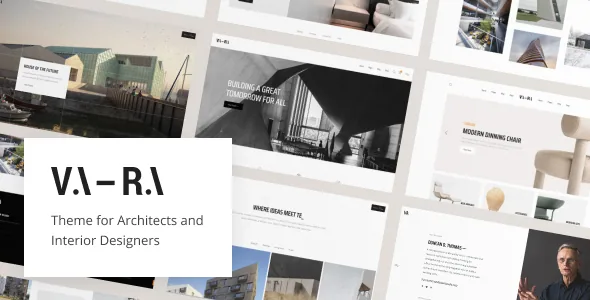
Headers and footers are templates, not a settings panel
Most themes give you a header layout choice and a logo field. Vara's vendor description describes something with more scope: an in-house plugin that builds header and footer templates out of Elementor custom widgets. You assemble the header in the builder like any other Elementor layout, then decide where that particular template applies.
The assignment rule is the part worth planning for. The vendor says a custom header template can show only on the homepage, only on a blog archive, or across the entire website. For an architecture practice that is a real difference in how the site reads: a project showcase can open on a full-bleed, minimal bar with the studio name, while the journal archive gets a header that carries navigation and section links.
Because the template is an Elementor layout, the change is made visually rather than in template files. It also means your header inherits Elementor's own behaviour, and anything you cannot express with Elementor widgets you cannot express in the header either.
What the Customizer owns, and what it doesn't
The split continues in the options layer. The vendor states that most theme settings live in the live WordPress Customizer, that the theme uses only native WordPress functions there, and that Kirki Customizer provides the framework. Colour limits, typography, and global defaults are the kind of thing that belongs in that panel.
"Native WordPress functions" is the sentence that matters if you already know your way around the Customizer. It suggests you will not learn a bespoke settings interface with its own save button and its own logic. You will be working where you have worked before, with live preview attached.
The trade is that theme options and header templates are not the same surface. A change to the global palette comes from the Customizer; a change to which header appears on an archive comes from the Header & Footer plugin. Decide early which layer a client is allowed to touch, because granting both is granting two different editing interfaces.
Three display modes and a Bootstrap base
The vendor lists three individually customizable display modes: desktops and laptops, tablets, and phones. Read that as three authoring targets rather than three automatic breakpoints. You get to adjust each tier separately, which is how you deal with the usual architecture-site problem of a large hero image and a headline that must still breathe on a phone.
The responsive claim also depends on what the grid underneath is made of. The declared compatibility list names Bootstrap 4.x, so anyone writing custom markup or extending the theme's components should expect Bootstrap 4 conventions rather than a newer grid. If your team works in a different CSS framework, that is a translation job, not a drop-in.
High resolution is listed as supported, which fits an image-led practice; the sharpness of the result still depends on what you upload.
Two inclusions that affect your budget
The vendor's description says Slider Revolution is included with the theme and describes it as premium. If the shop route or a full-screen front-page showreel depends on it, treat that as a stated package inclusion and confirm it against what you actually receive.
The second note is more consequential for an architecture studio. The vendor states plainly that images and illustrations used in the demo are not part of the download package. Vara is marketed on a minimal, typography-led look where the photography carries most of the meaning, so the demo you fall for is not the site you will own. Budget for a shoot or licensed interior and exterior photography before you plan the launch.
Both points are vendor claims about what a purchase brings, not observations from opening an archive, and neither tells you how a specific demo imports on your server.
The changelog as a record, not a promise
The most recent documented release in the vendor's changelog is version 1.5, dated 17 December 2024. It records an update to WordPress 6.7.1, PHP version compatibility work, refreshed Revolution Slider and Elementor compatibility, WooCommerce 9.4.3 compatibility, a batch of CSS changes, and what the vendor calls SEO and performance optimisations.
Earlier entries show the same shape of maintenance: compatibility rows added as WordPress and WooCommerce moved, third-party plugin versions bumped, and fixes for a demo importer, a portfolio filter and Safari and Firefox animation issues. That pattern is what a maintained theme looks like, but it is a record of what was changed, not a commitment to a release cadence.
The listing's software version field spans WordPress 6.0.x through 6.7.x, and the marketplace record was observed on 4 November 2026. If your site runs a later WordPress version, that range is a declaration to check against your own install rather than a guarantee either way.
The rest of the stack: translations, shop and the editor question
On localisation the vendor offers two routes: translation through the options panel, and PO files handled with Loco Translate or POedit. WPML appears in the declared compatible-with list, and a child theme is included, which is where your own template edits belong.
WooCommerce is described as integrated for anyone who needs a shop — relevant if the practice sells prints or consultation products — and the 1.5 changelog records compatibility up to 9.4.3. Contact Form 7 and Yoast SEO are named as supported plugins rather than bundled ones.
One label deserves care. Gutenberg Optimized is marked No. That describes how the theme was tuned, not a block on the block editor, and it does not tell you how block-built content will look inside Vara's typography and spacing. If your team writes in blocks, test a page before committing to a workflow.
Questions & answers
Can I use a different header on the blog than on the homepage?
According to the vendor's description, yes. The in-house Header & Footer plugin lets you assign a template to the homepage only, to a blog archive, or to the site as a whole, and the templates are built from Elementor custom widgets.
Are the demo photos included with the theme?
The vendor states that the images and illustrations shown in the demo are not part of the download package. For a portfolio or architecture site, plan and budget for your own licensed imagery.
Does Vara require Elementor?
Elementor is listed among compatible plugins and the header and footer templates are built from Elementor custom widgets, so the theme's own layout workflow assumes it. The listing does not describe an alternative route for building those templates.