Style Composer: styling declared in options, not in each element
Codeless sells Tower less on a library of blocks and more on where styling happens. The marketplace description says the theme's advanced options, branded Style Composer, connect to "any element of visual composer," so borders, colours and backgrounds are changed from options "no required codding."
Read that as a styling layer rather than a builder. WPBakery stays the place where rows, columns and elements are arranged; the Style Composer is where the visual constants for those elements are declared. If you have restyled the same element twenty times to keep a site consistent, the promise is appealing: set the value once and let elements inherit it. The listing doesn't spell out whether every element honours that inheritance, so treat broad site-wide recolouring as something to confirm on the demo rather than assume.
The same description says predefined styles can be installed with one click and then edited, which makes starting from a near-match style the quicker route into a custom look.
Three routes to the same option set
The vendor lists three modes for theme options: the front end through the WordPress live customizer, the back end through a Theme Options panel, and an online builder the description says can be used before buying Tower.
The practical difference is feedback speed. The customizer shows changes against your real content while you make them, which suits colour, width and typography decisions you want to judge in context. The back-end panel is a conventional admin screen, handier for bulk changes and settings you would rather not click through preview by preview.
Be measured about the third mode and about the panel's wider claims. The description pitches the interface at both first-time users and developers and says video tutorials and documentation are supplied so you can hand a finished site to a client. Those are vendor statements about intent. Nothing in the supplied material shows the tutorials or confirms how current the online builder is, so don't build a handover plan around them before checking.
Width is a number you type, not a preset you choose
Tower separates two layout decisions that many themes merge. The first is boxed versus wide: a boxed canvas sits on a background colour, while wide stretches across the viewport. The second is width itself, and the description says you can set the exact layout width in pixels across a fluid range from 300px to 1200px.
A 300px option isn't a realistic desktop width; it's the extreme end of a control the vendor advertises as unlimited. What matters for planning is that the content column is yours to set rather than fixed by the theme. On a boxed business site, that number decides line length in body copy and how much space sits beside the content.
The description also says some demos ship with boxed or wide already configured, so the layout choice becomes part of picking a demo rather than a separate setup step.
Four demo packages meant to be combined
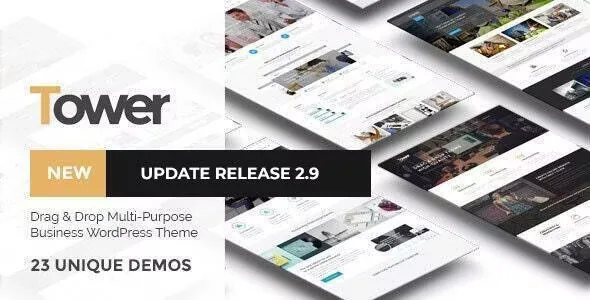
The description groups the demos into four packages — Agency, Business, Minimal and Portfolio — and puts the total at 18 or more. Import is described as one click after activation: install the theme, activate it, choose a demo.
The more useful claim is that you can mix parts of any demo as you want. That turns the packages into a pool of starting sections and styles rather than four mutually exclusive products. In practice you would import the demo nearest your industry for structure and styling, then pull in a specific page type from another package when it fits the job better.
On scale, the description says new demos arrive with updates and that the set is updated weekly. Those are forward-looking vendor statements, and the number of demos you actually get depends on the copy you work from rather than on the description's arithmetic.
What the compatibility record names, and where it stops
The marketplace attributes recorded on 4 November 2026 list WPBakery Page Builder, WooCommerce 6.x.x and 7.x.x, WPML and Bootstrap 4.x, with the latest marketplace release recorded as version 5.0. The theme is marked widget ready, packaged as PHP, CSS and JavaScript files, and recorded as Gutenberg Optimized: No.
That last flag deserves a precise reading. It says the theme's layouts weren't built or tuned around the block editor. It doesn't remove the block editor from WordPress, and it doesn't make it unavailable on your site — Tower's editing model is WPBakery, and its templates follow from that.
The declared WordPress range runs from 4.9.x upward and stops at 6.6.x. Because the listing ends there, it says nothing about later releases; a missing entry limits what the listing claims, it isn't a verdict that the theme fails. If your site runs a newer branch, that gap is what to check before committing.
Counted layouts, and a bundle claim worth checking
Elsewhere the feature list makes concrete numeric claims: 30+ portfolio layouts assembled from masonry, grid, fullwidth or boxed arrangements in three styles and two to five columns, plus 8 blog styles and 2 single-post layouts. Those numbers describe variation in presentation, not just page count, and portfolio work is named as a real use case alongside business and minimal sites.
The description also says Visual Composer is included free with the theme. That's a vendor statement about what the package is meant to carry, and it sits beside an attribute list naming only PHP, CSS and JavaScript files. A bundled plugin can legitimately arrive as PHP inside a theme package, so the two statements needn't conflict, but the file list alone doesn't prove a usable builder licence ships in any particular copy. If WPBakery's own update path matters to your maintenance plan, look at what's actually inside the copy you use.
Who the styling model suits
Tower makes most sense if you intend to define a visual language once and then assemble many pages inside WPBakery — an agency site with a filterable portfolio, or a business site whose inner pages should feel like one family. The width control and the boxed/wide switch give you a couple of strong structural levers early, and the demo packages let you start from a near-match instead of a blank canvas.
It's a weaker match if you want block-editor-native page building, since the theme's own layouts are built for WPBakery, or if you need assurance about a WordPress branch past 6.6.x before you begin. The description's more expansive promises — automatic updates, a twelve-person support team, monthly additions to theme options — describe how the vendor intends to maintain the product rather than facts the listing demonstrates.
Questions & answers
Does Tower work with WooCommerce, and can the shop be switched off?
WooCommerce 6.x.x and 7.x.x appear in the declared compatibility list, and the description says WooCommerce can be turned off easily if you don't need a store. It also lists shop-side choices such as left, right, dual or full-width sidebars and selectable product columns.
Is the block editor unusable on Tower?
No. The Gutenberg Optimized flag is recorded as No, which means the theme's layouts weren't built or tuned around the block editor. Tower's own editing workflow is WPBakery, so page building and styling follow that model rather than block patterns.
What is the Style Composer for?
According to the vendor, it connects the theme's advanced options to WPBakery elements so borders, colours and backgrounds are changed from options rather than per-element settings. Predefined styles can be installed and then edited.