The side menu is the structural decision
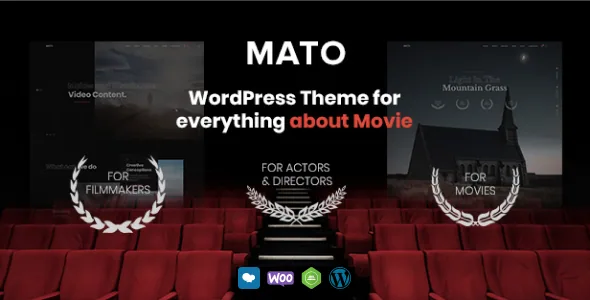
An advanced side menu appears as a single line in the feature list, but it shapes the whole page. Navigation held to one side leaves the main column uninterrupted, which is what a production company wants when the content is full-bleed stills and embedded trailers.
That is not a universal good. A site whose primary job is presenting a long written catalogue or a WooCommerce shop reads more easily with navigation across the top. If your plan leans on either of those, weigh the side menu before committing to a demo.
Below the header the same restraint applies: grid and masonry galleries, a coming soon page, a custom 404 page and a contact form are all listed. Of those, the coming soon page and 404 are the two a new studio site actually uses in its first week, when the catalogue is still being assembled.
Grid or masonry, and what each one does to your stills
The two gallery types are not interchangeable. A grid holds every frame to the same proportions, so poster art, key art and evenly shot behind-the-scenes photography line up cleanly. Masonry lets images of differing aspect ratios stack without cropping, which is what a mixed set of location stills usually needs.
Pick by the material you have rather than by the preview. If your library was shot to a house ratio, the grid will look deliberate. If it is a patchwork of formats, masonry saves you from cutting files to fit.
Portfolio pages, filtering and one changelog line to read
The vendor lists an unlimited number of custom portfolio pages, so a studio is not boxed into one project template or a fixed count of entries — useful when credits span features, shorts, commercials and music videos, each with its own set of fields.
Version 1.2.0's changelog records that portfolio filtering moved to Ajax loading. In practice a visitor narrowing the work grid to one category no longer triggers a full page reload; the entries swap in place. The same entry adds a Mato Dashboard.
That changelog also carries a vendor notice: reactivate the license after a theme update. Worth knowing before you plan update runs on a live site.
Unyson governs the editing path, not the block editor
The framework attribute names Unyson, which is what the theme's settings and page options run on. WPBakery Page Builder appears in the compatible-with attribute, but the feature list never says it is bundled — so don't plan a build that assumes it arrives with the theme.
Gutenberg Optimized is marked No. That describes the editing route the vendor supports, not the absence of the block editor in WordPress. Pages assembled with blocks should not be expected to inherit Mato's own layouts and options.
Colour handling is listed as easy management, and the 1.0.1 changelog records a fix to theme colour customisation. For a studio carrying a brand palette across many templates, those controls will do more daily work than any single layout.
Declared compatibility, and the photography you will need to supply
As recorded on the marketplace listing on 4 November 2026, the software version attribute runs from WordPress 4.9.x through 7.0.x, and the compatible-with attribute names WooCommerce 5.x through 10.x, WPML, WPBakery Page Builder, and Bootstrap 4.x and 5.x. The description's header separately claims YouTube, Vimeo and MP4 support. All of this is vendor declaration, not a test against your host, PHP build or plugin set.
The declared PHP minimum is 5.6, which is old enough to read as a floor rather than a recommendation.
The practical note sits at the end of the vendor's own list: the theme does not include all the images in the source zip file. Demo stills and photography seen in the previews will not all arrive with the theme, so budget for licensed or original film imagery from the start. On a film site, where the photography is the product, that is a real line in the plan.
The theme's files are listed as Layered PNG, PHP, HTML, CSS and JS, with no child theme mentioned, and widget-ready and well-documented both marked Yes.
Questions & answers
Does Mato include WPBakery Page Builder?
The listing only places WPBakery in the compatible-with attribute. The feature list does not say it is bundled, and the files listed are Layered PNG, PHP, HTML, CSS and JS. Treat it as a compatibility claim and confirm inclusion before you build around it.
Will the preview images come with the theme?
Not all of them. The vendor states the theme does not include every image from the source zip, so preview photography has to be replaced with licensed or original material.
Can I build pages with the block editor?
Gutenberg Optimized is marked No. That describes the editing path the vendor supports; the block editor still exists in WordPress, but block-built pages shouldn't be assumed to pick up Mato's layouts and options.
What does the Ajax portfolio filtering change?
According to the version 1.2.0 changelog, filtering moved to Ajax loading, so narrowing the work grid to a category updates entries without reloading the whole page.