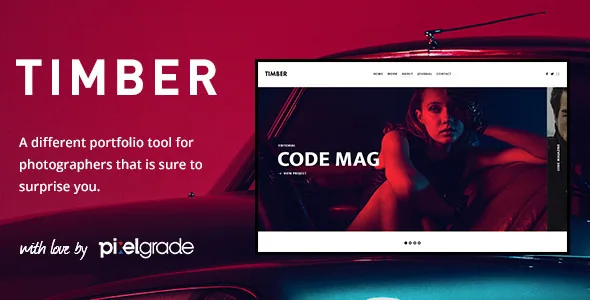
A theme built around looking, not around a builder
Pixelgrade's description of Timber spends its opening on motion and feeling: photos that "are not static", transitions described as lively yet natural. That framing points at something concrete in the feature list. Timber is not sold as a canvas you assemble with a page builder. The parts the vendor details most are the ways a finished project is presented to someone browsing it.
The framework attribute lists Underscores, and the packaged files are PHP, CSS and JS. Customisation runs through the WordPress Live Customizer plus the PixCodes shortcode plugin added to the editor, not through a separate visual builder. If you want to compose layouts module by module, this is a different kind of product.
Three views of the same project
The vendor names three gallery presentations under "Different Views For a Full Experience": a horizontal filmstrip layout, a thumbnails overview, and a Zoom & Pan full-screen view. Each changes the visitor's pace.
The filmstrip is the front-row option. Images sit in a row you move through sideways, which suits a narrative sequence where order matters more than jumping around. The thumbnails overview is the opposite posture: the whole set is visible at once, so a visitor can pick a frame instead of following yours. The Zoom & Pan full-screen view is for detail, letting someone inspect a photograph at size. Which one you set as the default says something about whether your work reads as an edit or a catalogue.
The responsive claim is a vendor declaration, so the horizontal filmstrip on a phone is the view worth checking first on your own images. Sideways browsing is the presentation most likely to change character on a narrow screen.
Galleries that accept more than photographs
Under "Smart Galleries For Mixed Types of Content", the vendor states that a gallery can combine landscape or portrait photography, videos and text. That flexibility is more consequential than it sounds: a photography site usually has to decide whether a project page is a grid of stills or an article, and this allows one project to be both — a portrait-format frame next to a landscape frame with a paragraph of notes between them, all inside the same set.
Video support is described as covering YouTube, Vimeo, Instagram, self-hosted files and other sources. The vendor does not say whether that means embedding by URL or uploading, so confirm on your own media before committing a video-heavy project to it.
EXIF data that publishes itself
The auto EXIF feature is one of the details that separates a photography theme from a theme with a photo gallery. Timber reads the metadata carried by your images and displays camera, exposure, aperture, focal length and ISO automatically, according to the vendor, rather than asking you to retype settings per image.
For documentary, landscape or technical work that readout is part of the content. For a wedding or portrait portfolio it may be more than you want to show, so the practical question before launch is whether you can suppress EXIF on images that should stay unlabelled. The vendor describes the display, not a per-image toggle. And if you export images stripped of metadata, expect the readout to have nothing to show.
One project, many frames: the upload path
Bulk image upload is described simply: select all the images belonging to a project and upload them in one go. On a portfolio that grows by shoot rather than by single image, that changes how long a project page takes to build. A wedding gallery or a month of street work arrives as one batch, and the upload step stops being the bottleneck.
Pairing bulk upload with automatic EXIF matters more than either alone. If metadata is read at upload instead of typed afterwards, the volume you can reasonably publish per project goes up. What the vendor does not describe is a batch-size limit, deduplication or resizing behaviour, so large files still depend on what your server accepts.
Deciding the front page and where the menu lives
Timber gives you a choice of front page rather than a fixed one: a slider of featured projects, the full portfolio archive, or a fullscreen gallery. Those correspond roughly to three editorial stances — curated, comprehensive or purely visual — and choosing between them is the first decision to make, because each sets what a first-time visitor sees before any navigation.
The second decision is the overlay menu. The vendor describes a flexible widgetized overlay area used to free up screen space for the work, suggesting it can hold menu content and even an about page. The theme is listed as widget ready, so the overlay is populated with widgets. If you have a long list of projects or services, consider whether an overlay suits how you expect people to navigate; hiding the menu preserves image space but asks more of the visitor.
Selling prints, as described
Pixelgrade lists WooCommerce integration and compatibility with the Printful service so you can print and sell posters, shirts and similar products. The marketplace compatibility attribute names the WooCommerce 6.x.x line.
Treat this as a vendor description of a route, not a verified storefront. Neither the description nor the attributes say how shop templates are styled, whether Printful needs a separate connection plugin, or how product layouts behave inside the three gallery views. Selling prints is a real option here, but it is a plugin plus fulfilment setup you configure; the theme's contribution is mainly that a shop does not sit outside the design.
What the package contains, and the images it does not
The description credits the preview photography to Laurent Nivalle and states plainly that images seen in the live preview are for demonstration and not included. The one-click demo install carries the same caveat: demo images are replaced with placeholders. A fresh install will therefore look structurally correct and photographically empty until your own work is uploaded.
The listed package files are PHP, CSS and JS, documentation is marked well documented, and a .po file is supplied for translation with WPML listed as compatible. No child theme appears in the supplied text; if you plan to edit templates directly, confirm that before you customise.
Declared compatibility and how old this theme is
The marketplace record observed on 3 November 2026 shows version 1.9.2 with a vendor update date of 4 March 2021. Declared software support covers WordPress 5.7.x through 6.0.x, and the browsers listed are Chrome, Firefox, Safari, Opera, Edge and IE11. Those are listing declarations made at that time, not results from installing the theme on a current WordPress build.
Gutenberg Optimized is marked No. Read that narrowly: the theme does not advertise block-editor optimisation, which is not the same as the block editor being unavailable in WordPress. Editing still runs through the Live Customizer and the PixCodes shortcode plugin, which is where the vendor put the effort. With a 2021 last-update record, the sensible pre-build step is a staging install on your own WordPress and PHP versions, checking that the gallery views and EXIF output behave on your images.
Questions & answers
Does Timber include the photographs shown in its live preview?
No. The vendor credits the preview photography to Laurent Nivalle and states those images are for demonstration only. The one-click demo import installs placeholder images in their place, so you populate galleries with your own files.
Do I need the block editor or a page builder to change the design?
The vendor describes customisation through the WordPress Live Customizer — fonts, colours and layout sizes with live feedback — plus PixCodes shortcodes inside the editor. Gutenberg Optimized is marked No on the listing, which means no block-editor optimisation is advertised; it does not mean the block editor is switched off.
Can a single project gallery mix portrait shots, landscape shots and video?
According to the vendor, yes: smart galleries accept landscape or portrait photography, videos and text together. Video sources named are YouTube, Vimeo, Instagram and self-hosted files, though the description does not specify the exact embedding method.