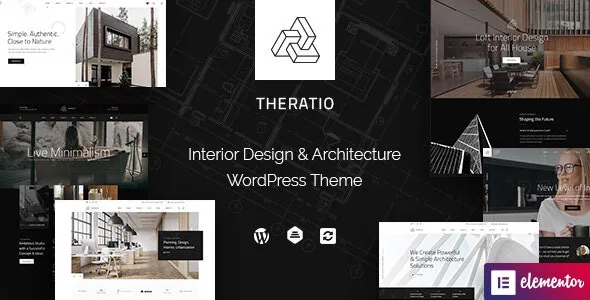
Four project layouts and five single-project layouts
Most architecture themes promise a portfolio. Theratio's feature list counts it more precisely: four different project layouts and five different single project layouts. Those two numbers describe different jobs. The archive layouts decide how work is listed — a grid, a wider visual index, a more editorial presentation — while the single-project layouts decide how one building or interior scheme is told, from a full-bleed image lead to a text-first case study.
The vendor also lists an Ajax load-more button for pagination. For a studio with a growing archive that matters more than it sounds: it keeps a project index on one screen instead of pushing visitors through numbered pages.
These counts come from the vendor's feature description. Nothing on the listing says whether project layouts are configured per item, per archive or through a theme option, so check that on the demo before you assume a workflow.
Header and footer are Elementor-built, not theme-panel-only
The vendor describes a header builder with five demo layouts and a footer builder with three, and states that both are built with the Elementor page builder for desktop and mobile. The header options named specifically are sticky on/off and menu alignment left, right or centre.
That is a different editing surface from a theme options panel with a handful of dropdowns. If your studio's header carries a project count, a phone number or a language switcher, the builder is where that arrangement happens, and the five demos are starting points rather than the limit.
The homepage side is broader: 17 predefined homepage layouts, described as included in the demo content file. Combined with 17 layouts, five headers and three footers, the one-click demo importer is the practical way to inspect any of them rather than rebuilding each by hand.
PSD files are a request step, not part of the theme archive
The marketplace file list names layered PSD alongside PHP, CSS and JS files, and the vendor states that 39+ PSDs with images and graphics are available. The same vendor text adds a condition: contact them after purchase and they will send the PSDs.
So the layered Photoshop source exists as a deliverable outside the theme files themselves. For a design-led studio that wants to mock up a page in Photoshop before building it in Elementor, that is genuinely useful — but treat it as a follow-up request to the author, not something waiting inside the theme folder.
The feature list also credits the demo imagery to third parties for demonstration only and says those images are not included. Any architecture or interior photography in your build is yours to license.
The vendor text and the marketplace attributes disagree on versions
WooCommerce appears in two places with two different answers. The vendor's description says the theme is compatible with WooCommerce 10.x, while the marketplace compatible-with attributes observed on 4 November 2026 list WooCommerce 9.x.x and 8.x.x. Neither is a test result. If a shop is part of your plan — and the vendor does name tile shops and furniture businesses among intended uses — that discrepancy is worth resolving with the author before you commit.
Multilingual support shows the same pattern from the other direction: the vendor's feature list names Polylang and a .pot file for translation, while the marketplace attributes name WPML. Both may be true, but the listing does not say so, and building a bilingual site around the wrong plugin is a rework.
The software-version attributes declare WordPress 5.5.x through 7.0.x, and the vendor's own header line advertises WordPress 7.x readiness. Gutenberg optimisation is declared as No, which says nothing about whether the block editor runs — only that the vendor is not claiming an optimised block workflow.
Where Elementor stops and the rest of the stack begins
The vendor states the theme requires the Elementor Page Builder plugin and ships multiple custom widgets on top of it. Elementor Pro also appears in the marketplace compatible-with list, but the listing does not say which widgets or demo elements depend on the Pro edition. Confirm that before planning around Pro-only modules.
Beyond Elementor, the feature list names Slider Revolution for animated slides, the WordPress Live Customizer for colours and typography with a real-time preview, a choice of Google Fonts, and unlimited colour styles. Smaller items round out the basics: blog and single blog pages, a 404 page, Bootstrap 4.x markup, retina-ready output and Swiper sliders.
For forms, Contact Form 7 compatibility is declared. Child theme support is listed too, which is the sensible route if you intend to override templates and keep updates clean.
Questions & answers
Do I need Elementor Pro, or is the free plugin enough?
The vendor states the theme requires the Elementor Page Builder plugin. Elementor Pro appears in the marketplace compatible-with attributes, but the listing does not say which features depend on it. The header and footer builders are described as Elementor-based, so confirm which Elementor edition the demo layouts were assembled with before you plan around Pro widgets.
How do I get the PSD files?
The vendor's feature list says PSD files are included and asks buyers to contact them after purchase to receive them. The marketplace file list also names layered PSD among the included files. Treat it as a request step rather than an automatic part of the theme folder.
Can Theratio be used for a tile shop or furniture business rather than a studio?
The vendor description names tile shops, furniture businesses and house design among the intended uses, and WooCommerce compatibility is declared. The templates and demos are built around project and portfolio presentation, though, and the WooCommerce version claim differs between the vendor text and the marketplace attributes — so check the shop side specifically rather than assuming it.


