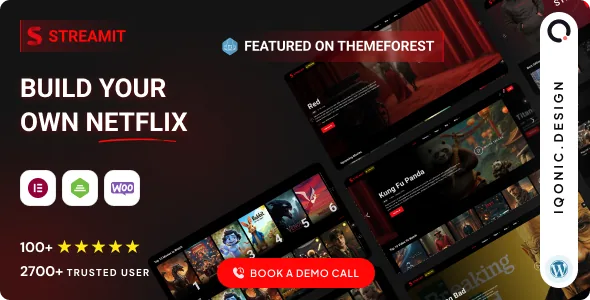
Four things a signed-in viewer can do
Most entertainment themes sell a look. Iqonic Design's listing for Streamit sells four actions a viewer takes on the site: content is gated, titles are saved, titles are rated, and the catalogue is searched by filter rather than by keyword. The vendor groups these as "5 Powerful Reasons To Buy" alongside support, then repeats them in the template feature list.
Read as a set, that describes a member-facing library rather than a film review blog. A review site mostly needs good article templates; a library needs accounts, saved state and a way to narrow a large catalogue. Which camp your project is in decides how much of Streamit you will actually use.
The listing does not explain how deep each of those four features goes. No membership plugin is named, no field structure for titles and episodes is described, and "continue watching" appears in a single sentence. Plan around them only after you have seen the behaviour in the demo.
Content restriction without a named membership layer
The vendor describes restriction as built in: control access to premium videos, pages, or complete sections of your platform. The scope is wider than video. Because pages and whole sections are included, a paywalled catalogue can sit beside public landing pages, pricing copy and blog posts without those inheriting the gate.
What the description never says is how a visitor is identified. WordPress has no native subscription system, and the listing names no membership plugin, role manager or subscription extension in connection with restriction. If your plan depends on paid tiers rather than a simple logged-in/not-logged-in split, that is the gap to resolve before committing.
Declared WooCommerce compatibility (7.x, 8.x and 9.x in the attributes recorded on 4 November 2026) shows a shop layer exists, but a compatible shop is not evidence that restriction is driven by purchase. The listing makes both statements without joining them.
Watchlist and continue-watching are account-level state
"Allow users to create personal watchlists, save favorite content, and continue watching across devices" is the vendor's entire description of the watchlist. Three behaviours sit in one sentence: saving, resuming, and both surviving a change of device.
Saving and resuming are different problems. A saved list persists until the viewer removes an item; a resume point moves every time playback stops. The second requires the theme to record position against a user and a title, and "across devices" implies that record lives server-side rather than in the browser.
For a browsing visitor, the watchlist is what turns a catalogue into a habit, so test it as a signed-in flow: add a title, sign in on another device, and check that both the list and the resume point follow. The listing offers no detail on where the data is stored or whether it survives a theme update. Support, per the vendor, covers product errors and bugs rather than customisation.
Filtered discovery depends on your taxonomy
Streamit's search is described as filter-driven: movies, genres, videos and trending content. That phrasing points to querying the catalogue by taxonomy rather than by title text, which matters once a library passes a few hundred entries. A viewer who cannot recall a film's name needs genres and popularity as entry points.
A filter system only works if the content model supports it. Genres, trending status and title type are attributes that must exist on each entry; if your catalogue is imported with loose categories, filters will return thin results no matter what the theme renders. Building that taxonomy is work the theme cannot do for you.
The rating system feeds the same loop from the other side. The vendor says users can rate movies, TV shows and video content, and describes ratings as working alongside watchlists and search to hold attention. Whether ratings influence any ordering or "trending" calculation is not stated, so assume a displayed score until the demo shows otherwise.
Redux for settings, Elementor for pages, Bootstrap underneath
The editing surface is split. Global controls run through a Redux-powered admin panel, listed as "Powerful admin panel" and "Redux-powered admin controls" and described as requiring no coding. Page-level composition goes through Elementor, named among the compatible plugins, with Bootstrap 5.x as the declared front-end framework.
The practical consequence: colour, typography and site-wide options live in one place, while individual pages are assembled in the builder. The listing also claims interactive hover effects, Google Fonts integration, social sharing, blog publishing support and one-click demo installation.
The marketplace marks Gutenberg Optimized as "No", which describes the editor the vendor supports rather than proving blocks fail on your install. A team already standardising on Elementor will find that unremarkable; a team planning a block-based workflow should test before committing. Files are listed as PHP, HTML, CSS, SCSS and JS, so SCSS sources are available if you intend to restyle rather than override with CSS.
"Smart TV" and "monetisation" are phrases to read carefully
The vendor says the theme is responsive, retina-ready and performance-optimised and works across desktop, mobile, tablet and smart TV environments. No TV app, native build or device list accompanies the TV claim, and the WordPress side of it most plausibly means layout behaviour on a large browser window. Anyone planning an actual television application should treat the phrase as unverified until shown otherwise.
Subscription and monetisation support appears under "What Makes Streamit Different" with no named mechanism. Read alongside the WooCommerce compatibility, the likely intent is that paid access runs through plugins you choose; the listing does not specify which, so the theme is not a turnkey billing system.
Two practical notes on the package. The demo images are AI-generated through Leonardo.Ai, Ideogram.Ai and Freepik, and the vendor explicitly bars reusing preview imagery in a live project, so budget for your own artwork. Compatibility attributes captured on 4 November 2026 declare WordPress 5.6.x through 7.0.x, WooCommerce 7.x through 9.x, Elementor, Bootstrap 5.x and five browsers (Firefox, Safari, Opera, Chrome, Edge) — vendor statements recorded at a moment, not tests against your plugins and PHP version. The vendor's own WordPress demo, reachable from the listing, is where gating, watchlists and filters can be judged first-hand.
Questions & answers
Does content restriction need a separate membership plugin?
The listing doesn't say. It claims built-in restriction for premium videos, pages and sections, but names no membership or subscription plugin alongside it and never explains how a visitor is identified. If you plan paid tiers rather than a simple login wall, confirm the mechanism in the demo before you commit.
Is the smart TV support a native app?
Nothing in the vendor material describes a TV app, native build or supported device list. The theme is a WordPress installation, so the smart TV mention most likely refers to how the layout behaves on a large screen in a browser. Treat it as an unverified claim until you see it demonstrated.
Why is Streamit marked as not Gutenberg optimized?
That marketplace attribute records which editor the vendor supports, and Streamit's page building runs through Elementor. It doesn't establish that the block editor breaks on your install, but it does tell you the theme's layouts and options were built around Elementor rather than blocks.