The proofing gallery is the real reason to pick Snapster
Plenty of photography themes compete on grid layouts. Fox Themes puts the post-shoot handover first: the vendor describes built-in proofing gallery management, where you create password-protected private galleries per client so they review images and download their selections from your branded site rather than a third-party gallery service.
If that is how you already deliver work, the appeal is consolidation. A client gets one link, one password and your domain. You stop maintaining a separate delivery account. The claim is the vendor's feature description; whether the protected gallery behaves the way you need for large shoots is something the live demo and documentation should confirm.
Booking: the vendor's own material disagrees with itself
The current feature text says the theme bundles the Booked plugin so visitors can schedule consultations, portrait sessions or studio bookings on your site. The changelog says something different: release 1.1.2 records "Replaced Booked Plugin with Scheduled Plugin," and later entries in the 1.2.x line mention Aheto and Whizzy plugin updates without returning to the booking question.
That conflict matters more than most changelog noise, because self-service scheduling is a workflow you would build client communication around. Before you commit to it, confirm which scheduling plugin is actually in the build you receive and whether its calendar and notifications cover your session types. The vendor's description should not be treated as settled fact here.
Selling prints, presets and packages through WooCommerce
Snapster is described as fully WooCommerce-integrated, with fine art prints, digital downloads, preset packs, photography packages and gift vouchers named as the kinds of products you can sell directly. The commercial point the vendor makes is about control: your own store rather than a marketplace taking a cut.
Read that as a capability statement, not as built-in store setup. The theme supplies the shop pages; product data, shipping rules for physical prints, tax and download delivery are WooCommerce's job and yours. If your income comes mostly from prints, the practical question is how well the shop templates match your pricing structure — not whether the word WooCommerce appears in the feature list.
18 demos, but the layout counts are the better guide
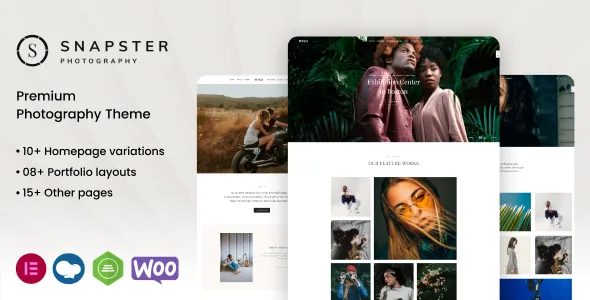
The demo library is large: 18 homepages, each aimed at a photography niche in the vendor's framing, imported in one click. Layout choices go further — 12 gallery styles, 24 portfolio templates and 9 blog layouts, with gallery, video, audio, quote and link post formats available for entries.
The post formats are worth a second look if you write as well as shoot. Behind-the-scenes pieces, location guides and wedding recaps can each use the format that suits the material instead of being forced into a standard image post. Editing runs through Elementor, which the marketplace lists as the compatible builder, and the listing also marks Gutenberg optimization as Yes, so block editing is a supported option too.
Images, updates and how the theme is maintained
The vendor is explicit that demo photographs are licensed for the demo only and are not included with the theme. Your site needs its own imagery — the obvious plan, but worth stating when the demo look is a large part of the appeal.
Release 1.2.1 added a license activation system that verifies EDD and Envato purchase codes, and removed the Appsero client tracker and theme updater. That is a vendor changelog entry describing how activation and updates are handled, not something to take as tested behaviour. If you operate several client sites on the theme, the activation model is the kind of detail worth reading up on before you standardize on it.
Declared compatibility, as listed on 3 November 2026
The marketplace attributes at that date list WordPress 4.9.x through 7.0.x, Firefox, Safari, Opera and Chrome as browsers, responsive layout, four or more columns, high-resolution assets, widget-ready areas and PHP, HTML, CSS and JS files in the package. Recent changelog entries also reference PHP 8.5 and WooCommerce 10.9.1 compatibility.
These are vendor and listing claims observed at a point in time, not results of independent testing, and an older WordPress version on that list does not mean every older release works identically. Check the versions that actually matter to your host and your existing plugin stack.
Questions & answers
Do clients need their own account to view a proofing gallery?
The vendor describes private galleries accessed with a password per client, with clients reviewing images and downloading selections from your site. The description does not detail account requirements, so plan on password access being the mechanism and confirm the rest in the documentation.
Can I use the photographs shown in the Snapster demo?
No. The vendor states the demo images are for demonstration only, are not included with the theme and cannot be used on your site. You need your own photographs or properly licensed images.
Does Snapster work in the block editor or only Elementor?
Elementor is the listed compatible builder, and the marketplace also marks Gutenberg optimization as Yes. The vendor describes pages being built in both, so either route is presented as workable.