Readability chosen before visual effect
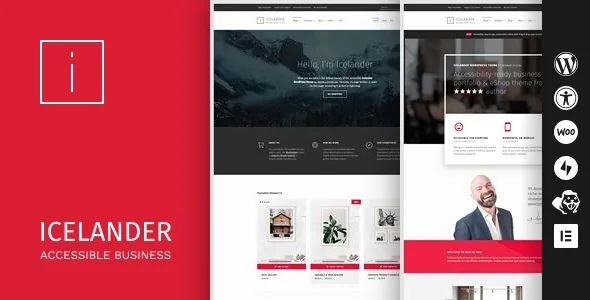
WebMan Design says it builds accessibility-ready themes as a specialty, and Icelander's feature list starts with constraints rather than a look: keyboard and screen reader friendly, a proper headings structure, sufficient colour contrast, and readability as the stated main goal. The marketplace description also says the theme "passes WCAG 2.2 level AA accessibility requirements" and helps you build a site toward the European Accessibility Act and the Americans with Disabilities Act.
That is a vendor claim, not an audit result, and it cannot extend to your text, images, video or plugin output. What the theme can do is remove common barriers in the templates and styling before you add content. Public bodies, schools, clinics and agencies answering accessibility questions get a starting point that does not need rebuilding; a portfolio whose visual style is the main selling point may find the same decisions plain.
Mechanics for long, branched content
A few listed features exist for one problem each. The vendor describes a "List child pages" template, which suits a services or documentation area that splits into sub-pages: the index comes from the page tree, so a new page appears without hand-editing a menu of links.
Paginated posts and pages get an automatically generated table of contents, per the vendor, so a multi-page guide gains a jump list without you writing anchors. Individual sidebar display control, described as compatible with a sidebar management plugin, lets a reading page drop its sidebar while an archive keeps one. The front-page intro header takes its own styling and supports video, which puts a homepage statement above the content instead of on a separate landing page.
Page excerpts are supported too, which matters for any list view that needs a summary line.
Project lists, the blur option and the generated filter
Two project list styles are named: standard and a "unique blurred overlay" treatment. A separate "traditional" project layout template is listed for cases where the stylised version misrepresents the work. Project detail layouts accept page builder content, so a case study can be composed.
On project archives the vendor says the taxonomy filter is generated automatically, built from the categories your projects already use rather than a filter you maintain by hand. The description does not say how it behaves with many terms or whether filtering avoids a page reload; if filtered browsing is central to your portfolio, look at the demo before designing around it.
Shop, blog and where the layout work happens
WooCommerce support is described as full, with product layouts, a checkout guide and a design the vendor calls conversion optimised — an intention, not a measured result. The blog offers three list styles (masonry, list, minimal) and deliberately no post formats, so the only editorial choice is how the list looks.
The page-building identity is borrowed rather than bundled: Beaver Builder is compatible and the demo was built with the free version of that plugin, while Beaver Themer is listed for custom headers, footers, archive and 404 layouts. Elementor Theme Builder compatibility is named separately, as are integrations with Jetpack, WP Subtitle, Advanced Custom Fields and Widget CSS Classes. Builders remain plugins you install and maintain.
One marketplace attribute needs a plain reading: Gutenberg Optimized is marked No. That records how the theme was designed for editing, not evidence that the block editor is switched off. If blocks are your workflow, test the editor yourself.
Package contents and the media you still need to supply
The file list is PHP, CSS and JavaScript, widget ready, high resolution and well documented. The vendor says a child theme ships inside the ZIP, which is what keeps customisations alive through updates, and describes the codebase as built on Underscores and bloat-free.
The exclusion to plan for is media: images, video and audio from the demo are for preview only and not part of the package, so photography and video are your budget line. Multilingual setup with RTL language support is claimed, and WPML appears in the compatibility attribute — a declared compatibility, not a guide to translating menus and project categories.
Where the theme stops and your content work begins
A template cannot enforce the rules it is built to. Template heading order does not stop an editor skipping levels inside a post, the theme palette does not cover a coloured button added in a builder, and keyboard-friendly navigation does not caption a video. Alt text, link wording, transcripts and third-party plugin output stay with you.
On the record as observed on 4 November 2026: the latest marketplace version is 1.7.6, the vendor's last update is dated 3 September 2025, and declared compatibility covers WordPress 7.0.x and 7.1.x, while the description separately states minimums of WordPress 4.8 and PHP 5.6 — floors, not a support statement. For reference, the same listing showed 1,252 sales, a 4.86 rating from 22 ratings and a 66 USD Regular License price on the marketplace.
Questions & answers
Does Icelander guarantee WCAG 2.2 AA or EAA compliance for my site?
No. The vendor states the theme passes WCAG 2.2 level AA requirements and helps you build toward EAA and ADA compliance, but conformance depends on your content, media, plugins and any custom layout you add. Use the theme as a foundation, then have the finished site checked.
Do I need Beaver Builder to use Icelander?
The vendor lists Beaver Builder and Beaver Themer as the page-building path and says the demo was built with the free Beaver Builder plugin; Elementor Theme Builder compatibility is also named. Those builders are separate plugins you install and maintain.
Can I use the demo images and video?
No. The vendor states that images, video and audio in the demo site are for preview only and are not included in the theme package. You supply your own media.
Is the block editor unavailable because Gutenberg Optimized is marked No?
That attribute describes how the theme was designed for editing, not a switch that removes the block editor. If blocks are your preferred workflow, check the editing experience on the demo or a staging install before planning around it.