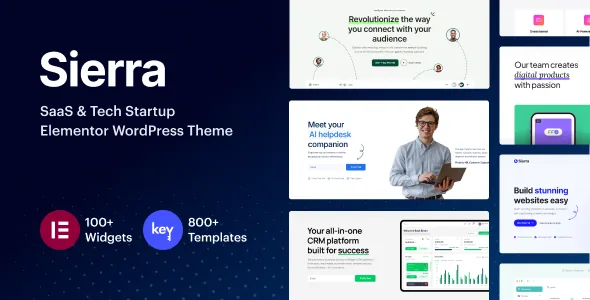
The header, footer and menu are edited where the page is
Most Elementor themes hand you the content area and send you to theme options, a separate plugin or custom code for the header. Sierra's vendor description puts the site chrome on the Elementor canvas instead. The header builder is described as front-end drag and drop, with layouts designed the same way as ordinary pages and different headers assignable per page.
The footer follows the same model: create or import a footer, edit it in Elementor, then assign any footer template to any page. A mega menu builder and a popup/off-canvas builder complete the set, both described as front-end Elementor work.
For a SaaS marketing site that is the practical difference. A pricing page can carry a leaner header than the homepage, and a campaign landing page can drop the standard footer, without leaving the editor you already use for the body content.
Chrome templates mean you start from something, not a blank canvas
The vendor lists pre-designed header, footer and mega menu templates that you import and then restyle to match your brand. That matters more than it sounds. Building a header from scratch in a builder is slower than editing one, and a pre-built layout already has spacing, alignment and responsive behaviour worked out.
These are starting points rather than fixed components. Once imported, the template behaves as a normal Elementor layout, so you change structure, add media and adjust styles per breakpoint. The vendor also notes header designs can incorporate images, video and interactive elements.
The mega menu can hold shop widgets, forms and a map
Sierra's mega menu is described as content-rich rather than a list of links. Two inclusions stand out. WooCommerce shop widgets can be inserted directly into the menu, so product navigation sits in the mega menu itself. Contact forms or Google Maps can go in as well, putting contact details within reach without a separate page load.
The mobile side is addressed separately. The vendor says mega menus are tuned per responsive device, which is the part worth verifying on a staging install — a multi-column menu full of widgets needs a sensible collapse behaviour on a phone, and a description alone will not tell you how it behaves at your breakpoints.
The block library: light and dark, and an inconsistent count
The vendor promotes an exclusive template block library in two places, and the numbers do not agree: the introduction cites "800+ exclusive template blocks" while the dedicated Template Library section says "600+ custom-built template blocks." Neither figure should be treated as exact. What the description does say concretely is that blocks come in light and dark versions, offer solid colour, image, video and gradient backgrounds, and are built without hard-coded styles so they follow your global fonts and colours.
That last point is the one to test. Blocks that inherit global settings are easy to restyle across a whole site; blocks carrying baked-in styling look fine in a demo and awkward under your brand. The vendor states its library grows with updates, which says nothing by itself about what exists now.
Starter sites and widgets get you to the chrome
Starter sites are described as importable in one click, with pre-built inner pages so you replace placeholder text and images rather than lay out every page. The listing also declares 70+ custom widgets. Read together with the chrome builders, the intended workflow is: import a starter site, open a header or footer template, adjust it globally, then work through the inner pages.
The demo URL is the honest way to judge whether the starter designs suit a SaaS or tech audience before you install anything. The vendor's own framing is landing pages built to capture leads, which is a narrower promise than a full marketing system.
What the listing declares about compatibility
Marketplace attributes observed on 3 November 2026 list compatibility with Elementor and Elementor Pro, WooCommerce 6.x.x through 10.x.x, WPML, Contact Form 7 and The Events Calendar, plus WordPress 6.0.x through 7.0.x. Layout is marked responsive, the theme is widget ready, Gutenberg Optimized is marked Yes, and the packaged files are listed as PHP, CSS and JavaScript. Documentation is described as well documented. These are vendor and listing declarations; they do not establish that every integration works in your install.
The header and footer builders depend on the theme's own Elementor extensions being active, so treat "works with Elementor" and "the theme's chrome templates function" as two separate things to confirm.
One caveat worth knowing before you plan maintenance: the vendor describes one-click theme updates that contact the vendor's own servers to fetch and install the new version. That mechanism depends on the vendor connection rather than on the theme files alone, so it should not be assumed to behave identically outside the standard marketplace purchase path.
Who this editing model suits
Sierra makes most sense for a team already comfortable in Elementor that wants the header, footer and navigation in the same workflow as page content — for example a startup site with several landing pages that need distinct chrome. A freelancer or agency restyling per client benefits from importable header and footer templates for the same reason.
It suits you less if you want site chrome managed outside the page builder, or if you expect the block library count to be a precise spec. The number in the description is inconsistent, and the meaningful test is whether the blocks you need restyle cleanly under your global settings.
Questions & answers
Do I need Elementor Pro to use Sierra's header and footer builders?
The listing declares compatibility with both Elementor and Elementor Pro, and the vendor describes header, footer, mega menu and popup building as front-end Elementor work inside the theme. It does not state that Elementor Pro is required. Since the chrome builders are theme features layered on Elementor, confirm on a staging install which plugin tier your specific template edits rely on before committing.
How many template blocks does Sierra include?
The vendor description gives two figures in different sections: 800+ template blocks in the introduction and 600+ in the dedicated Template Library section. Both come from the same marketplace copy, so neither should be read as an exact count. Judge the library from what you actually need — particularly whether the blocks you want follow global fonts and colours and come in light and dark variants, as the vendor claims.
Can the mega menu show WooCommerce products?
Yes, per the vendor description, which says shop widgets can be inserted directly into mega menus. That makes the menu a place to surface products rather than only categories. The listing also declares WooCommerce compatibility across versions 6.x.x to 10.x.x, though the mega menu's mobile layout is the part worth checking yourself, since a widget-heavy menu has to collapse sensibly on small screens.
Can different pages use different headers and footers?
The vendor states that headers can differ per page and that any footer template can be assigned to any page. Both are described as part of the theme's Elementor-based chrome builders, alongside importable template collections. Plan the assignment per template rather than per site so the variations stay manageable as pages are added.


