The profile backdrop is the product, not decoration
Most resume themes give you a header photo and move on. RyanCV's vendor description describes something closer to a stage: the personal profile sits against a background layer with its own type (image, slideshow or video), 17+ named background variants and 7+ layout customization options. The changelog for 4.1.1 (22 September 2026) shows these backgrounds are maintained by a separately versioned bundled plugin, updated that release to v2.1.0, along with fixes to the "Dune" and "Elevation" background presets.
That detail tells you where to look when something appears wrong. A dull or broken backdrop is likely a plugin-side setting rather than a stylesheet you need to patch. It also tells you how much of the design lives outside Elementor, which matters if you plan to rebuild layouts.
Sitting on top of the backdrop is a live UI switcher: the vendor lists Dark & Light versions plus a visitor-facing mode toggle, not only an admin colour setting. If your goal is a single-person site where the reading experience adapts to the visitor, this is the feature that carries it.
Resume content has its own components
The CV part of the theme is not left to generic text blocks. The vendor lists a resume displayed on a timeline with a certificate button that opens an image in a lightbox or follows a link, and skills presented in three forms: percentage bars, dotted bars, circles and a knowledge-style display.
That maps onto a common freelance or job-hunting page. Roles and dates run down the timeline; certificates open as proof rather than a dead download link; skills become a visual summary instead of a paragraph claiming proficiency.
A changelog entry for the previous release adds an option to animate skill bars on scroll, so the percentage figures can draw themselves as the section enters view. Whether that suits a hiring manager or a client is your call, but it is a switch, not a fixed behaviour.
Supporting these sections are custom RyanCV Elementor widgets built specifically for CV and personal sites, listed alongside a testimonial carousel, pricing tables and portfolio elements.
Elementor layouts plus a theme panel for the rest
Page building runs through Elementor, which the vendor names as the drag-and-drop builder, with the RyanCV widgets added to it. The description promises that layouts can be built without coding through a user panel.
Theme-wide settings sit in a set of RyanCV options the vendor groups as vCard options, styling, typography, header and footer, preloader, and portfolio, blog and page options. Read the two together and the division of labour becomes clear: arrangement and page copy in Elementor, identity and typography in the panel, background behaviour in the bundled background plugin.
For anyone who will hand the site to a client later, that split is worth noting before you start. Content an editor should be able to change without breaking layout belongs in the panel or in custom fields, not only inside an Elementor column. The vendor lists a child theme in the package, and the marketplace file list names PHP, CSS and JS files, which gives you a safe place for customizations that should survive updates.
Twenty-two demos, named by profession
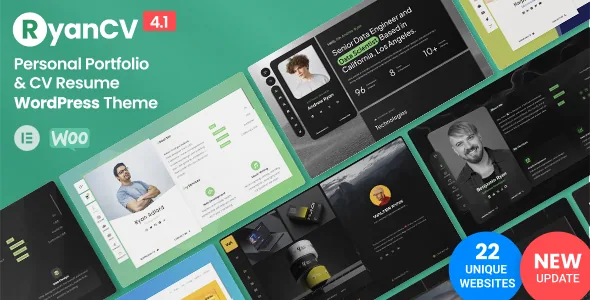
The demo set is organised by job title rather than by layout style: Web Developer, ML Engineer, DataOps, Game Developer, App Developer, System Engineer, Project Manager, UI/UX Designer, Cybersecurity, SEO Specialist, Business Consultant, Marketing Manager, Copywriter, Content Creator, Lawyer, Crypto, Digital and Classic, with the recent update adding Product Designer and Product Manager demos.
The vendor text does not stay consistent on the count. The summary says 22 pre-built demos while the feature list says 20 pre-built demo layouts. Both statements appear in the same description, and nothing explains whether one counts additions or a different category. Treat the demo list as a list of named professions rather than a fixed number.
One vendor note deserves attention before you import anything: images used in the preview demo are not included in the delivered package. A freshly imported demo will therefore look different from the screenshots, and you will supply your own photography for the profile backdrop and portfolio.
Portfolio, shop and blog sit on the same profile
Beyond the CV, the theme extends the same personal shell into three more surfaces. The portfolio supports filtered listings, project grids, widgets and carousels, with single project pages built in Elementor. A listed set of six-plus lightbox variants covers image, gallery, media, iframe (YouTube and Vimeo), audio (SoundCloud) and link, so a project can open as a video, an audio track or an outbound link rather than only a gallery.
The blog uses a grid with category filters and three card styles (default, boxed, rounded). WooCommerce compatibility lets you add a shop, which for a freelancer could mean selling a template, an ebook or consulting time alongside the resume.
Menu and icon variations are also exposed as named choices rather than one fixed navigation: 3+ menu styles, 2+ icon fonts (Ion and Font Awesome) and 3+ icon styling modes. These are small settings, but they decide whether the top of the page reads as formal or neutral.
Languages and right-to-left pages
The vendor lists .pot translation files and compatibility with WPML, Polylang and Loco Translate, and states that RTL layout support is intended for languages such as Arabic and Hebrew. The listing attributes separately record WPML in the compatibility list.
Compatibility language is worth reading precisely. Claiming compatibility means a multilingual plugin is expected to work with the theme's templates; it does not mean a translation is included or that every demo string is already in the .pot file. If your site will run in two languages, plan the string audit as part of the build rather than after launch.
What the listing declares, and what it does not
The attributes recorded on 3 November 2026 declare WordPress 6.0.x through 7.1.x, WooCommerce 7.x through 10.x, and compatibility with Contact Form 7, Elementor, WPForms and WPML, with Chrome, Firefox, Safari, Edge and Opera as browsers. The marketplace's latest recorded release is 4.1.1. Those are vendor and marketplace declarations, not the result of installing the theme here, and they can move after that date.
The changelog pattern across the two visible releases is maintenance and polish: bundled plugin updates, translation file refreshes, a fix to the one-click demo import fallback and improvements to the installation process. Nothing indicates a rebuild of the editing model, so if you start now you are working with the same Elementor-plus-panel structure those releases were patching.
What the listing does not tell you is how the theme behaves with your own plugin stack, your hosting, or the archive available to you. Those questions need a staging install with the demos you actually intend to use.
Questions & answers
Can I use RyanCV without building pages in Elementor?
The vendor states that layouts are created with Elementor and that the custom RyanCV widgets are Elementor widgets. Deselecting a theme's page builder is not the same as having a parallel editing path; expect to work inside Elementor for page structure.
Do the demo images come with the theme?
No. The vendor states explicitly that images used in the preview demo are not included in the package. You will replace the photography in the profile backdrop, portfolio and blog with your own or properly licensed files.
Is the dark and light mode a visitor control or an admin setting?
The vendor describes a live UI switcher alongside Dark and Light versions, which points to a front-end toggle. How it is presented on your own site is a setting to confirm in the theme panel once the site is installed.