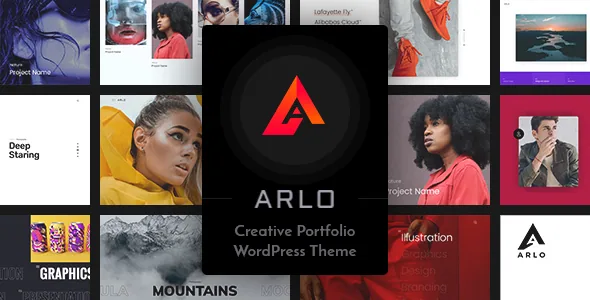
A project cover that can move
Most portfolio themes are separated by their grid or their builder. Frenify's feature list puts something narrower near the centre of Arlo: HTML5 video cover in portfolio items. A project entry can open on a looping clip instead of a still image, which matters if the work you are showing is motion — film, animation, motion graphics, or photography with a moving component.
The same list keeps embedded video separate, naming a YouTube and Vimeo embed element. That split tells you hosted platforms and self-hosted HTML5 files are handled by two different tools, so decide early which of them carries a given project's opening frame. Whether the cover video plays automatically in the grid, plays on hover, or needs a click is not stated in the listing; that behaviour is worth watching on the live demo before you build a page of covers around it.
How the grid arranges those projects
The second portfolio-specific item is enhanced isotope grids. Isotope is the layout library behind tiles that filter and reflow without a page reload, and the vendor treats Arlo's version as a built-in component rather than something you assemble from a plugin or shortcodes.
The listing does not specify the filter controls, the number of column setups, or whether filtering runs by category. The marketplace attributes declare a four-column-plus layout and a responsive design, which describes capacity rather than configuration. If your projects split cleanly into types — say film, stills and branding — confirm on the demo that the grid exposes filters you can actually label the way you want.
Elementor builds the pages around the work
Page composition runs through Elementor, listed both in the feature list and in the marketplace compatibility attributes. Keep that division in view: Elementor arranges the home layout, the about and contact pages and any service page, while the isotope grid and the video covers belong to the theme's portfolio side.
To get a populated starting point, the vendor lists a one-click demo importer and an XML file with demo content. Importing gives you a site built from that XML — it does not read or convert content you already have, so plan to study the layout and then rebuild, or strip the demo back. Layouts are offered in fullwidth and standard variants, which mostly decides whether a page runs edge to edge or sits in a contained column.
Typography, sidebars and headers as build settings
The vendor frames the theme as restyling without code, and the typography entries are the bulk of that claim: 800+ Google Fonts and a custom colouring option. A library that size only helps if the font can be chosen per element rather than set once for the whole body, and the listing does not say which. Check the settings panel before you commit to a type system, especially if the design depends on a licensed or variable typeface outside Google's catalogue.
Unlimited sidebars is the more structural item. Distinct widget areas per page type let a project index carry different secondary content from a single project page, without choosing between one global sidebar and none. Header skins work the same way at the top of the page: more than one header treatment to assign, so the index and the detail view need not look alike. Custom logo support, a custom 404 page, Contact Form 7 support, translation readiness and widget-ready areas round out what most small sites need anyway.
The purchase-code requirement is a planning item, not a footnote
A notice headed "Attention. Since v6.0.0." states that a unique purchase code is required to unlock and maintain access to the theme's advanced features, and that entering it takes a couple of minutes. The same notice says one licence covers a single website and that installs without their own licence will function only on the site where the theme was originally activated.
Read that before you size the project. A staging copy plus a live site reads as two installations under this wording, and the notice names no exception for staging. Running several client portfolios means several licences in the vendor's model. The listing also does not describe how an install without a code behaves — a notice, a restricted panel, or something else — so confirm that rather than discovering it mid-build.
What the compatibility record covers
The marketplace attribute record, observed on 4 November 2026, lists Elementor and WooCommerce 6.x through 9.x under compatibility, with Gutenberg Optimized marked Yes and a declared WordPress range reaching back to 4.9.x. These are vendor declarations rather than results from an install against your PHP version, plugin stack or caching layer.
WooCommerce in that list means the theme declares no conflict with the plugin, not that a portfolio needs a shop. If you sell prints, presets or freelance packages, the shop route is open. One inconsistency is worth noting: the feature list names an XML file with demo content, while the files-included attribute lists PHP, CSS and JavaScript only. That attribute summarises file types rather than listing the archive, so the demo importer is the better guide to what ships.
Where the video cover earns its place
Arlo's strongest argument is a build where the work itself needs motion at the thumbnail level and the rest of the site is straightforward: a freelancer, small studio or creative agency whose pages can be laid out in Elementor without custom logic.
If your projects are long-form written case studies, the video cover and isotope grid sit idle while typography and reading layout do the work — and the font handling, not the Google Fonts count, becomes the thing to verify. If you run multiple sites, the single-website licence wording is a cost line to plan early. What the listing leaves open is how deep the grid's filter configuration goes and what an unactivated install actually does; both are answerable from the demo and a test install before you spend a build on it.
Questions & answers
Does Arlo require Elementor to work?
Elementor is listed as the theme's drag-and-drop page builder, so page layouts are described in terms of it. The isotope grid and video covers are theme features rather than Elementor widgets as far as the listing indicates, but the vendor description does not state whether the theme functions fully with Elementor deactivated.
Can I use one Arlo licence on a staging site and a live site?
The vendor's v6.0.0 notice says one licence is intended for a single website and that installs without their own licence will function only on the originally activated site. It names no exception for staging, so plan for two licences or confirm the policy with the vendor.
What kind of video can a project cover use?
The feature list names HTML5 video cover in portfolio items, which points to self-hosted video files rather than embeds. A separate element is listed for YouTube and Vimeo embedding, so hosted and embedded video are handled by different tools.


