Browsing without page reloads is the product, and the vendor limits it
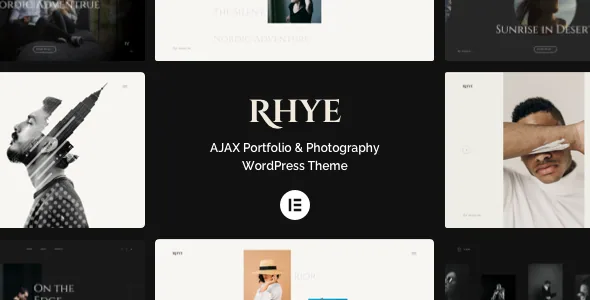
Rhye's marketplace description leads with AJAX rather than layout: the vendor lists "Seamless Images AJAX Transitions" and "Speedy Site Navigation without Page Refresh," and says visitors can browse portfolio projects "just by scrolling the page, even without clicking on the navigation links."
That is a design decision you either want or don't, and it changes how a portfolio site is planned. Grids and showcase sliders are described as the means of presenting projects, but the movement between them happens inside a single page load rather than through repeated requests to the server.
The same feature list carries a caveat worth reading before anything else: Elementor compatibility is stated as "Elementor (theme AJAX has limited support to certain Elementor functions)." So the theme's transport layer and its page builder are not described as fully cooperating partners. If your plan depends on a specific Elementor behaviour — a widget that renders client-side, a form that posts without reloading, anything whose script assumes a normal page view — confirm that behaviour in the demo rather than assuming it survives a transition.
The vendor also notes AJAX compatibility with Google Analytics, Facebook Pixel and Yandex Metrika, which addresses the usual objection to no-reload sites: that subsequent page views go uncounted. Treat the claim as the vendor's, and check the measurement you actually rely on against your analytics setup.
What infinite scrolling changes for a project archive
An infinite-scrolling portfolio presentation is a different browsing contract from pagination. The visitor keeps scrolling and the archive keeps arriving; the navigation menu becomes optional rather than the main route through the work.
For a photographer or studio with a deep body of projects, that suits the way people actually consume a portfolio — continuously, on impulse, without deciding to open page two. Where a long single-file page was once the only way to get that effect, the theme achieves it while keeping separate project pages.
Two practical consequences follow. The first is that project order matters more than it would in a paginated index, because the top of the archive is the only thing most visitors will see before making a judgement. The second is that anything you would normally place at the bottom of a page — a contact link, a credit, a closing statement — needs somewhere else to live, since the bottom keeps moving as content loads.
The vendor lists a custom AJAX init hook as available "for advanced users." That is an extension point, not a documented API, so its behaviour is something to establish with the theme's own documentation rather than infer from the feature name.
The motion layer: WebGL distortions, trailing images, cursor follower
The marketplace description credits GSAP 3 and WebGL for the effects, and the feature list itemises them: WebGL distortion transitions, direction-aware fullscreen sliders, a mouse-trailing images effect, reveal text animations, parallax for images, backgrounds and elements, and an interactive mouse cursor follower.
Read as a list of techniques rather than a promise of taste, the useful distinction is between effects that belong to the template and effects that belong to the visitor's input. Distortion transitions and on-scroll text reveals happen on their own as content enters; the trailing images and cursor follower only exist while a mouse is moving. On a phone those latter effects have nothing to respond to, so a design that leans on them for its character will feel plainer on mobile regardless of how responsive the layout is.
The vendor separately lists "Smooth page scrolling plugin support" inside the motion section rather than the compatibility section. Smooth scrolling is the kind of enhancement that can conflict with scroll-triggered animation timing, so the two should be tried together on the same page.
Caching, optimisation and where scripts can collide
The vendor's plugin compatibility list names WP Super Cache and Autoptimize alongside Contact Form 7, WPML, PolyLang and TranslatePress.
That pairing matters because of what this theme does. A no-reload browsing model depends on script running in the browser after the first load, and script concatenation or deferred execution is exactly what optimisation plugins alter. The vendor naming both as compatible is a claim about intended support; it is not evidence about your configuration. If a page transition stops after a caching layer is enabled, exclude the theme's scripts from the optimiser rather than switching the feature off.
Multilingual support is listed in the same breadth. WPML appears in the marketplace compatibility attributes, and the feature list adds translation readiness and multi-lingual site support, with PolyLang and TranslatePress named as compatible as well. How translated URLs behave under AJAX navigation is not described — an important detail if you publish in more than one language and want the no-reload model to hold across both.
Type and spacing are controlled as fluid scales
Two of the theme's feature groups deal with the same problem from different directions: keeping a design consistent as the viewport narrows. The vendor describes "Smooth Font Size Scale from Desktop to Mobile screens" with complete control for each heading from the Customizer, and "Fluid Design Spacing" with spacing presets adjustable from the Customizer.
The typography side gives you Google Fonts, Adobe TypeKit and self-hosted fonts, so a licensed brand typeface can be uploaded instead of approximated. Per-heading Customizer control means display type can be tuned by role — a large project title and a small caption are not forced onto one setting.
Spacing is handled inside the standard Elementor Section widget: choose a spacing value there, and the theme applies it consistently across screen sizes. Section offsets and overlaps are the interesting part of that, since the overlap look is what makes a staggered portfolio page feel composed rather than stacked. Presets in the Customizer set the underlying values, so the widget remains a choice between defined options rather than a free number field.
Colour themes can change while the visitor scrolls
The vendor describes pre-designed colour themes per page section, per-accent adjustment from the Customizer, and an on-scroll colour theme change.
That combination produces a specific kind of page: a portfolio where each project or section arrives in its own palette, shifting as the visitor scrolls. It is closer to an editorial treatment than to a global colour scheme, which is why the per-section scoping is the detail to understand. You are choosing a palette for a band of the page, not recolouring the whole site.
The fullscreen overlay menu follows the same logic. The vendor lists curtain-open animation, unlimited submenus, predefined colour themes per page, optional menu text widgets, and a switch back to a classic menu. Per-page colour themes mean a project page can open its menu in a palette that matches the project. The classic fallback matters too: if the overlay stops feeling right, you are not stuck with it.
What the listing declares about the package
The vendor states that Rhye ships with 27 custom Elementor widgets, and that pages are built in Elementor with a one-click demo import and a setup wizard. Whether those 27 cover your content types is a question the demo answers faster than the widget count does.
The marketplace attributes record Elementor and WPML as compatible plugins, Gutenberg Optimized as No, a responsive layout at four or more columns, high-resolution support, widget-ready status, and "PHP Files" as the included file set. The Gutenberg attribute describes how the theme is built for the block editor; it does not establish that the block editor is unusable, and this article makes no claim either way.
Declared software compatibility runs through WordPress 7.1.x, 7.0.x and 6.9.x, with a marketplace version of 4.5.0 and a vendor update date in early November 2026. Those are declarations from the listing, not the result of running the theme against your stack. The vendor's stated requirements are a clean WordPress 5.5 or later install, PHP 7.0 or later, MySQL 5.0 or later, and FTP or hosting panel access.
Questions & answers
Does "limited support to certain Elementor functions" mean Rhye's AJAX navigation will break my Elementor pages?
It means the vendor is not claiming full cooperation between the two systems. The specific functions affected are not enumerated in the listing, so the practical answer depends on which widgets you use. Anything that renders or posts without a page refresh — forms, filters, scripted galleries — is the category to check first, by triggering it inside a transition in the demo.
Will AJAX navigation hide page views from Google Analytics?
The vendor lists AJAX compatibility with Google Analytics, Facebook Pixel and Yandex Metrika, which is the vendor's own claim about how the tracking is wired. Verify it against your property after install rather than assuming: the usual failure mode on no-reload sites is that the first page is counted and later transitions are not.
Is Rhye suited to a blog rather than a portfolio?
The listing positions it as a portfolio theme — grids, showcase sliders, fullscreen menus and hero motion are the described surfaces. Nothing in the vendor material discusses blog archive or single-post layouts in detail, so if posts are the main content rather than a side channel, that is a gap to test rather than assume away.