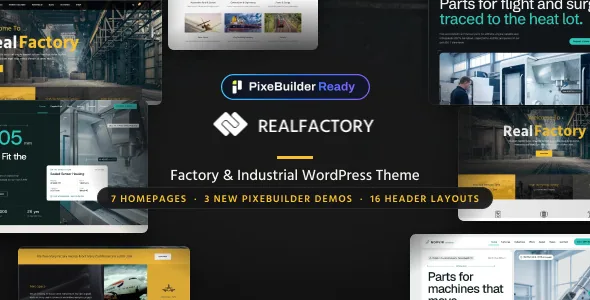
Two builders, one theme: the decision to settle before you start
GoodLayers describes Real Factory as PixeBuilder Ready, and the wording is deliberately permissive: you can build and edit pages in PixeBuilder, or keep using the classic GoodLayers page builder. A Migrate to PixeBuilder tool is listed for converting existing pages whenever you decide to move.
That single sentence shapes everything else about how the theme is used. If you are starting fresh, the choice is only about which editing interface your team learns. If you already run a site built with the older builder and are considering this theme as an upgrade path, the migration tool is the part that matters, and it is described as something you invoke rather than something that happens automatically.
The older builder is still fully present in the description, so a site does not have to be rebuilt in PixeBuilder on day one — or at all.
The demo importer offers two libraries, not one
The vendor's importer description is unusually specific: you choose either PixeBuilder Demos, where every page is already built in PixeBuilder, or Classic Demos, which reproduce the original GoodLayers builder demo. Images are imported using a multi-thread technique the vendor says speeds the process up.
The practical consequence is that your demo choice decides your editing experience before you have written a line of content. Import a classic demo and you inherit pages assembled in the older builder; the migration tool is then your route across. Import a PixeBuilder demo and the pages arrive in the newer interface from the start.
If you plan to compare both before committing, note that importing one set does not describe the other. The two libraries are parallel representations, not a starter set and its add-on.
Colour skins and spacing are the levers that change the look
Real Factory addresses design through section-level settings rather than a single global palette. Custom Skin Color is described as creating a skin in the admin panel and applying it to page builder wrapper sections — so a page with three wrapper sections can carry three skins, each with its own colours, instead of one colour scheme stretched across the whole layout.
Spacing is handled the same way at a finer grain. Page items space is customised per item from the admin panel, which lets you tighten a dense specification block and open up a hero section without touching a stylesheet.
Width gets two separate controls that are easy to confuse. Full and Boxed Layout is the conventional choice; 100% Fluid Layout is a distinct option that stretches site content to the full screen width. A construction company with wide plant photography usually benefits from fluid, but it changes how every section behaves, so it reads as a site-wide decision rather than a page tweak.
One caveat comes straight from the vendor: images used in the preview site are not included in the theme package. Budget for your own site and project photography.
Sixteen header layouts and six footers, with per-page suppression
Header variants run to 16, and the vendor specifically mentions controlling logo and navigation spacing within them. A Top Bar can be enabled above any header style, with its own social links field.
Secondary navigation has two stated styles — slide or overlay — and floating navigation is listed alongside them. For a construction site with deep service hierarchies, the overlay style and the slide style produce noticeably different browsing behaviour, so this is worth a look in the demo rather than a detail to leave at default.
Footers number six, and the vendor adds an option to disable the footer or copyright section on specific pages. That is the useful part: a campaign landing page or a maintenance notice can drop the standard footer without a separate template.
Where the builder reaches beyond pages
Page composition is not confined to standalone pages. The vendor lists Page Builder In Single Post, so an individual article can be laid out with the same sections and wrappers as the rest of the site, and Page Builder In Portfolio Single, which does the same for project entries.
Both come with the ability to set a header background for that specific post or portfolio item. For a construction firm, that is the difference between a project page that opens on a generic banner and one that opens on the site itself.
A portfolio of completed builds, a blog of site progress notes and a set of service pages can therefore share one visual system without collapsing into identical layouts.
Layout variety in the listing: blog, portfolio and gallery counts
Alongside the page builder, the vendor lists 16 blog layouts, 16 portfolio layouts and 7 gallery layouts, plus two lightbox styles for image elements. Those counts describe the number of arrangement presets, not separate templates you install — each is a way a listing of posts, projects or images can be presented.
That matters most for a construction site where completed projects carry the argument. Sixteen portfolio arrangements give you room to present a small set of large builds differently from a long list of smaller contracts. The gallery layouts handle plant, site-progress and equipment imagery, and custom thumbnail sizes can be created for use across portfolio, blog, gallery and other image elements.
What the count does not tell you is whether a given layout appears in both demo libraries, or how any of them behave on a narrow screen. Both questions are answered by opening the demos rather than by the layout numbers alone.
Questions & answers
Do I have to move my pages to PixeBuilder?
No. The vendor describes PixeBuilder as an option alongside the classic GoodLayers builder, and the Migrate to PixeBuilder tool as something you can use at any time. Pages built in the older builder stay there until you choose to convert them.
Will the demo import bring in the construction photos?
The vendor states plainly that images from the preview site are not included in the theme package. Demo import sets up layout and content structure; your own project and site photography still has to be supplied.
Can the footer be removed from selected pages?
The vendor lists an option to disable the footer or copyright section on specific pages, which is separate from the six footer layouts you choose as the site default.