The guided setup writes content, and skipping steps is the point
Most theme listings describe an install and leave you to guess what lands in the database. Pursuit's description is explicit about the sequence: one-click action steps, framed as roughly three minutes, with the option to skip or personalise each one. The vendor says it installs pages, templates, styles "and much more".
That sentence is the useful part. A setup routine that writes pages and templates means the site you start editing is a populated one, with demo layouts already in place. Whether that helps or gets in the way depends entirely on whether you wanted those pages. If your site is a single landing page with a lead form, the import leaves you deleting structure you never asked for; if you want a full app or SaaS site with pricing sections, feature blocks and a contact flow, beginning from imported pages is faster than composing them.
Treat the skip controls as the real feature. Being able to walk through the steps and decline the ones you do not need lets you take the styles and templates while leaving out page content, or take pages for one section of the site and build the rest yourself. The vendor does not spell out which step writes what, so plan to look at the imported result before you start editing rather than assuming an empty scaffold.
Two editing layers: Elementor for pages, the customizer for global settings
The description separates a front-end page builder from a theme options layer, and that separation matters for how you work day to day.
Elementor handles page composition. The vendor says you can build the whole site in the front end with no back-end editing, and lists 40+ widgets and 25+ modular templates as the building blocks. A modular template here is a section you insert and adapt rather than a page you clone, which is how a SaaS or app site usually gets assembled: hero, feature grid, pricing, testimonial, call to action.
Theme options live elsewhere, in the WordPress customizer, with live preview and what the vendor calls point-and-click controls. This is where site-wide decisions sit — colours, typography, layout width, header behaviour — rather than on individual pages. A changelog entry for version 2.0.3, updating styling for a new Kirki version, identifies the framework controlling that options panel, which is a useful hint about how the settings are structured.
The practical consequence is that a global change does not require opening every page. Changing a brand colour in the customizer is not the same operation as editing a button in Elementor, and mixing the two up is a common way to end up with half a site on the old palette.
Elementor Pro is what changes the header and footer
A changelog line from version 2.0.7 records added header and footer layout support for Elementor Pro. Read plainly, that means building your header and footer inside Elementor's theme builder depends on the paid version of the plugin, not the free one.
This is worth knowing before you buy, because the marketplace lists Elementor and Elementor Pro separately as compatible plugins, and only the Pro path gives you those header and footer templates. If you plan to run free Elementor, expect to configure header and footer through the theme's own options instead.
It also changes what "building the whole site in the front end" covers. With Pro, header and footer join the page canvas. Without it, the page body is Elementor's territory and the surrounding furniture belongs to the theme settings.
The cryptocurrency and DeFi layouts are an addition, not a second theme
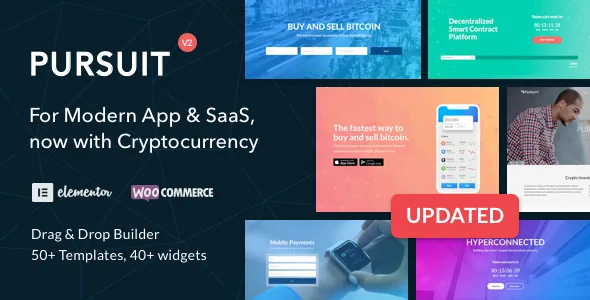
The vendor describes 25 new layouts aimed at cryptocurrency exchanges, DeFi projects, ICOs, digital wallets and bitcoin companies, layered onto a design originally aimed at app and SaaS startups. Version 2.0.6 of the changelog records the demos being added for App and SaaS as well as digital currency.
What that gives you is range inside one theme: an app marketing site, a SaaS lead-generation site and a crypto or DeFi landing page share typography, spacing and component styling. Building a crypto project on the same foundation as a software product is convenient if you run both, and it means the layout set is not a separate purchase or a separate install.
The caveat is what these layouts are. They are page designs and templates for a theme that markets products and services. They do not add wallet connections, token data, price feeds or exchange logic. If your crypto site needs to show live market information or handle on-chain interaction, that comes from plugins you choose, and the theme's contribution is the presentation layer around them.
Build choices worth knowing before you plan a layout
Several concrete options in the vendor feature list affect how the site is put together rather than how it looks in a demo.
The layout width setting offers boxed or wide, which is a site-wide choice made once in the customizer rather than a per-page decision. The sticky header is optional, so a long marketing page can carry persistent navigation while a one-screen launch page can skip it.
Slider work is covered by a bundled copy of Master Slider Pro, which the vendor values at $20, alongside touch-optimised sliders. Sidebars and widget areas are described as unlimited, with Widget Logic listed for conditional display — useful when a widget should appear on some pages but not others. Pages can also draw on 25+ Bootstrap-based shortcodes and the built-in Google Fonts library, which the vendor puts at 700+ fonts.
Those two styling paths — Elementor widgets and Bootstrap shortcodes — coexist rather than replace each other, so a team that already thinks in shortcodes has a route in, while an Elementor-first team can ignore them.
Package contents, plugin boundaries and the version question
The marketplace file list names layered PSD, PHP, CSS and JS files, and the vendor adds a child theme, demo content and a PSD file. The child theme matters if you intend to modify templates directly, because your changes sit apart from the parent and survive a theme update — with the usual caveat that child themes hold fewer overrides than many buyers expect.
No plugins appear in that file list. The compatibility attributes name WooCommerce 6.x through 9.x, Events Calendar, Events Calendar Pro, Elementor, Elementor Pro and WPML, while the vendor text separately claims WPML readiness with .po files included and Formidable readiness. Those are statements about what the theme was prepared for; each plugin is yours to install, license and update. Master Slider Pro is the bundled exception, and bundled plugins carry their own update path, so establish how it receives updates before you build slider sections you rely on.
Version scope is the one place the listing contradicts itself. The marketplace compatibility range, recorded on 4 November 2026, runs from WordPress 5.2.x to 6.9.x, while the vendor's own feature list still says WordPress 5.3+ Ready. Those were written at different times and neither is a test of your environment. The variable that decides whether Pursuit is workable for you is not the top of that range but your own plugin stack: a site running current WooCommerce alongside a page builder and a multilingual plugin touches more code paths than a marketing site with Elementor alone.
Questions & answers
Do I need Elementor Pro for Pursuit?
Not for page building — free Elementor covers the page canvas, since the vendor says the site can be built in the front end with the Elementor live page builder. Elementor Pro becomes relevant if you want to build the header and footer in Elementor; the changelog records header and footer layout support for Elementor Pro from version 2.0.7. Without it, header and footer settings come from the theme's own customizer options.
Can I skip parts of the guided setup?
The vendor describes the setup as one-click steps that take roughly three minutes, with the ability to skip or personalise each step, and says it installs pages, templates, styles and more. Since the description does not detail which step writes which item, review what was imported before editing, so you are adapting existing pages deliberately rather than working around content you did not want.
Does the cryptocurrency layout set include exchange or wallet features?
No. The 25 cryptocurrency and DeFi layouts are page designs for exchanges, ICOs, digital wallets and bitcoin businesses, presented on top of the app and SaaS design. The vendor's feature list describes design, templates and styling; it does not mention wallet connections, live price data or exchange functionality. Any such behaviour would come from separate plugins.


