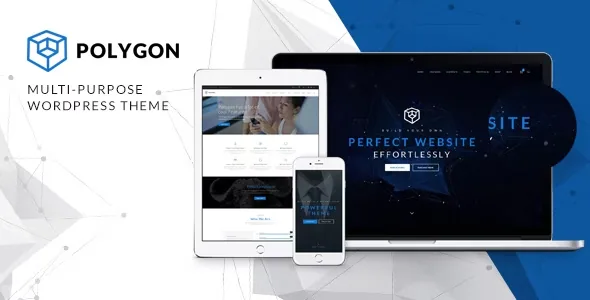
The bundle is the product, and the vendor prices it that way
ThemeMove's description for Polygon does not lead with layouts; it leads with four bundled plugins and the money each one would cost on its own: WPBakery Page Builder at $64, Slider Revolution at $29, Essential Grid at $34 and Templatera at $13.
Those four do different jobs. WPBakery is where rows, columns and shortcode elements get assembled. Slider Revolution drives the animated hero area. Essential Grid lays out posts, projects or products as tiles. Templatera saves content you want to reuse.
The same description states that all bundled plugins can be used without a licence and that a purchase-code prompt for registration can simply be ignored. It also says the vendor cannot redistribute the licences, so plugin updates arrive either with a theme update or through a licence you buy from the plugin's author. Read that as the vendor's own account of how the bundle behaves. It is a complete editing stack on install day, with update timing controlled by the theme release schedule unless you buy separately.
Skins plus saved blocks define the editing rhythm
Two lines in the feature list describe the actual day-to-day workflow better than any single plugin entry: comprehensive shortcodes, and "9+ Predefined skins that easy to modifed & edit". A skin sets the starting look. Shortcodes place the elements. Unlimited colour options and font selection sit above both, so a palette or typeface change is made once at theme level rather than repeated element by element.
Templatera is the piece to understand before committing, because it changes how repeatable work feels. A services row or contact strip becomes a saved template you insert instead of rebuilding. That suits a corporate site where several landing pages share a structure.
What it does not do is keep those instances in sync. Templatera inserts a copy of the block, so editing the saved template afterwards leaves pages where it was already placed untouched. Sites with many instances need a deliberate plan for updating them — that is how the plugin's insertion works rather than a defect in Polygon.
Content modules a corporate site will actually touch
The vendor lists five post formats — Image, Video, Gallery, Normal and No image — which lets a company blog carry a video announcement and a plain text update in the same feed without forcing both into one shape. Portfolio output is described as "Projects by woothemes", and testimonials come through a separate WooThemes module; both are aimed at agency and service pages rather than the blog.
Widgets are declared widget-ready, and Widget Logic is named in the feature list. That combination matters more than it sounds: you can decide where a given widget appears using conditional logic instead of maintaining several sidebars.
Contact Form 7 is named for forms and MailChimp for mailing-list signups. Both are separate plugins you install and connect, so neither works out of the theme files alone.
Shop support, translation routes, and the declared block editor status
WooCommerce appears three times in the compatibility record — 8.x.x, 9.x.x and 10.x.x — next to WPBakery Page Builder and WPML. The description phrases the shop as "WooCommerce ready: add your own shop and selling Anything you want", which describes supported scope. No shop layout ships pre-configured, so the storefront is something you build.
Multilingual work has two distinct routes here. WPML is a declared compatible plugin for a translated site structure. Loco Translate is named separately, with the theme described as translation ready with po/mo files, which is the tool for editing strings in those files. They solve different problems and are not substitutes.
The listing marks Gutenberg Optimized as Yes. That is a declared attribute, and it does not mean the demo layouts were assembled in the block editor — the described workflow is WPBakery, shortcodes and Templatera. Treat blocks as a supported context and expect to build any block-based page yourself.
What the listing declares, and how much weight to give it
The marketplace attributes observed on 4 November 2026 declare WordPress 6.0.x through 7.0.x, responsive layout, retina readiness, high-resolution assets, and four or more columns. Compatible browsers are listed as IE11, Firefox, Safari, Opera, Chrome and Edge; the presence of IE11 suggests how far back parts of that list reach, so check the browsers your own analytics show before relying on it. Included ThemeForest file types are PHP, CSS and JS.
These are vendor and marketplace declarations, not the results of running the theme on a server. The vendor's update timestamp and the marketplace's latest version also move independently of whatever build you end up with, so confirm the version you are working from before you plan around a specific feature.
Where Polygon earns its place, and where it costs you
Polygon makes sense when the bundled stack maps onto real work: a company or agency site with a slider-led homepage, a grid of projects or products, several page sections reused across landing pages, and a shop or enquiry form attached. The skin approach and shortcode library mean restyling does not require template code.
What you accept in exchange is update timing tied to theme releases for four third-party plugins, and a reusable-section model that stores copies rather than a single live source. If your team already holds WPBakery, Slider Revolution or Essential Grid licences, the stated savings shrink accordingly; if not, the bundle removes a round of separate purchases and setup.
The remaining check is the WPBakery workflow itself. Compare it against how your editors actually like to work before you commit, because everything the vendor describes is built around it.
Questions & answers
Does Polygon include licences for WPBakery, Slider Revolution, Essential Grid and Templatera?
No. ThemeMove's description says the bundled plugins can be used without a licence and that registration purchase-code prompts can be ignored, but it also explains the vendor cannot redistribute the plugin licences. Updates come with a theme update or from a licence you buy from the plugin author.
Can I build pages in the block editor instead of WPBakery?
The listing marks Gutenberg Optimized as Yes, so the block editor is a declared supported context. The vendor's described workflow, however, is WPBakery with shortcodes and Templatera blocks, and that is what the demos are built from. Expect to assemble block-based pages yourself.
Do edits to a Templatera template update pages that already use it?
No. Templatera inserts a copy of the saved block, so later changes to the template do not reach pages where it has already been placed. Plan how you will update many instances if you rely on shared sections.