Six headers, spelled out one by one
Select-Themes names its header options rather than promising an abstract "unlimited" set. The list gives a Fixed Header with the logo on the left and the menu on the right; a Fixed Advanced Header with a centred logo above a centred menu, widgets on both sides and a hidden menu that appears on hover once the page scrolls; a Sticky Header in the same left-logo arrangement; a Sticky Expanded Header where the menu sits below the logo; a Sticky Divided Header with the menu split either side of a centred logo; and a plain layout with logo and menu both centred.
That enumeration is worth more than a layout counter. A small business site normally needs one frame that holds: where the logo sits, whether navigation follows the scroll, and how much of the first screen the bar takes. Fixed and sticky families differ mainly in what happens as you scroll, and the Advanced variant is the most opinionated of them, keeping the centre for the logo and reserving the menu for hover.
The vendor also lists separate logo versions for the normal, sticky, fixed advanced and mobile headers. That is a production saving, not a checkbox: a logo cut for a light bar can disappear against a dark sticky bar, and having a slot to swap it per state avoids rebuilding the image later.
Navigation as the configurable layer
Around the header, the vendor describes a header-top widget area, an expandable search field in the header-right widget area, a configurable mega menu, left and right side menus that can take a different background image and colour on each page, a fullscreen menu, and a side area.
Two items in that group change how a long page behaves. The first is a "Sticky Content Menu — menu created from selected sections on page". The second is anchor functionality, described as navigating to any section on the same or a different page.
Together they support a common shape for service businesses: one scrolling page that presents an offer, some proof and a contact route, with a small menu tracking the reader down the page. Because you choose which sections become entries, the menu can mirror the argument the page makes instead of listing every block you added. Anchor links that cross pages extend the idea — a "Request a quote" link can land on a block near the bottom of the contact page rather than its top.
The frame also moves between pages: the vendor lists AJAX page transitions with four animations, controlled globally or on a page-by-page basis. Global suits a site that should feel consistent; per-page control suits a campaign landing page that deserves a different entrance.
Animation is the stated selling point, and its main constraint
The description leans on motion: SVG graphics and line drawing animations, border drawing animations, scroll-controlled animations and clipping mask animations. The feature list is more specific in places — SVG line drawing inside Select Slider, border animations on elements, video background sections, parallax sections with a full-height option, and unlimited custom animations on elements in sections.
Select Slider is described with parallax support, image and video slides, custom animations, and both full-width and full-screen options. Sliders appear in other forms too: a full-width carousel slider, a vertical split slider, and the bundled LayerSlider plugin.
Read plainly, this gives you two choices. If the first impression carries the positioning — a workshop, a design-led local service, a studio — line drawing and clipping masks give you something a stock business theme will not. If the site exists to answer questions quickly, every animation becomes a decision, and using a few supplied effects well beats switching them all on because they are there.
The vendor states the other constraint directly: it does not own copyright in the demo images, they are presentational only, and you must license equivalent images from a stock source yourself. Motion-heavy layouts need strong photography underneath, so that cost belongs in the project budget.
Thirty demos, and a mixing claim with little detail behind it
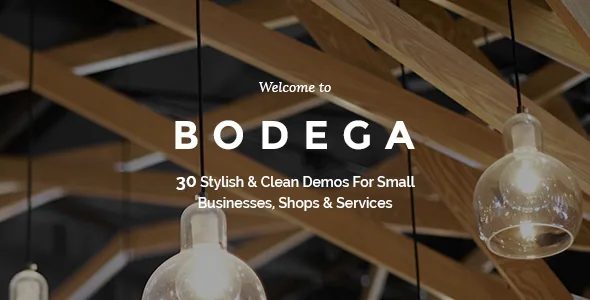
The vendor describes 30 designed demos and says Bodega lets you combine different demos depending on your needs, illustrating the point with three modern blog layouts for different blog types and with commerce — adding shop elements to a blog page or building a store.
Mixing is appealing when you want one demo's homepage, another's services layout and a shop block from a third. It is also the claim with the least explanation attached: the source does not say how combination works in practice, whether it means selectively importing demo content or simply reusing section patterns across pages. Treat it as something to confirm against the documentation and the live demo before planning around it.
The content features are more concrete: multiple blog list and single layouts, a blog masonry layout, a blog post slider, custom post formats for standard, gallery, link, quote, video and audio, and multiple portfolio list and single layouts with regular and Pinterest-style masonry. That is enough range to run a news or case-study section without a second theme. One-click demo import and a maintenance-mode option are listed alongside.
WPBakery, the bundled plugins and the Bodega Core dependency
Pages are assembled in WPBakery Page Builder, which the vendor says is included and which also appears among the marketplace compatibility attributes. The feature list adds 40+ custom shortcodes, 600+ Google Fonts, and icon packs for Font Awesome, Font Elegant, Ion Icons and Linea. LayerSlider is bundled as well.
A bundled builder answers the page-level question, not the site-level one. Global settings live in what the vendor calls a powerful admin interface, with multiple custom sidebars and widget-ready areas — useful when different sections of the site need their own sidebar rather than one universal column. Footers are configurable from one to four columns, with regular or unfold behaviour.
Two structural details are worth knowing before you start. The changelog refers to a Bodega Core plugin throughout, which carries theme functionality, so it needs to stay active and current alongside the theme. A child theme is listed as supported and the changelog records the vendor updating it — the sensible home for customisations if you want theme updates to stay simple.
Commerce, translation and the versions the listing declares
WooCommerce and Contact Form 7 integrations are both listed as theme features. The marketplace attributes observed on 4 November 2026 declare compatibility with WooCommerce 9.x.x and 10.x.x, WPBakery Page Builder and WPML, with a WordPress range running from 6.5.x through 7.0.x.
Those are listing declarations, not the result of running the theme on a particular stack. The changelog is a useful cross-check because it records what the author actually worked on: WordPress 6.5.2 and WooCommerce 8.7.0 compatibility in version 3.5, a WPML config file and WooCommerce 10.x compatibility in version 3.6, and an update of both bundled plugins in version 3.6.1. If your store depends on a specific WooCommerce release because of a plugin you already run, that changelog detail is more informative than the attribute alone.
Translation is covered two ways: WPML integration with a config file added in version 3.6, and translation-ready .po and .mo files. On a single-language site, neither changes your build.
One item to read as a declaration rather than a promise: the vendor's browser list includes IE10 and IE11, so the compatibility statement reaches further back than most projects now need. It says nothing about behaviour in current browsers, which the live demo shows more honestly than the list.
When this frame is the right starting point
Bodega makes most sense when navigation and the first screen carry the brand while the pages beneath stay comparatively plain: a local service business that wants a fixed logo-left header, a business presenting itself as a single scrolling page with a sticky section menu, or a studio-leaning operation willing to use the SVG and clipping-mask effects as part of its identity.
Imagery is the dependency to plan for, since demo files are placeholders in every practical sense and the animation and slider features only pay off with photography you own or license. If your site's value sits in structured content — services, staff, locations — rather than the chrome around it, a theme organised around typed content and page templates will ask less of you than this one does.
Questions & answers
Does every header layout support a separate logo?
The vendor lists separate logo versions specifically for the normal, sticky, fixed advanced and mobile headers. It does not state that every layout has its own logo field, so confirm the variant you plan to use in the documentation.
Can Bodega hold a shop alongside a blog?
The vendor lists WooCommerce integration and says shop elements can be added to a blog page or used to build a store. The marketplace attributes observed on 4 November 2026 declare WooCommerce 9.x.x and 10.x.x compatibility, and the changelog records WooCommerce 10.x work in version 3.6.
Is the page builder part of the theme package?
The vendor lists WPBakery Page Builder as included, alongside LayerSlider, and the marketplace attributes name WPBakery under compatible products. The changelog shows the bundled builder being updated with theme releases, with version 3.6.1 moving it to 9.0.1 and fixing 9.x compatibility.
Can I use the images shown in the demos?
No. The vendor states it does not own copyright in the demo images, that they are used for presentation only, and that you need to license equivalent images from a stock image source yourself.