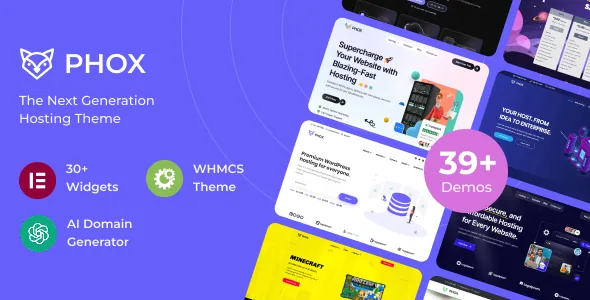
Four WHMCS items, not one integration badge
Hosting themes usually mention WHMCS once and move on. Phox's description lists it four times: "WHMCS Bridge Supported", "WHMCS Template", "WHMCS Menu Manager" and "WHMCS Page Manager". Read as separate pieces, they describe three kinds of work.
The bridge connects the WordPress front end to the WHMCS installation that takes orders and holds client accounts. The template restyles WHMCS's own pages so the order and client area do not look like a different company. The two managers point at structure rather than appearance: control over the menus and pages that appear once a customer is logged in.
What the listing does not say is as useful to know now. There is no stated WHMCS version, no description of how the connection is authenticated, and no indication of whether the menu and page managers work without the bridge active. If billing already runs on WHMCS, those are questions to put to the vendor before planning the build around this theme.
Domain search is a page on your site, with suggestions underneath
Phox lists "Advanced Domain Search" and "AI Domain Names Suggestions". Together they describe a search surface inside your own pages: a visitor checks a name, sees whether it is available, and gets generated alternatives when the obvious one is gone.
The suggestions are the part that changes the design. A plain lookup answers a single question and ends the visit; alternatives keep the visitor on the page and give you something useful to show when the exact name is taken. Both depend on external services, and the description names neither the registrar integration, the TLD set, nor the provider producing the suggestions. The demo is the reference for how the search behaves; the plumbing is a vendor question.
Elementor widgets, hosting templates and the counts behind them
Pages are built in Elementor, which the vendor calls an open-source drag-and-drop builder. Two widget numbers sit apart in the list and should not be merged: "Over 15 Elementor widgets ready to use" refers to theme-specific widgets added to the builder, while the "200+ elements" claim belongs to the wider design library.
The vendor also promises "over 20 Hosting Website Templates" as a quick start, with an XML demo content file and Slider Revolution templates in the package. Template counts rarely answer the question that matters to a host: whether the set includes the pages you actually publish — plan comparison tables, a server status page, knowledge base entries, a reseller pitch. Compare the demo's page list with your own sitemap rather than assuming the quantity covers it.
The package file list names PHP, HTML, CSS and JS files alongside layered PNGs, and the theme is marked widget-ready and high resolution.
What a host publishes after launch
The publishing features are modest but specific. The vendor lists two blog styles, a pin-posts feature, custom category colours, more than five custom widgets, built-in breadcrumbs, Contact Form 7 styled for the theme, Google Maps support and 600+ Google Fonts.
Pinned posts plus per-category colours do a concrete job on a hosting site. Split announcements, tutorials and network status into categories, colour-code them, and keep the current notice at the top of the listing. Neither feature is exotic; together they remove a chunk of custom CSS.
WPML compatibility and RTL readiness are listed as separate items, which matters if you sell in more than one language or into Arabic or Hebrew markets. The listing does not name a tested WPML version, so check that against the release you run.
Declared compatibility, and what the dates tell you
The marketplace listing captured on 4 November 2026 declares Elementor and Elementor Pro, WooCommerce 6.x through 9.x, WPML, ReactJS and Bootstrap 4.x as compatible, with WordPress versions from 5.0.x to 6.9.x. Gutenberg Optimized is marked yes.
These are vendor and marketplace declarations, not results from an install. Two are worth a second look for a hosting business. Bootstrap 4.x is a declared range rather than a current major version, and WooCommerce sits alongside WHMCS in the same list, so decide which system takes orders and which holds client accounts before configuring either. IE11 still appears among supported browsers, which dates the claim more than it validates it.
Questions & answers
Which WHMCS versions does the bridge support?
The listing says "WHMCS Bridge Supported" without naming a version or explaining how the connection is set up. Ask the vendor before assuming your installation is covered.
Does the domain search work with a specific registrar?
Advanced domain search and AI name suggestions are listed without a registrar, API or TLD set. The demo shows the interface; the backend integration needs confirming with the vendor.
Are the 20+ hosting templates complete pages or sections?
The description calls them hosting website templates and mentions an XML demo content file, but does not itemise them. Compare the demo's page list with the pages your site needs.


