Client delivery, not just a gallery skin
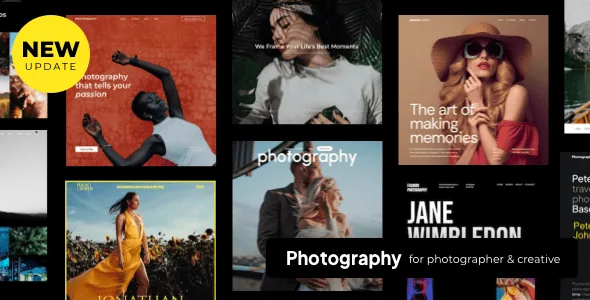
Most photography themes stop at layout. ThemeGoods describes Photography as a client-facing tool as well: you create a page per client, attach the galleries that belong to that client, and protect each page with a password. A client archive page lists everyone on one page, and the vendor says clients click their own image to log in and see what has been assigned to them.
That arrangement changes the admin model in a useful way. One client can hold several galleries, so an engagement shoot and a wedding day can live under a single login instead of two separate links. The gate sits at the client page rather than on each gallery, which is fewer passwords to distribute and fewer places to get wrong.
Proofing: the part worth testing before you promise it
The vendor goes one step past password protection with photo proofing: you grant access to a specific gallery and the customer approves or rejects individual images inside it.
That is the feature that separates Photography from a theme with a nice grid. If you still run selections through email threads and filename lists, proofing is the workflow to build a test project around. What the available description does not explain is what happens to the approved set afterwards, so check the end of the flow on a staging install before telling a client they can handle selections themselves.
Right-click and drag blocking, and where they stop
ThemeGoods groups password-protected galleries with right-click protection and image-dragging protection under a customer protection heading, and lists the last two as one-click toggles in the image options.
These discourage casual saving. They do not stop a screenshot, a browser's network panel or a determined visitor, so treat them as presentation controls that signal your work is not free to lift rather than as content security. If a contract requires real copy protection, that is a different problem from a theme setting.
Two selling routes that are not interchangeable
Photography offers WooCommerce support for selling photographs and artwork, and separately a direct purchase link option attached to each image. The vendor says customers click the purchase link on the image they want to buy.
The direct link suits a print house, licensing agency or fulfilment partner where the sale happens elsewhere and your site is the catalogue and the handoff. WooCommerce suits a site that owns checkout, order records and product pages. Choosing first keeps you from building a shop you never use, or from sending buyers away when you wanted your own order data.
The marketplace attributes observed on 3 November 2026 list WooCommerce 6.x through 9.x, Elementor, Elementor Pro, WPML, bbPress 2.5.x and Facebook as compatible. Those are vendor and marketplace statements, not the result of running the theme on your stack.
The Content Builder and the settings around it
Pages and portfolios are assembled in the theme's own Content Builder, which the vendor models on a Keynote-style interface with a live preview. Two modes are offered: Live shows the result as you change it, Classic is there for people who already know the builder and want to move faster. Modules are dragged in place without touching theme code, and the module picker shows a screenshot of each content type instead of an icon, which helps when you are scanning a long list. Pages and portfolios can be saved as templates for reuse.
Typography and colour live in the WordPress Customizer, with more than 500 Google Fonts and separate settings for headings, menus, submenus, side menus, page titles and widget titles. The marketplace records Gutenberg Optimized as No, which describes the theme's documented authoring path; it does not disable the block editor on your site.
Demos, templates, and what an import takes over
The vendor lists 24 predefined demos across light and dark schemes, 70+ gallery and portfolio templates, nine single portfolio layouts, ten blog templates and eight menu layouts, with one-click import.
The detail to plan around is what the import includes: pages, posts, sliders, widgets, theme options and other settings. Because theme options are part of the set, importing after you have tuned colours and fonts means doing that work again. Import on a fresh install or take a backup first.
Portfolio items are not limited to stills. The vendor names YouTube, Vimeo, self-hosted video and custom links, and describes blog posts carrying photos, gallery sliders, video and SoundCloud audio. Theme options add Ken Burns effects for galleries and portfolios, a boxed or wide layout, a frame with a colour picker, site-wide social sharing buttons, and a switch to turn responsiveness off if you need a fixed desktop layout.
Questions & answers
Can clients pick their favourites without email back-and-forth?
That is what the vendor's photo proofing feature covers: you give access to a specific gallery and the customer approves or rejects images inside it. How approved images are surfaced to you afterwards is not described in the available material, so run a test project through the full flow before relying on it with a real client.
Does password protection plus the right-click toggle make galleries secure?
No. The password keeps uninvited visitors out of a client page, and the right-click and drag toggles discourage casual saving. Neither prevents screenshots or images pulled from a browser's developer tools, so plan around that if the images are commercially sensitive.
Do I have to use WooCommerce to sell prints?
Not necessarily. WooCommerce support covers a shop that runs on your site. The separate direct purchase link attaches a buying link to each image, which fits selling through an external print or licensing service instead.
Will importing a demo wipe my design settings?
The vendor says the import brings in pages, posts, sliders, widgets, theme options and other settings. Since theme options are included, run the import on a fresh installation or back up first if you have already configured the site.