One setting decides how every project opens
The vendor lists "Portfolio Load Single Page" and "Portfolio load With Modal" as separate options, and repeats the same pair for blog posts. Both are presented as a choice you make for the site, not a per-project setting, so the decision shapes the whole browsing pattern.
A modal keeps a visitor on the grid. They open a project, close it, and move to the next without losing their place in the collection. A dedicated page gives a single case study room for a long write-up, a process narrative or a client quote. Choose the modal if your work speaks through images and you want repeated comparison; choose the page if projects are arguments that need length.
Category filters, kept alive through the changelog
Rainbow-Themes added project category filtering with Isotope in version 2.6.0. The 3.0.6 release then records a fix for category-based portfolios that did not respond when the portfolio category button was clicked. Those are changelog entries, not test results, but the pattern suggests the filter has been maintained rather than left to drift.
Later releases add smaller behaviours around the same area: ajax password protection for individual projects, a like counter with a reset option, and a music feature triggered on hover or click. The password option is the practical one if client work should be visible only to people you send a link to.
Demos named after jobs, not after layouts
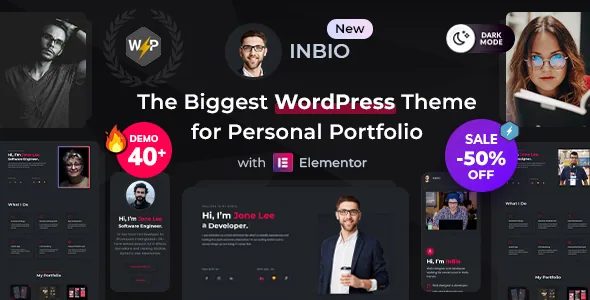
The starting points are occupations: Main, Developer, Designer, Content Writer, Instructor, Freelancer, Photographer, Politician, Technician, Model, Web Developer, Consulting, Fitness Instructor and Fashion Designer, most with light variants and dark variants for the last three. A photographer and a politician need different page order, different proof and a different balance of image against text, and the demo names at least tell you which of those the vendor had in mind.
The homepage count is inconsistent in the source: the opening text says 30+, the feature list says 28+. Treat either figure as approximate and pick by whether a role close to yours exists. The vendor also states that demos can be mixed, so you can import one and bring in another homepage's content afterwards.
Dark and light appear as paired demos rather than a visitor-facing toggle. If you want editable colour control, the one-click theme colour option is the setting to look for.
The resume widgets carry the CV half of the theme
The custom widget set from Rainbow Elements leans heavily toward self-presentation: My Resume, Resume Library Tabs, Progress Skill, Experience Boxes, Services Repeater, About Me and About Me 2, Testimonial Carousel, Pricing Table with a tabbed variant, Brand Library Tabs and Project Carousel. That is what lets one theme serve a vCard or CV page as well as a project showcase.
Skill bars and tabbed resume sections are only as good as the content inside them, and they are the parts most likely to look stale if left as imported. The honest test is whether you want quantified skills on your site at all; if you would rather describe experience in prose, those widgets will sit unused.
Blog post formats cover Standard, Gallery, Link, Quote, Video and Audio, which suits short notes or link roundups between projects. Pre-made inner pages include About, Portfolio, Services, Pricing, Blog and Contact.
Elementor for layout, Rainbow Elements for the parts
Pages are built in Elementor, and the theme's own functionality arrives through the bundled Rainbow Elements plugin, with Redux Framework handling options and Advanced Custom Fields PRO listed among the plugins used. The vendor claims 30+ custom widgets and over 100 theme and page options. Practically, that splits your editing between two surfaces, so knowing whether a setting lives in Elementor or in the theme options panel saves a lot of hunting.
Gutenberg Optimized is recorded as Yes and the description mentions Gutenberg capabilities. That describes block-editor styling, not the presence of Rainbow Elements widgets inside the block editor. Elementor remains the described workflow.
A .pot file ships for translation, and the vendor states full RTL support, applied by changing the site language under Settings, General. If you publish in a right-to-left script, check your own layouts on staging rather than assuming every arrangement you build is covered.
One activation mechanism, one licence per domain
Version 3.0.0 records an addition titled "Licencing System For Theme Activation." Taken plainly, the theme now includes an activation mechanism tied to a licence. The vendor's pre-buy answer says a separate regular licence is needed for each public domain, and repeats that rule for multisite. Budget for that if you maintain several sites.
More recent changelog lines deal with upkeep rather than features: PHP 8.3 compatibility and empty-string errors in 3.0.5, WooCommerce template updates, RTL fixes in the notification bar and Elementor RTL loading in 3.0.3, and a setting for testimonial carousel dots navigation in 3.0.7. A changelog records what a vendor says changed; it does not prove the build runs cleanly on your host.
The vendor states that demo images are for preview only, so photography and licensing of it are your work. The compatibility fields declare WordPress versions from 4.9 through 6.8, Elementor and Elementor Pro, Contact Form 7, WPML, WooCommerce 5 through 8, Bootstrap 4 and 5, and a browser list — declarations captured at a point in time rather than a report from your server.
Questions & answers
Can one portfolio mix modal and single-page projects?
The vendor presents portfolio loading as two modes — Load Single Page and Load With Modal — without saying they can be combined within one grid. Plan one presentation per portfolio unless staging tests show otherwise.
Does Inbio work without Elementor?
Elementor is the described building workflow, and the theme's custom elements come from the Rainbow Elements plugin rather than the block editor. A Gutenberg Optimized listing refers to block styling, not to those widgets.
Do I have to use the resume or skill widgets?
No. They are optional pieces in the Rainbow Elements set. A portfolio that only uses project and blog layouts can leave the CV widgets unplaced.


