The gallery post type is the reason to look here
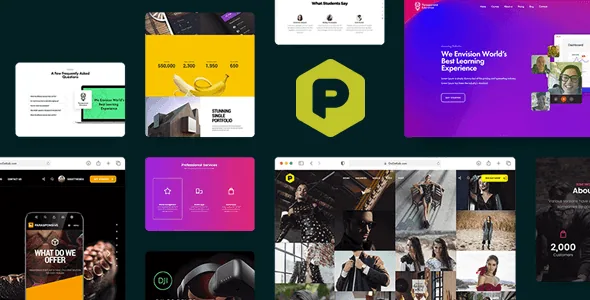
Most of what the GoGetLab description promises for Parasponsive — a responsive layout, a WooCommerce-ready shop, coded page templates — is interchangeable with a dozen other corporate themes. The item that is not is the Photo Galleries post type, which the changelog introduces in version 8.0 alongside six gallery styles, a gallery loop setting in the page template options, and two features that change how you would use it: WooCommerce products can be added inside galleries, and the single gallery view can carry music.
For a studio, photographer or designer site, that combination removes a common compromise. You do not have to choose between a portfolio that shows work beautifully and a shop page that lists prints or products; the gallery is described as a place that can hold both. The audio on the single-gallery view points at a specific use case — a slideshow or series that plays a track — rather than a general media feature.
The vendor wrote the theme for companies, studios, private photographers, designers and blogs, and marks high-resolution imagery as supported. If your site is a plain brochure with no image archive, this part of the theme has nothing to do.
How a one-page site is assembled, and where the shop fits
Parasponsive's stated purpose is a single scrolling landing page divided into anchor sections, with a parallax effect on section intros and animations applied without code. The description is explicit that anchor menu navigation plus parallax is the intended route to a landing page.
One detail is worth more than the marketing line: a changelog entry records an option to add the Shop page to the parallax menu. A landing page that sells can therefore include the store as a section target rather than only as a separate page reached from the header. Other entries show anchor IDs editable on the theme's blank sections and custom menu links to the services and blank sections — which matters if section order is part of how the site tells its story.
The description also says the theme can run multi-page sites, so this is not a one-page-only constraint. What it does mean is that section order and anchor labels become a design decision you make early, not a byproduct of page templates.
Headers, footers and sidebars as page-level choices
The vendor summary states five headers using top and left menu layouts, and the changelog shows that set growing over time — extra header types in version 7.1, sixteen more in version 8.0, plus a Mega Menu and header colours controlled from one place. Whatever the current count, the practical choice offered is between a conventional horizontal navigation and a left-side vertical menu, which changes how a one-page site feels.
Footers are treated less like one fixed block and more like a per-page decision. Version 5.0 records the ability to select different footer widgets for each page and to customise footers per page; version 8.0 adds switching between footer types. Sidebars are listed as configurable too.
If your project needs a different closing block on the landing page than on the shop, this is a real option rather than a settings toggle you fight. If you expect one consistent footer everywhere, you will ignore it.
Editing happens in WPBakery, not the block editor
Layout is built by dragging and dropping in Visual Composer, which is now sold as WPBakery Page Builder and is listed as compatible in the theme's attributes alongside Elementor, Elementor Pro and Bootstrap 4.x. On top of the builder sit addon layers: Ultimate Addons, Massive Addons, and the vendor's own GGT Sections addon added in version 8.0. Templates imported from the demos therefore arrive as builder rows and columns.
Plan for that editorially. Anyone on your team who works only in Gutenberg blocks will be starting over in a different interface, and the marketplace attribute Gutenberg Optimized is marked No. Read that as a statement about block-editor optimisation, not as proof the block editor is unavailable — the changelog also includes a Gutenberg readiness entry and fixes for ACF and Gutenberg conflicts in older versions.
The files field for the item lists PHP, CSS and JS files. No design source files are recorded there, which matters if your process begins in a design tool.
Version, compatibility and the documentation question
The listing carried version 10 and a vendor update dated April 2026 when it was observed on 4 November 2026. The compatibility attributes record WordPress 6.0.x through 6.9.x, WooCommerce 7.x.x, 8.x.x and 9.x.x, WPML, and browsers stretching back to Internet Explorer 8. Those are declarations stored with the product; they are not the result of anyone running this theme on your hosting.
The contrast that deserves attention is the changelog. The published entries stop at version 9.0 from August 2020, while the marketplace listing shows a later version and a 2026 update date. Nothing in the supplied material explains that gap, and absence of changelog text is not proof that later changes went unrecorded. If you rely on knowing what changed — for a client site, or because a WordPress or WooCommerce release broke something — ask the vendor directly and test on staging before committing.
Documentation is listed as well documented, and widgets as ready to use. Both are vendor statements rather than a review of the theme's guide.
What kind of project this fits
Parasponsive makes most sense when the site is one long page with an image-led gallery at its centre and a small shop attached: a photography studio selling prints, a design practice showing work plus products, a creative agency that wants a single scrolling narrative. The gallery post type, the parallax intros and the shop-as-a-section option are the parts that do that work.
It fits less well if your editors are committed to the block editor, if you need many separate, heavily structured content pages rather than one long scroll, or if you require a documented recent changelog before adopting a theme. In those cases the one-page frame and the builder dependency are working against the plan rather than for it.
Questions & answers
Can I sell products from the same page as the gallery?
The vendor description says WooCommerce products can be added inside Photo Galleries, and a changelog entry records an option to add the Shop page to the parallax menu. Those are the vendor's claims about theme behaviour; how it looks with your catalog needs checking on a staging install.
Does the theme work with the block editor?
The listing marks Gutenberg Optimized as No, which is a statement about optimisation for the block editor, not a removal of it. Page layout is described as being built in WPBakery (Visual Composer) with addon packs, so imported demo pages arrive in that builder rather than as blocks.
Which WordPress and WooCommerce versions are listed?
The compatibility attributes observed in November 2026 record WordPress 6.0.x through 6.9.x and WooCommerce 7.x.x through 9.x.x. These are stored declarations, not test results on your host, and they should be verified against your own WordPress setup before you build.