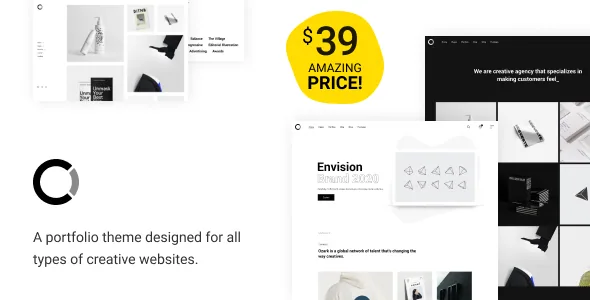
A header that changes depending on which page a visitor is on
GradaStudio's description gives Ozark one feature that stands apart from the usual portfolio pitch: an in-house plugin for headers and footers, used with Elementor custom widgets, that lets you display a custom header template only on the homepage, only on the blog archive page, or across the entire website.
For a portfolio site this is a real planning question rather than a cosmetic one. A homepage that opens with your name and a single line can use a stripped-back header, while the blog archive needs navigation that fits an article listing. Ozark lets those be different templates instead of one compromise. The same logic applies to footers, which the plugin handles as well.
The vendor does not describe whether templates are assigned through a conditional logic panel or picked from a dropdown per page, so read the documentation before you map out a header strategy that depends on finer conditions than the three the description names.
Elementor builds the pages, the plugin supplies the widgets
Ozark supports Elementor, and the marketplace compatibility list observed on 4 November 2026 also names Elementor Pro. Pages are assembled with a drag-and-drop interface, and the header and footer work described above runs on Elementor custom widgets from the Ozark plugin.
That combination means the theme's visual identity lives in widgets you can rearrange, not in hard-coded template files. A minimal portfolio layout is often a handful of elements — a name, a project grid, a short biography, contact details — and the vendor's framing is that you are free to keep that minimal or build it out. Nothing in the description binds you to a fixed section order.
The listing marks Gutenberg Optimized as No. That records the vendor's declared optimisation target and does not mean the block editor is switched off; it tells you the theme's page-building story runs through Elementor.
Three display modes instead of one responsive switch
The vendor describes Ozark as responsive, fluid and retina ready, then adds the detail that matters: the theme has three individually customizable display modes, for desktops and laptops, for tablets and for phones.
Broken into three groups, the responsive step becomes a distinct piece of work rather than an inherited default. A four-column project grid that suits a wide desktop may need to be a two-column set on a tablet, and a one-column stack on a phone, and each of those can be tuned on its own rather than deduced from a single breakpoint crossing. The marketplace layout attribute records four or more columns, so the widest arrangement has room for a dense grid.
Plan for this as a review pass. Build the desktop page first, then step through tablet and phone as their own configurations and check that the header template you assigned earlier still reads well at the narrower widths.
What arrives with the theme, and the imagery that does not
The description states that Ozark includes the premium Slider Revolution plugin along with the theme purchase, with its animation, effects and content-display controls. The version 1.5 changelog separately records Slider Revolution updated to 6.7.30, which tells you the bundled slider is maintained alongside the theme.
The same description carries a note worth reading before you sketch a homepage: images and illustrations used in the demo are not included in the download package. Demo content import can give you a page structure, but the photography that makes a minimal portfolio look finished has to come from you or a licensed source. Budget for that early, because a sparse design shows image quality very plainly.
Bundled-plugin details change between releases. Treat the package contents as something to confirm against the live documentation rather than a fixed promise.
Design controls sit in the WordPress Customizer
Ozark's theme options are described as living in the live WordPress Customizer, using native WordPress functions rather than a separate options framework; the key-features list names Kirki as the Customizer library. If you have set up a WordPress site before, the screen will look familiar.
What you can change from there, according to the vendor: colours and typography, with support for the full set of Google Fonts (described as 800+) so fonts can be assigned per element; FontAwesome icons; and parallax and video backgrounds for section imagery. Those last two are the motions that make a minimal layout feel less static without adding visual clutter.
Translation is handled through the options panel, and the vendor also points to PO files with Loco Translate or a PO editor for a more conventional workflow. WPML appears in the compatibility list. Which route you choose depends on whether the site is translated in-house or handed to a translator.
The version claims, and how to read them
The vendor's 1.5 release, dated 14 March 2025 in the description, adds WordPress 6.7.x and WooCommerce 9.7.x compatibility and updates Elementor to 3.27.7, Slider Revolution to 6.7.30 and the Ozark plugin to 1.5. The same release notes fix Firefox and Safari animation and loading issues for posts.
The marketplace attributes, observed on 4 November 2026, list software versions from WordPress 6.0.x through 6.7.x, WooCommerce 6.x through 9.x, and compatibility with Elementor, Elementor Pro, Gravity Forms, Jetpack, WPML and Bootstrap 4.x. Browsers listed are Firefox, Safari, Opera, Chrome, Edge and IE11, and the included files are PHP, CSS and JavaScript. A child theme is named in the key-features list.
Where the two sources disagree, the changelog is the vendor's more recent statement of what was checked; the attribute fields there are broader and older. Neither is a substitute for trying the theme on your own PHP version, caching layer and plugin mix. One further gap is worth noting for browsers: the theme's own 1.5 notes list fixes for Firefox and Safari post animations, while IE11 remains in the compatibility attribute despite the vendor updating its WordPress ceiling past versions that supported it.
Questions & answers
Can I use a different header on the homepage and on the blog archive?
Yes, according to the vendor. The bundled Ozark plugin is described as letting you show a custom header template on the homepage only, on the blog archive page only, or across the whole site, built with Elementor custom widgets. The description does not cover finer conditions, so check the documentation if you need page-level rules.
Does Ozark work with WooCommerce?
WooCommerce compatibility is declared, with the 1.5 changelog adding support for WooCommerce 9.7.x and the marketplace attributes listing versions 6.x through 9.x. The theme is designed as a portfolio first, so treat shop features as an addition rather than the main workflow.
Are the demo images included in the theme package?
The vendor states that images and illustrations used in the demo are not included in the download package. One-click demo import gives you the page structure; photography for a minimal portfolio needs to be sourced separately.


