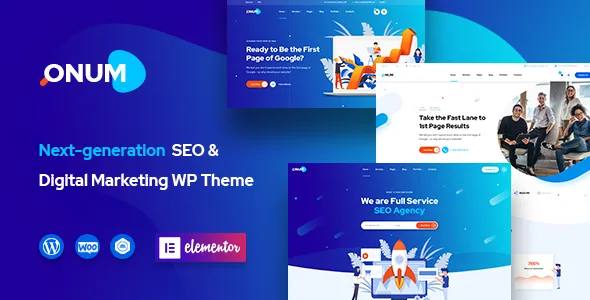
Nine homepages that arrive as content, not as a switch
The vendor says Onum includes nine predefined homepage layouts and states that all of them live inside the demo content file. That sentence does the most work in the whole listing, because an imported layout catalogue is not the same as a set of templates you can toggle on a live site.
What you get is the pages themselves, with their Elementor structure, imported alongside a dummy content XML file. You can study them, duplicate one and replace its copy, or strip sections back to the ones you want. Changing your homepage after the site has content means building the new arrangement rather than selecting a different template, so settle the homepage before content goes in if you can.
The vendor describes a one-click installer but does not say whether the import is additive or destructive. Run it on a clean installation first.
Headers and footers: the listing gives two different numbers
The feature blurb says six default header layouts are included and that unlimited headers can be built in Elementor. The full feature list further down the same description says four header layouts. Footers are consistent: three defaults in both places, plus Elementor-built versions in the blurb.
Navigation carries an agency site \u2014 services, case studies, contact \u2014 so the header is one of the reasons to pick a theme like this. Count the variants in the live demo yourself and judge whether the ones you like sit close to your menu structure. The listing does not explain how the built-in headers relate to Elementor's template system, so treat "build your own" as a route that needs checking rather than a documented feature.
Global styling lives in the Customizer, and page layout lives in Elementor
Colour and typography are handled by the theme's real-time WP Customizer, with a live preview before publishing. The vendor claims unlimited colour options, notes that icon colours follow the palette, and gives 1480+ Google Fonts in the feature blurb while the full list just says unlimited Google Fonts. Treat the font figure as a vendor claim without supporting detail.
Everything inside a page \u2014 sections, columns, buttons, spacing \u2014 belongs to Elementor. If you hand a site to a client's marketing team, that split matters: changing a heading font and changing a section layout happen on two different screens. Elementor is a stated requirement, not an option, and the vendor lists multiple custom widgets built for the theme. Gutenberg Optimized is marked No in the marketplace attributes.
Work that happens outside the Elementor canvas
Slider Revolution is included for animated sliders, per the vendor. It has its own interface and its own learning curve, and on agency homepages a hero slider is often the first thing a visitor sees, so look at how the demos use it rather than assuming a default.
The theme is described as child theme compatible, with default template files overridden in a child theme so updates stay safe. On a straight Elementor build you may never touch this. It matters if you need to change how a blog listing or a project page renders, where template files rather than builder content are in play. The full list also names blog pages, single blog posts, single project layouts, a 404 page, Slick Slider, tabs and accordions, and a Google map element. Contact Form 7 appears in the compatibility list, which is the practical choice for enquiry forms on a services site.
The PSD set depends on asking the vendor
The description promises 31+ PSDs covering pages, images and graphics, and says the files are fully layered with organised folders. It also says you contact the vendor after purchase and they send them.
The marketplace file field lists Layered PSD and PSD among included files, but that field is a stored attribute, not a record of what arrives on the day. If your process starts in Photoshop \u2014 storyboarding with a designer before anyone opens WordPress \u2014 ask about delivery before you build a timeline around it. If the PSDs are a nice-to-have, they should not decide the purchase either way.
Compatibility statements that disagree with each other
The listing as observed on 4 November 2026 carries two sets of claims. The description says the theme is compatible with WooCommerce 10.x and names Polylang for multilingual sites. The structured attributes list WooCommerce 9.x.x and 8.x.x, WPML in the compatibility field, and WordPress from 7.0.x back to 5.5.x, alongside Elementor, Elementor Pro, Contact Form 7 and Bootstrap 4.x.
These are declarations stored with the listing, not results from running the theme against each combination. If you plan to sell through WooCommerce on this theme, or you maintain a multilingual site, test the specific plugins you need on a staging copy. Nothing in the listing explains which plugins must be installed for a given demo layout to look the way the preview does.
Where Onum repays the setup cost
Onum is a reasonable starting point when you want a marketing-agency site that is already assembled: pick one of nine imported homepages, adjust a header and footer from the built-in set, set type and colours once in the Customizer, and spend the remaining time on copy and section order instead of designing a shell from nothing.
It is a weaker fit if you need many distinct header treatments immediately, given the vendor's own counts stop at four or six depending on the line, or if your editors expect to work in the block editor. The SEO framing in the description names no technique, so judge the theme on structure and speed in your own environment rather than on the label.
Questions & answers
Does Onum work without Elementor?
The vendor states the theme requires the Elementor Page Builder plugin, and the theme's custom widgets are built for it. Plan on running Elementor alongside Onum.
How many header layouts does Onum include?
The listing contradicts itself: the feature blurb says six default headers plus unlimited Elementor-built ones, while the full feature list says four. Count the variants you would actually use in the live demo.
Can I switch the homepage after importing a demo?
The nine homepage layouts ship inside the demo content file rather than as switchable templates, so changing one after your site has content means building or cloning the new arrangement in Elementor.


