Before the player works, you need a stream
The first thing to settle with OnAir2 is not the design. It's the audio source. QantumThemes' feature list states plainly that the Shoutcast/Icecast player requires a public MP3 stream, and the vendor invites pre-purchase checks of that stream. Nothing in the theme creates a broadcast; the player, the popup player and the continuous playback mode all point at a URL you already control.
The theme is described as playing any MP3 stream and as working with SHOUTcast and Icecast, with ShoutCast 2, Radio.co, Airtime, Live365 and Radionomy named among the providers whose metadata it reads. If your station already runs on one of those, OnAir2 is an interface for it. If you're planning a station from scratch, the streaming account is the first order of business, ahead of demo import.
Streams can be listed as unlimited channels rather than a single one, which is where the multi-station layout comes from later.
Song titles are a separate feed, and the part most likely to need attention
Displaying the current track is a distinct job from playing it. OnAir2 reads song titles from ShoutCast 2, IceCast, Radio.co, AirTime, Live365 and Radionomy, and the vendor says it can also read titles from any plain text feed in an author-then-title format. That last option matters if your provider exposes metadata in a shape the built-in readers don't cover.
The changelog shows where the upkeep sits. Version 6.1 fixed an Icecast artist title issue, and version 6.2 replaced the song artwork connection with a new API for song titles. Providers change their endpoints; a title that stops updating after a provider migration is a known category of work, not a sign that the page was built wrong.
One older documented case still has practical value: for ShoutCAST on a non-standard HTTPS port, the theme includes an option to force the HTTPS connection so song titles resolve on an HTTPS site. Worth checking if your stream host runs an unusual port.
The schedule is the backbone of the site
OnAir2's content model treats shows as first-class content, not as blog posts with a category. The vendor describes purpose-built show pages, an automatic timetable, automatic time and day detection, show sliders and an "on air" indicator that reflects the current programme.
The more consequential claim is about propagation. The vendor says homepage widgets are updated automatically and pull content live from news, shows, schedule and podcast entries, so adding a show or changing the schedule updates those widgets without anyone editing the homepage by hand. Read that as a description of what those specific widgets display, not a promise that every page you have built picks up a schedule change. A hand-composed Elementor section containing static text is still static.
Show listings are also described with grid or masonry layouts sorted by category or music genre, a tag taxonomy for browsing, and related content such as chart entries, previous episodes and news alongside each show page.
Podcasts, channels and the blocks that repeat
Podcast episodes are part of the same site rather than a separate integration puzzle. The vendor names SoundCloud, YouTube and MixCloud as supported sources and includes an MP3 player, so an episode can be embedded from a hosted platform or served from a file. Version 6.0 added a Podcast Importer (Lite Edition), which is aimed at pulling an existing series in rather than typing it out.
For networks running several stations, the vendor describes radio channel cards that are playable themselves, so a gallery of channels can sit on one page and a visitor can start any of them without leaving. That, paired with unlimited channels in the player, is the multi-station pattern.
Beyond the stream and schedule, the theme's bundled features include an events calendar with countdown timers, map locations and buy-ticket links, and Top 10 charts that can reorder themselves from listener votes. The vendor's stated inventory is 11 custom post types, 7 custom widgets and 14 custom shortcodes.
Editing happens in Elementor, with radio-specific widgets
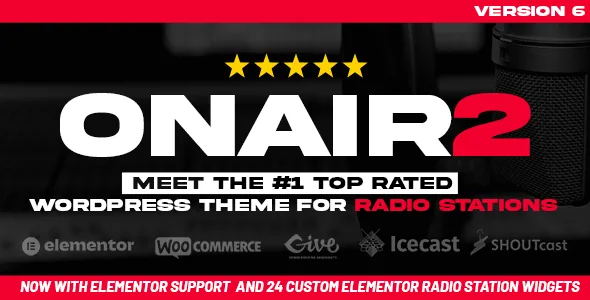
Version 6 moved the design work into Elementor, and the vendor describes 24 custom radio widgets and 14-plus Elementor templates. Those widgets are what make the builder useful here: a player, a schedule block or a chart can be placed and configured rather than coded, and the demo sites are importable in one click (four are offered).
Elementor Pro appears on the compatibility list but the vendor states it is not required and not included, so the widgets are built to work with the free plugin. WPBakery Page Builder is also listed as compatible, and the vendor's licence note on the marketplace describes a bundle that includes WPBakery, Slider Revolution and QT Places — a vendor statement about the marketplace package, not something to assume about any particular copy of the files.
Colour and font options are described as unlimited, and version 5.5.0 added CSS caching. If you already have Elementor habits, this is a familiar editing surface with a radio vocabulary layered on top.
Declared limits and compatibility
A few constraints are stated outright and are worth knowing before you commit. The theme is not compatible with WordPress Multisite. Elementor Pro is neither required nor bundled. Demo images are not part of the product, so budget for licensed photography.
The compatibility attributes, observed on 3 November 2026, list Elementor, Elementor Pro, WPBakery Page Builder and WooCommerce across 6.x through 9.x. Declared WordPress support runs from 6.7.x to 7.0.x, with the marketplace recording version 6.2 as the latest release. ThemeForest's file list includes PHP, HTML, CSS, JS and PSD files. Browsers named are IE11, Firefox, Safari, Opera, Chrome and Edge.
Those are vendor and listing declarations, not results from testing against your PHP version, your streaming provider or your plugin set. With a stream URL in hand and a schedule to model, OnAir2 is built around exactly the work a radio station site involves.
Questions & answers
Can OnAir2 play my stream if I don't use SHOUTcast or Icecast?
The vendor says the theme can play any MP3 stream and can read titles from providers including Radio.co, Live365, Airtime and Radionomy, plus any plain text author/title feed. The one stated requirement is a public MP3 stream, and the vendor invites you to test your stream before buying.
Does the theme include Elementor Pro?
No. Elementor Pro appears on the compatibility list, but the vendor states it is not required and not included. The theme's own radio widgets are described as working with Elementor, with 24 custom widgets and 14-plus templates.
Will editing the schedule update pages I've already built?
The vendor describes homepage widgets that pull live from shows, schedule, podcast and news content, so those update when the content does. Pages you compose yourself with static Elementor sections don't inherit that behaviour. Treat the automation as a property of the theme's widgets rather than of every page.


