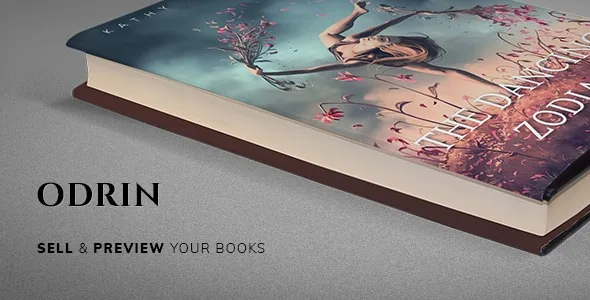
Page flip, price overlay and Read the Book on one cover
Odrin's Book Image widget does three things in a single element: it displays a book cover, gives that cover a parallax background, and lays a price overlay and a page-flip button on top. A separate Read the Book button is listed as its own widget, dedicated to opening preview chapters. The vendor calls the overall effect an elegant page flip with 3D book covers.
This matters most when a cover is not just decoration. A single cover with the sample and the price attached means a visitor can open a preview and see how to buy it without leaving the page. The Single Product widget repeats the pairing further down a page, combining Read the Book with Add to Cart.
Widgets grouped by where a book sits in its life
The vendor describes 25+ custom widgets in a dedicated Odrin category in Elementor. Read as a catalogue rather than a feature count, several of them map onto the stages a title passes through:
- Upcoming Book shows a cover with a countdown, and the Countdown widget runs as either a timer or a text countdown to a release date. - Recent Books pulls your latest products automatically, so a new release appears without editing the page. - All Products gives a full grid with category filtering and sorting. - Featured Books, Selected Products and Books Panel present chosen titles; Books Panel adds hover effects and a book-thickness animation.
The distinction worth knowing is that Recent Books and All Products are described in terms of products you maintain in WooCommerce, not entries duplicated in page layouts.
A second group covers the author rather than the catalogue: About Me, Image, Social Media and Popular Posts widgets, and a Mailchimp newsletter form that the vendor says runs through the MC4WP plugin. Events and Upcoming Events handle readings and signings, and Extended Google Maps takes custom markers and JSON styling for venue maps.
Elementor's own widgets gain extra controls
Odrin also changes how existing Elementor widgets behave. The vendor's list of extensions includes a Heading with a dropcap toggle and a subtitle skin, an Icon Box with an additional "Behind Title" icon position, a Button with three theme types (Default, Colored and Minimal) plus separator controls, a Testimonial with an icon switcher for its image area, and Accordion and Toggle elements with an active-state background colour. Sections and Containers receive parallax background controls with speed and position settings, and every widget is said to gain absolute positioning controls and margin units in vw and vh.
Because these are additions to standard elements, a new page is not Elementor plus a separate add-on library. Someone else designing in the same site will need to look for controls that are not where stock Elementor puts them. Elementor Global Styles are supported as well, so colours and typography can be set once and reused.
Settings, demos and the Unyson-era content
Theme settings are described as ACF Pro-powered, meaning the options screens are built with Advanced Custom Fields rather than a custom settings framework. The vendor also lists backward compatibility with legacy Unyson content — a hint that older pages built before the Elementor version may still exist in that format.
Two one-click demo imports are included, and the vendor specifies what each brings in: pages, Elementor templates, global styles, menus and widgets. The description does not explain how the two demos differ, so that comparison belongs on the live demo. Elsewhere the type and icon options are deliberately wide: 700+ Google Fonts, ET Line Icons and Font Awesome 6, plus 60+ scroll animations through WOW.js.
Compatibility as recorded on the marketplace listing
When the listing was observed on 4 November 2026, it recorded compatibility with Elementor, Elementor Pro, WPML, and WooCommerce from 5.x through 9.x, alongside WordPress 6.5.x through 6.9.x. The vendor's feature list adds PHP 8.x compatibility and translation readiness with a .pot file. Those are declarations stored with the listing, not results from running the theme on a particular host, PHP build or plugin mix.
Gutenberg Optimized is marked No. That field measures optimisation for the block editor, not whether the block editor is available, and it fits a theme whose page building happens in Elementor. There is also a gap the description leaves open: how a chapter preview is stored and which format the Read the Book interaction accepts. Confirm that, and the flip effect on a phone, before building around either.
Questions & answers
Can Odrin sell books without WooCommerce?
The vendor describes the product-driven widgets — Books Panel, All Products, Recent Books, Single Product with Add to Cart — in terms of WooCommerce products, and lists WooCommerce as compatible. The theme is presented as a WooCommerce shop with author content around it rather than a standalone catalogue, so plan on WooCommerce being part of the stack.
What does the Read the Book button open?
The vendor describes it as a dedicated button for opening book preview chapters, paired with the page-flip effect on 3D covers. The description does not say how chapter content is stored or which format the preview accepts, so the mechanics are worth confirming on the live demo before you commit.
Does the block editor still work with Odrin?
The listing marks Gutenberg Optimized as No, which describes optimisation for the block editor rather than availability. Odrin's layout work happens in Elementor, and the vendor does not describe a block-based editing workflow for its templates.


